


Extension GPO help

Hello, I am trying to create a deny all & white list only gpo for Firefox extensions.
I am using the gpo; Computer Configuration/Policies/Administrative Templates/Mozilla/Firefox/Extensions/Extension Management
I started out simple using a template which worked.
{ "*": { "blocked_install_message": "Your Company Blocked Message", "installation_mode": "blocked" }, "uBlock0@raymondhill.net": { "installation_mode": "allowed" } }
However, when I tried to add in more allowed extensions it now longer worked and was able to install any extension.
{ "*": { "blocked_install_message": "Your Company Blocked Message", "installation_mode": "blocked" }, "uBlock0@raymondhill.net": { "installation_mode": "allowed" }, "querymoid@kaply.com": { "installation_mode": "allowed" } }
すべての返信 (4)
So I found a typo in one of the above allowed items and corrected it and now it seems to be working normally again.
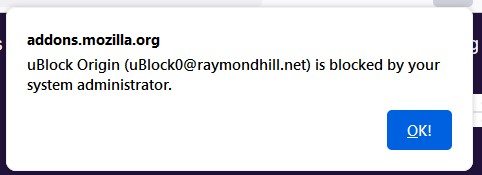
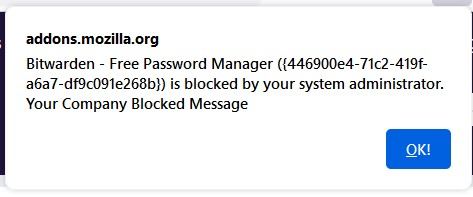
But have another question, what's the easiest way to get the extension listing name? Usually I just try to add one and look at the block message and add in the email name and that seems to work but others like Bitwarden have a different format and I can't seem to figure out what to put in? I've tried these and neither work. "Bitwarden - Free Password Manager" "Bitwarden - Free Password Manager ({446900e4-71c2-419f-a6a7-df9c091e268b})"
選ばれた解決策
Figured out that I just needed the info that's within the () brackets whether that's an email or GUID.

FYI, I built an extension that makes getting the ID easy:
https://github.com/mkaply/queryamoid/releases
If you click on it while on the AMO page, you'll get the extension ID.
Thanks Mike, I actually had found your tool earlier and tried it, but since I was very new to setting all this up I didn't realize that it was showing me what I actually needed. :D But now I know and will use it in the future.