


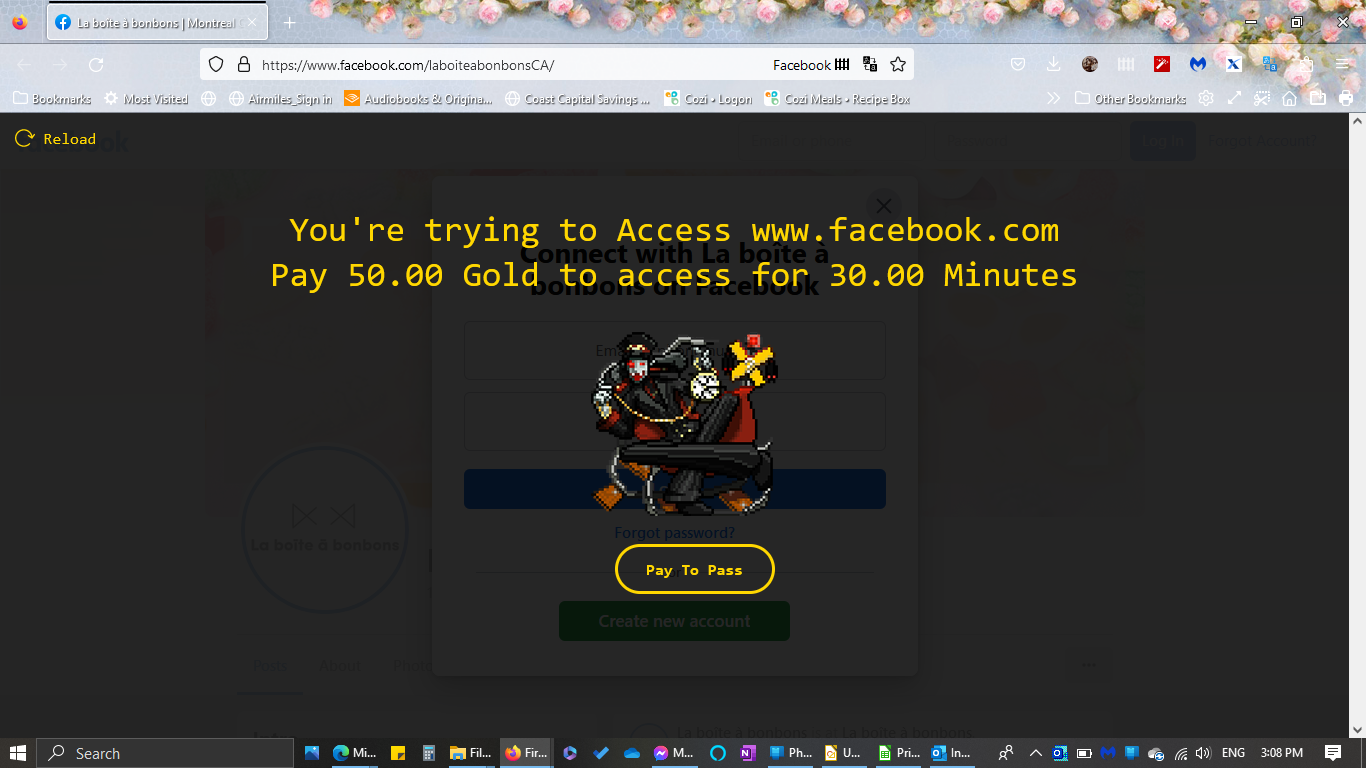
ransom demand "You're trying to access www.facebook.com pay 50.00 gold to access for 30.00 minutes
how do I remove
選ばれた解決策
Thank you for sharing the screenshot showing the text "sitekeeper". Maybe you have this add-on installed:
https://addons.mozilla.org/firefox/addon/habitica-pomodoro-sitekeeper/
You can use the Extensions button to manage installed add-ons, including disabling and removing them.
この回答をすべて読む 👍 1すべての返信 (7)

Not a Firefox issue but site issue that one needs to contact FB support to find out why it's happening.
Does this happen with all FB pages ?
You can check the connection settings.
- Settings -> General -> Network: Connection -> Settings
If you do not need to use a proxy to connect to internet, select "No Proxy" if "Use the system proxy settings" or one of the of the others do not work properly.
See "Firefox connection settings":
- https://support.mozilla.org/en-US/kb/websites-dont-load-troubleshoot-and-fix-errors
- https://support.mozilla.org/en-US/kb/firefox-cant-load-websites-other-browsers-can
- https://support.mozilla.org/en-US/kb/firefox-and-other-browsers-cant-load-websites
You can do a malware scan just to be sure.
You can remove all data stored in Firefox for a specific domain via "Forget About This Site" in the right-click context menu of an history entry ("History -> Show All History" or "View -> Sidebar -> History").
Using "Forget About This Site" will remove all data stored in Firefox for this domain like history and cookies and passwords and exceptions and cache, so be cautious. If you have a password or other data for that domain that you do not want to lose, make sure to backup this data or make a note.
You can't recover from this 'forget' unless you have a backup of involved files.
If you revisit a 'forgotten' website, data for that website will be saved once again.
I don't know if it happens with all FB pages, it has happened with more than one. I already ran malwarebytes, nothing. It is some kind of overlay. I included a screenshot with the script. I don't know enough to figure out the help instructions.
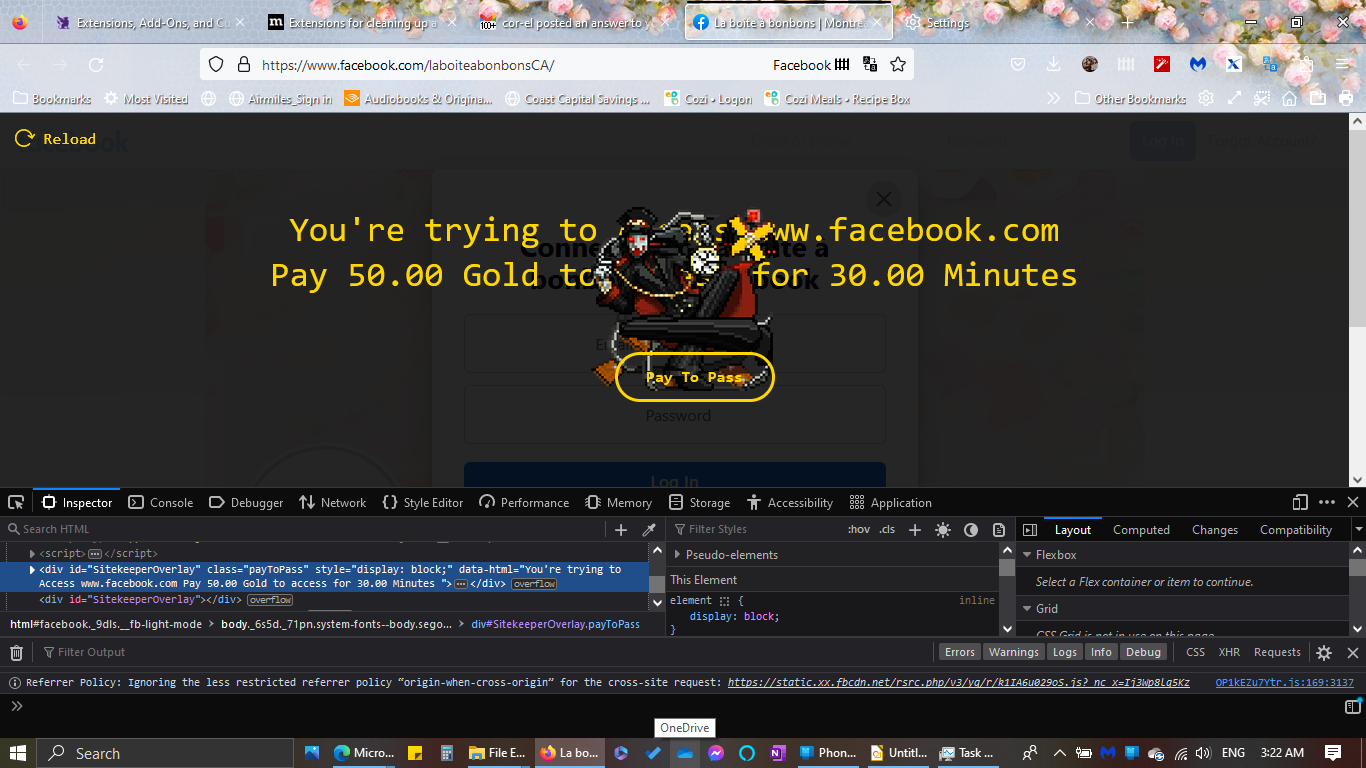
Did you try to contact FB support and show them the screenshot error as that should be whom you contact for them to track down the issue on their site.
選ばれた解決策
Thank you for sharing the screenshot showing the text "sitekeeper". Maybe you have this add-on installed:
https://addons.mozilla.org/firefox/addon/habitica-pomodoro-sitekeeper/
You can use the Extensions button to manage installed add-ons, including disabling and removing them.
Sorry, forgot to link the article on the Extensions button: Manage your extensions using the extensions button in the toolbar.
Thank you. You are supposed to activate the pomodoro first so I don't know why it did it anyway.