Firefox Password Protected start

Hello
Is it possible to enable a password protection when starting the Firefox app on Android ? In special when saved passwords are used they are entered automatically and there is no additional protection of those when going on a website for which the password was saved. E.g. when somebody unlock your device the person is able to start Firefox and going through chronic or pages where you might enabled automatically password fill in. Can this be protected by pin or fingerprint?(like in the Firefox Password manager)
Thank you
すべての返信 (2)

Open Settings. Open Firefox and then click the menu button (three horizontal lines) at the top right of the window. Navigate to Logins and Passwords. Enable Primary Password. Click OK to set your Primary Password.
Regards, TG
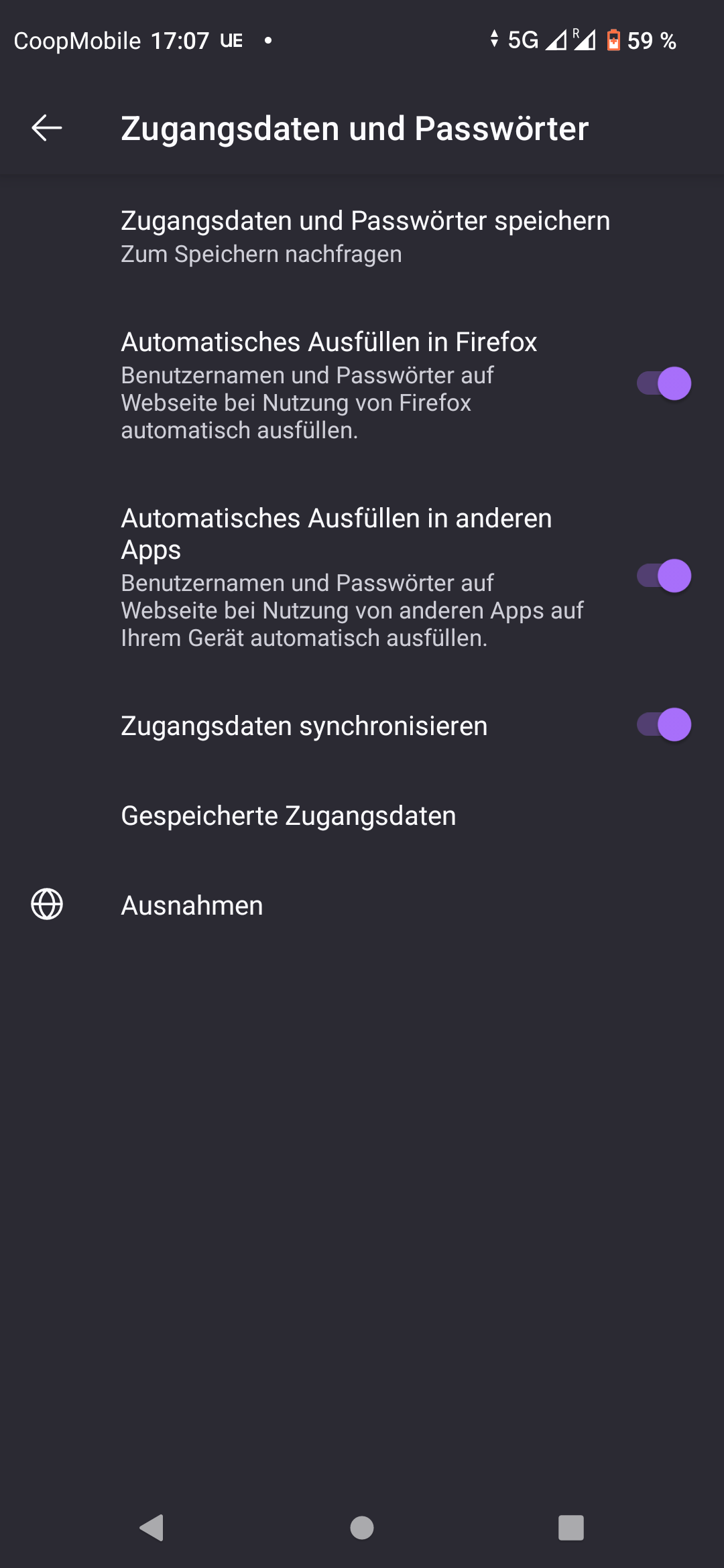
Hello TG Sorry this Option I do not see in the Android Firefox App. In Windows I enabled this option. I attached the screenshot how it looks like in the Password settings in my Firefox there I have no selection option. Maybe I am blind but do not find it there.
Best Regards Oliver