


Edit bookmark corruption

Hi,
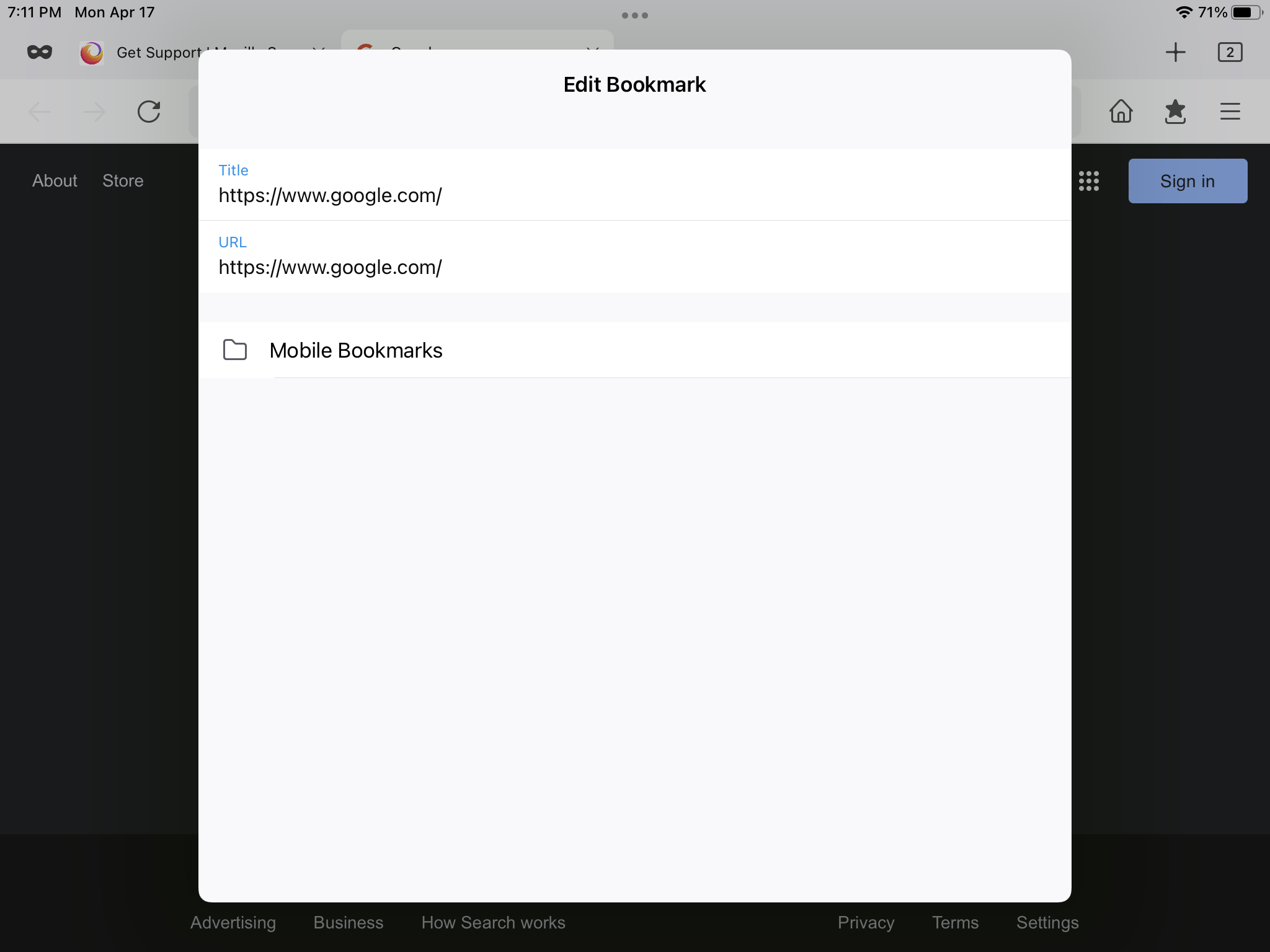
When using the Edit bookmark feature I can no longer see the button that allows me to actually save changes. I took a screenshot of the edit bookmark window and have attached. As you can see while the window pops up, it no longer contains any buttons to make the edit changes. As a result I can neither edit, or add new bookmarks any longer
Thanks,
すべての返信 (2)
Same. I’ve tried deleting and re-downloading to no avail. The “Done” button is gone.
One possible fix, which discovered via trial and erro - use the add bookmark button (which still works for me), but rather than using the old edit/undo buttons to move the bookmark to your desired folder directly you now have to go back to the root directory and move the bookmark independently to the final destination you want. It comes with extra time and effort, especially if you have a messier manganese bookmark file folder directory structure, but it is do-able