


Not sending calendar invitations after following the article about it.
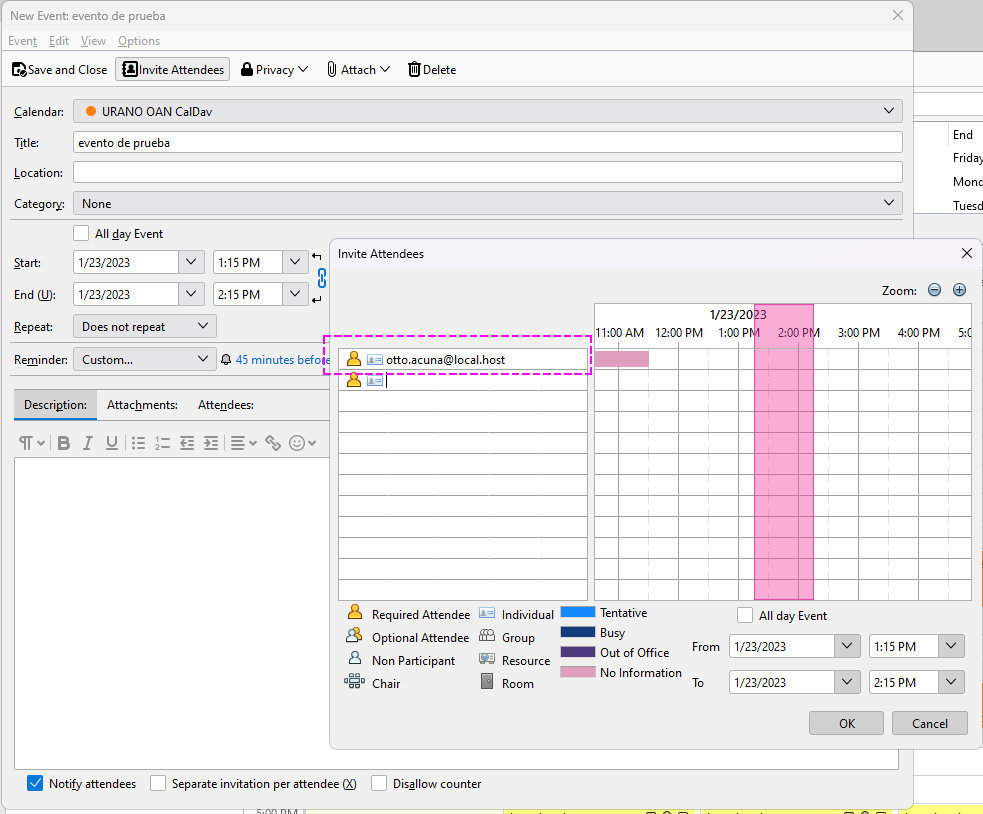
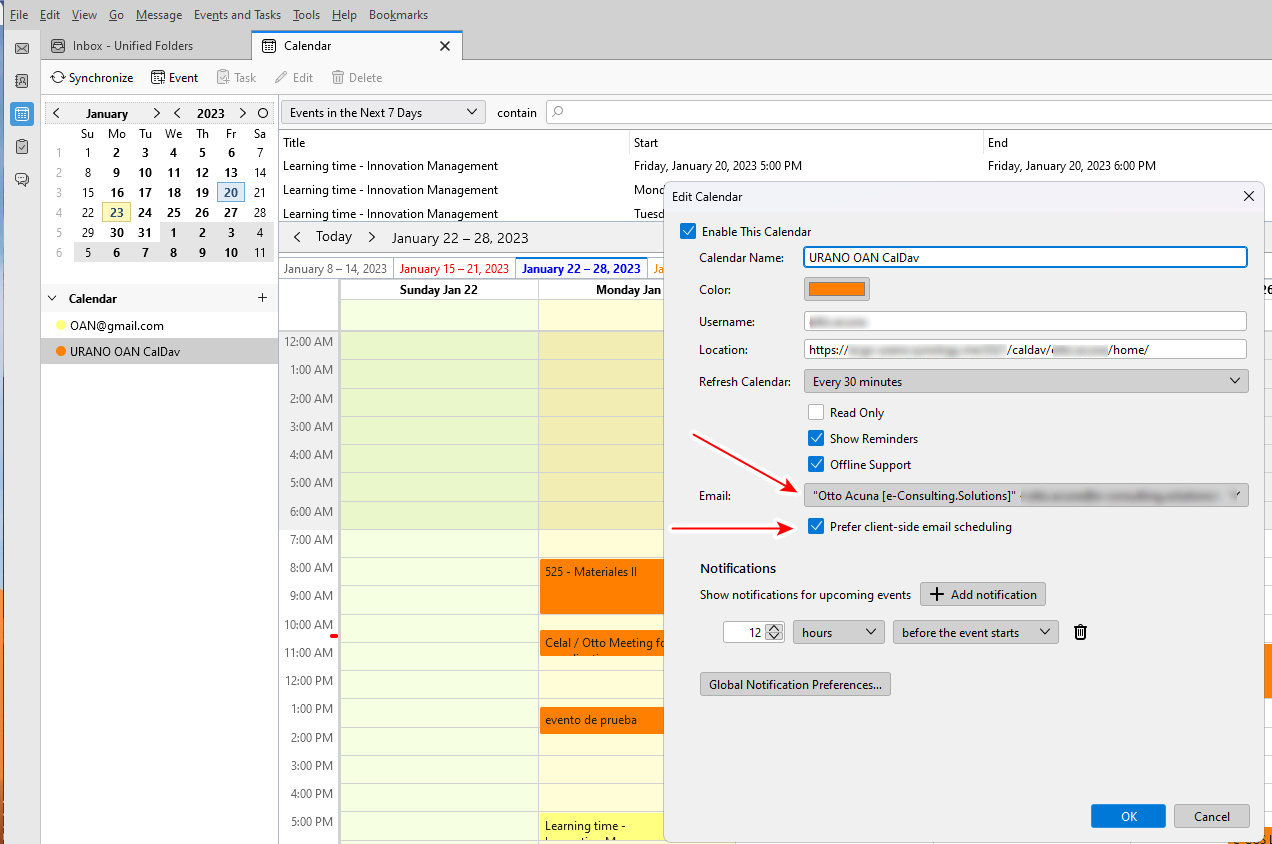
I had a big event related to security on my ISP last year and I moved my calendar and contacts to an internal cardav and caldav server in my hosted Synology NAS. I was able to setup Thunderbird well and I did assigned a calendar identity to the calendar with local management of the invitations. In the configuration, it correctly shows, as in the article (https://support.mozilla.org/en-US/kb/enable-email-invitations-caldav-servers-configured) that I prefer Client side email scheduling and I have assigned one of my email accounts. The problem I have is that when I create a calendar entry and state that I want to invite people, by default it states that the organizer is otto.acuna@local.host, not the email identity I assigned and that it shows in properties
Any ideas if this is something I need to edit somewhere internal? Thank you in advance for your help Otto
すべての返信 (2)
An update, I found something interesting. The problem seems to happen when I import an ICS invitation (e.g. a zoom scheduled event that generates an ics that you import into the calendar. I created a new event in the calendar from scratch, not importing, just clicking on the calendar and did the same thing, changed otto.acuna@host.local for the same account I placed in properties to send the invitation and the invitation got send.
Could it be that with the ICS you import something in the code that dissallow to invite?
right click the calendar in the right of a calendar tab and select properties. Now set the email account for that calendar.