


Windows 10 reached EOS (end of support) on October 14, 2025. For more information, see this article.

Mozilla サポートの検索

サポート詐欺に注意してください。 私たちはあなたに通話やショートメッセージの送信、個人情報の共有を求めることはありません。疑わしい行為を見つけたら「迷惑行為を報告」からご報告ください。

詳しく学ぶ

このスレッドはアーカイブに保管されました。 必要であれば新たに質問してください。

Lock down Applications

  • 2 件の返信
  • 1 人がこの問題に困っています
  • 31 回表示
  • 最後の返信者: Mike Kaply

more options

We are taking advantage of the Mozilla.cfg and PrefLock and that works great! Now I am looking for a way to lock down the Applications set in Firefox and I don't seem to be having any luck doing so.

Goal is to lock down the Applications section In Firefox under "General" (See the screenshot). Its currently set to a few default applications we use. These settings seem to change at random depending on user actions, or after browser updates. Is there any way to lock them in place once the settings are set? Would like the settings to stick and we don't want users to have do to anything. Example: If Adobe is set for PDF's, I just want it to always open in Adobe. Maybe grey out the section or something so it cannot be changed if possible.

Thanks!
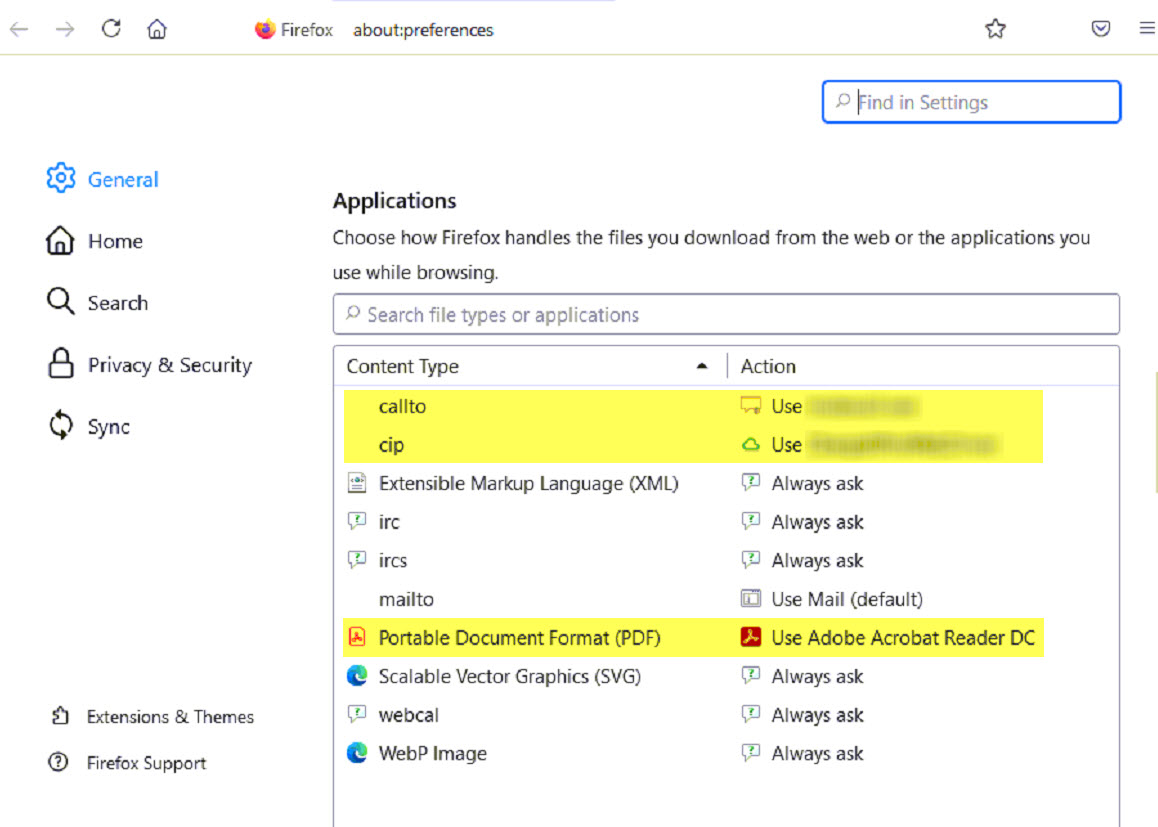
We are taking advantage of the Mozilla.cfg and PrefLock and that works great! Now I am looking for a way to lock down the Applications set in Firefox and I don't seem to be having any luck doing so. Goal is to lock down the Applications section In Firefox under "General" (See the screenshot). Its currently set to a few default applications we use. These settings seem to change at random depending on user actions, or after browser updates. Is there any way to lock them in place once the settings are set? Would like the settings to stick and we don't want users to have do to anything. Example: If Adobe is set for PDF's, I just want it to always open in Adobe. Maybe grey out the section or something so it cannot be changed if possible. Thanks!
添付されたスクリーンショット

この投稿は ar550n1c により に変更されました

すべての返信 (2)

more options

この投稿は cor-el により に変更されました

more options

We do not provide a way to lock the application settings.