


Folder setup problems

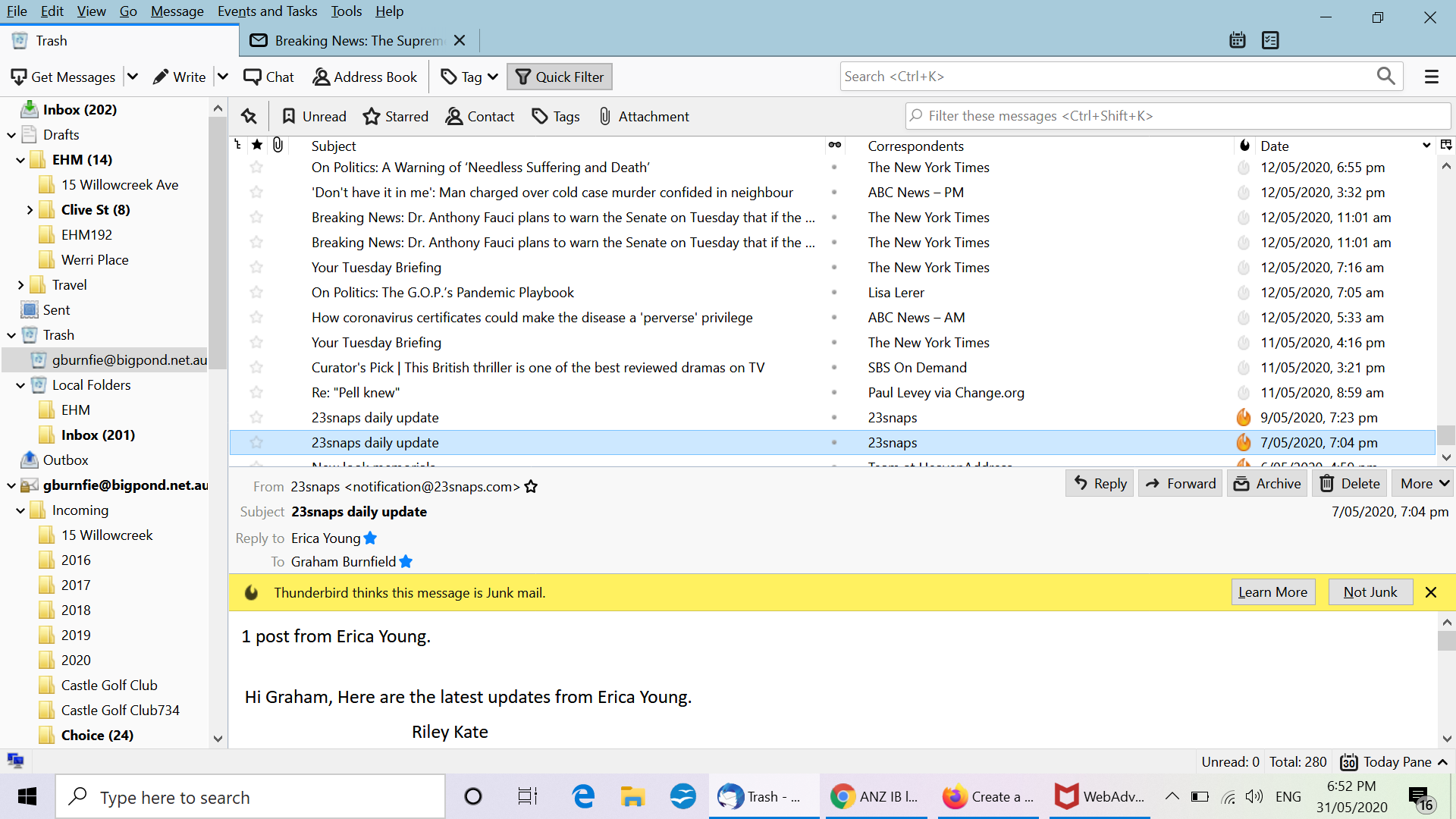
Hi I've just transferred my emails from my old laptop to the new one (Windows 10 and Thunderbird 68.8.1) and am trying to re-create the folder structure. The old email data was placed into a folder called "Incoming Mail", and I want to transfer those emails into sub folders. There are a few problems: 1 = Each of the sub folders is duplicated, with the second sub folder having numbers in its name. The emails have been spread over both sub folders for some reason. 2 = I can't create new sub folders or delete empty ones. I was able to move a few sub folders from the "Incoming Mail" folder, but could only place them in the "Drafts" folder. I've tried to move or create new sub folders in the "Inbox" since then, but nothing happens. I've also tried drag and drop and nothing happens.
I have no idea where to go from here. Even the guy who did the data transfer doesn't know why this is happening. Is this a common problem and can anyone help - the folder structure as it is is unworkable. Copy of the screenshot is below. Thanks Graham
すべての返信 (2)
The data transfer appears to have been done incorrectly. Copy the Thunderbird folder from the old laptop, delete the existing Thunderbird folder on the new laptop, then paste the folder from the old laptop in its place.
https://support.mozilla.org/en-US/kb/moving-thunderbird-data-to-a-new-computer
Thanks very much, I'll chase it up and let you know how it goes.