


How to stop double click in edit from requesting link location dropdown

I recently reinstalled Thunderbird.
Ever since then I am having a frustrating issue that I never had before.
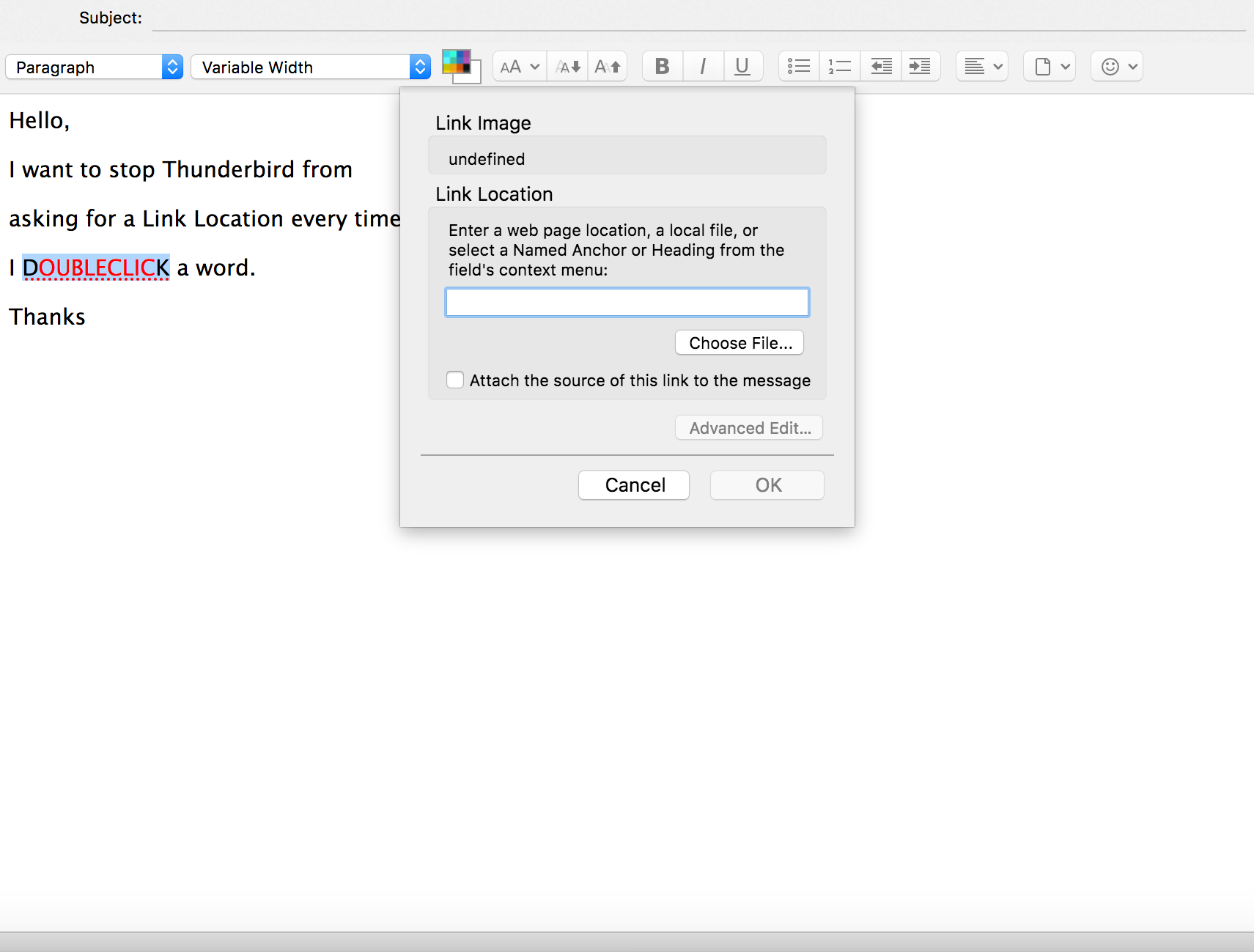
Whenever I edit an email which was saved as a template and I double click a word with colored font to change it, a dropdown menu pops up asking me to add a link location.
I added a picture below.
I would like to turn this off. I do not need to add a link location to the word. I am simple editing an email. I use templates, so I often have to double click a word and replace it with a new word. I highlight these words with colored font so I can find them easily. I do not need to add a link. This is adding a extra step that is making work much more difficult.
How can I stop triggering a link location when I double a word while editing?
選ばれた解決策
I had to uninstall and go back to version 52.
The 60 version was a nightmare.
I will wait till the bugs get worked out.
この回答をすべて読む 👍 0すべての返信 (3)
Here is the picture
Still hoping for any help possible.
This is affecting me and my work team.
It's a very frustrating problem to have menus open simply by double clicking.
Help Please
選ばれた解決策
I had to uninstall and go back to version 52.
The 60 version was a nightmare.
I will wait till the bugs get worked out.