


Can't send emails since I updateed to Thunderbird 52.6 32 bit.

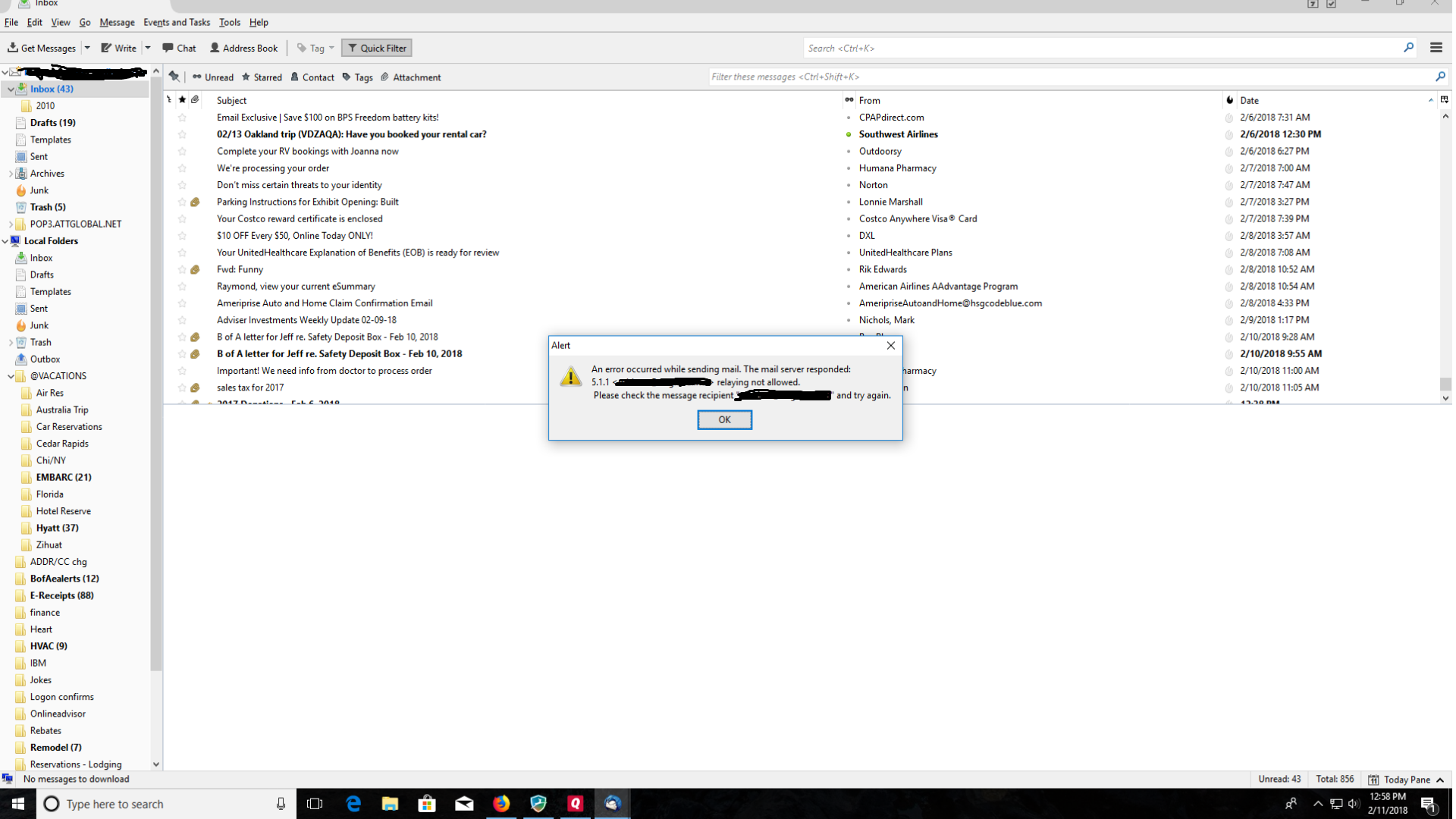
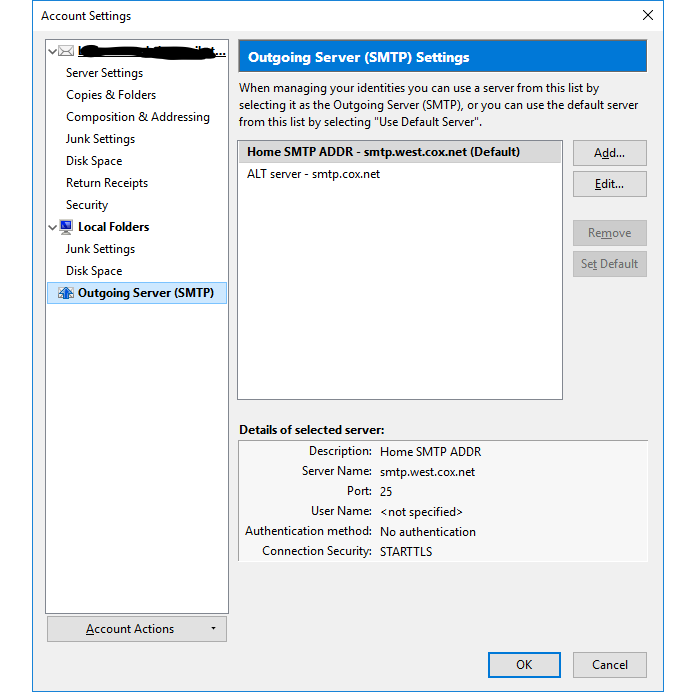
I get error 5.1.1 when I try to send an email, see below for my my smtp settings and the error msg. To the best of my knowledge I have changed nothing but update to current version. attglobal.net is my email provider, windows 10 build 16299, norton 22.11.2.7, Thunderbird 52.6.0 32 bit,
選ばれた解決策
be sure.
POP is incoming. SMTP is outgoing mail.
Thunderbird treats the two server as completely different.
You are very very luck to have never had a problem with Norton before. My experience with it that is without disabling significant parts of it you can not even add a new account to Thunderbird. Following every update it has to be told to allow the latest version access to the internet..
Look here https://wiki.mozilla.org/Thunderbird:Testing:Antivirus_Related_Performance_Issues#Norton_Security
すべての返信 (4)
Thankyou for your response. You could not see it but I have a POP3 server so I do not think this will work. All of the server settings for email worked until I update Thunderbird to 52.6.
Tried that and it did not work. Sounds like the cox change is suspicious. Guess I will call them and see what they say. Never had a problem with Norton b4. Will let you know what I find out.
選ばれた解決策
be sure.
POP is incoming. SMTP is outgoing mail.
Thunderbird treats the two server as completely different.
You are very very luck to have never had a problem with Norton before. My experience with it that is without disabling significant parts of it you can not even add a new account to Thunderbird. Following every update it has to be told to allow the latest version access to the internet..
Look here https://wiki.mozilla.org/Thunderbird:Testing:Antivirus_Related_Performance_Issues#Norton_Security
thanks for your help. Cox was the culprit.. Got it fixed. was out of pocket for awhile but eventually got it fixed
この投稿は Raybl により に変更されました