


How do I change the font color in an out-going message?

What are the steps to change the font color in an out-going message?
I saw similar questions, but no replies/answers.
すべての返信 (2)
選ばれた解決策
Do you have the formatting toolbar? The icon with two overlapping rectangles lets you set foreground and background colours.
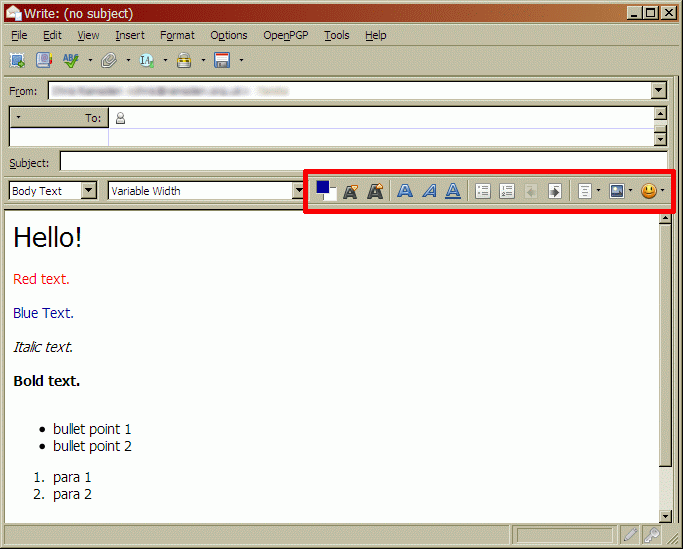
この投稿は Zenos により に変更されました
If this doesn't work, make sure to have set "Only with High Contrast themes" or "Never" for the drop-down menu choice in
(Windows) Tools menu or menu button > Options > Display panel> Formatting tab > Colors...
(Mac) Tools menu or menu button > Preferences > Display panel > Formatting tab > Colors,,,
(Linux) Edit menu or menu button > Preferences > Display panel > Formatting tab > Colors,,,
It's set to "Only with High Contrast themes" by default. Only this setting and "Never" will let TB use the colors set while composing a message. Choosing "Always" will cause them to be overridden by the colors specified above that drop-down.