


I have reinstalled Thunderbird and it did load up but now can't see anything

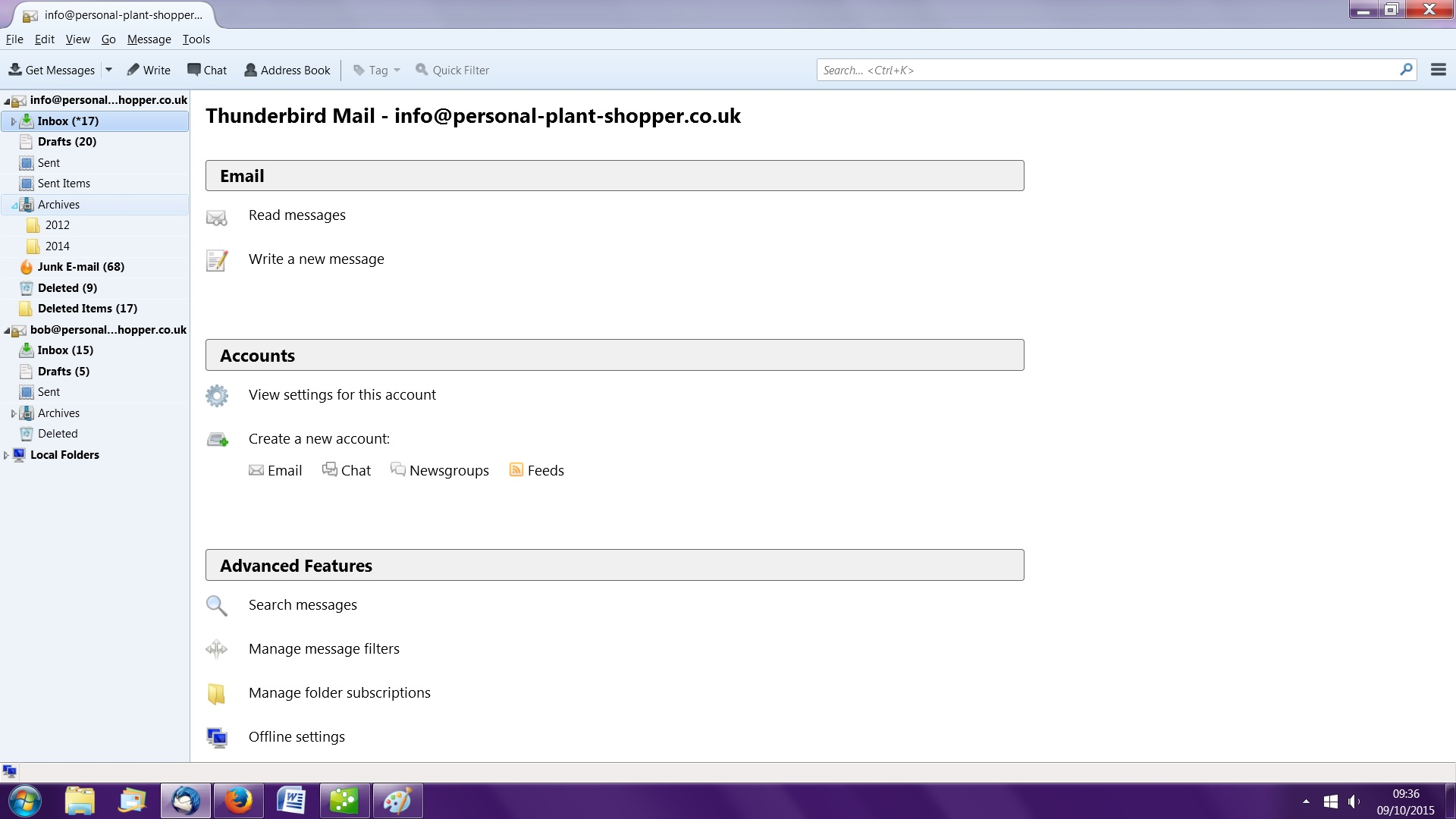
I went to uninstall Thunderbird and was told that it had already been uninstalled (not by me!). So I reinstalled it. It did load and showed my two IMAP email addresses but would not take me into any emails (see image below). I tried to find my profile but could only find the one for Firefox. I looked in my AVG Anti-Virus and did find one there for Thunderbird. I tried to uninstall Thunderbird again but it told me that it was open and I had to shut it first. When I try clicking on the Thunderbird icon on the tool bar at bottom of screen or via Start button, nothing happens. The Thunderbird email account is connected to QuickBooks but it won't send through it.
I went to uninstall Thunderbird and was told that it had already been uninstalled (not by me!). So I reinstalled it. It did load and showed my two IMAP email addresses but would not take me into any emails (see image below). I tried to find my profile but could only find the one for Firefox. I looked in my AVG Anti-Virus and did find one there for Thunderbird. I tried to uninstall Thunderbird again but it told me that it was open and I had to shut it first. When I try clicking on the Thunderbird icon on the tool bar at bottom of screen or via Start button, nothing happens. The Thunderbird email account is connected to QuickBooks but it won't send through it.
すべての返信 (1)
remove calendar addon, then reinstall the calendar addon. Does that help?