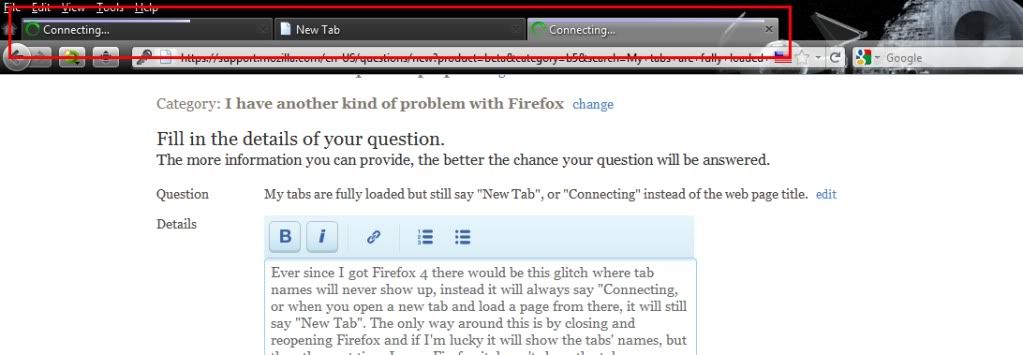
My tabs are fully loaded but still say "New Tab", or "Connecting" instead of the web page title.

Ever since I got Firefox 4 there would be this glitch where tab names will never show up, instead it will always say "Connecting, or when you open a new tab and load a page from there, it will still say "New Tab". The only way around this is by closing and reopening Firefox and if I'm lucky it will show the tabs' names, but then the next time I open Firefox it doesn't show the tab names anymore! It's like Firefox shows the names when it feels like it!
All Replies (2)
This issue can be caused by an extension (TabRenamizer) that isn't working properly.
Start Firefox in Use Troubleshoot Mode in Firefox to check if one of the extensions is causing the problem (switch to the DEFAULT theme: Tools > Add-ons > Appearance/Themes).
- Don't make any changes on the Safe mode start window.
- https://support.mozilla.com/kb/Safe+Mode
In Firefox 4 you can use one of these to start in Safe mode:
- Help > Restart with Add-ons Disabled
- Hold down the Shift key while double clicking the Firefox desktop shortcut (Windows)
See also:
Edeziri site na cor-el
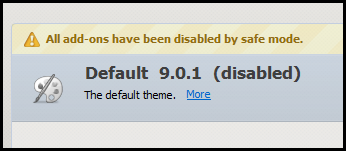
I need more detail on how to fix this. I'm using Firefox 9.0.1. Starting in safe mode appears to not allow switching to the default theme since it is disabled. See image.