


I get "This browser version is no longer supported. Please upgrade to a supported browser." when I open Firefox.

I get "This browser version is no longer supported. Please upgrade to a supported browser." when I open Gmail in Firefox. I have version 156.01 on windows. Have been getting the message since Sept 1 or so. Otherwise, FireFox seems to work OK. But some websites do not work properly with it like Home Depot and the City Of Brockton website, I have to use chrome to access them.
Asịsa Ahọpụtara
Thank you for identifying the problem. I found that I had a "hugging face AI" addon/extension installed without my knowledge back in august when the problems began. I disabled all the addons and extensions (deleted the huggy face) and went through the steps to reset the user agent. And the user agent looked correct after that. But I was still getting the Browser version not supported message. So I shut down the PC and Internet router and let it sit for an hour. When I restarted, the message was gone!
the user agent now says:
Mozilla/5.0 (Windows NT 10.0; Win64; x64; rv:156.0) Gecko/20100101 Firefox/156.0
Thank You!!
All Replies (6)
Bonjour
Maybe a similar question https://support.mozilla.org/en-US/questions/1568340
Firefox, are you under compatibility mode?
Your add-ons? If the case, please disable all your add-ons, or, one by one, to see https://support.mozilla.org/en-US/kb/disable-or-remove-add-ons
What is your user agent? https://www.whatismybrowser.com/detect/what-is-my-user-agent
Below, an experience with the help of Responsive Design Mode https://firefox-source-docs.mozilla.org/devtools-user/responsive_design_mode User Agent String
Mozilla/5.0 (Windows NT 6.1; Win64; x64; rv:109.0) Gecko/20100101 Firefox/115.0
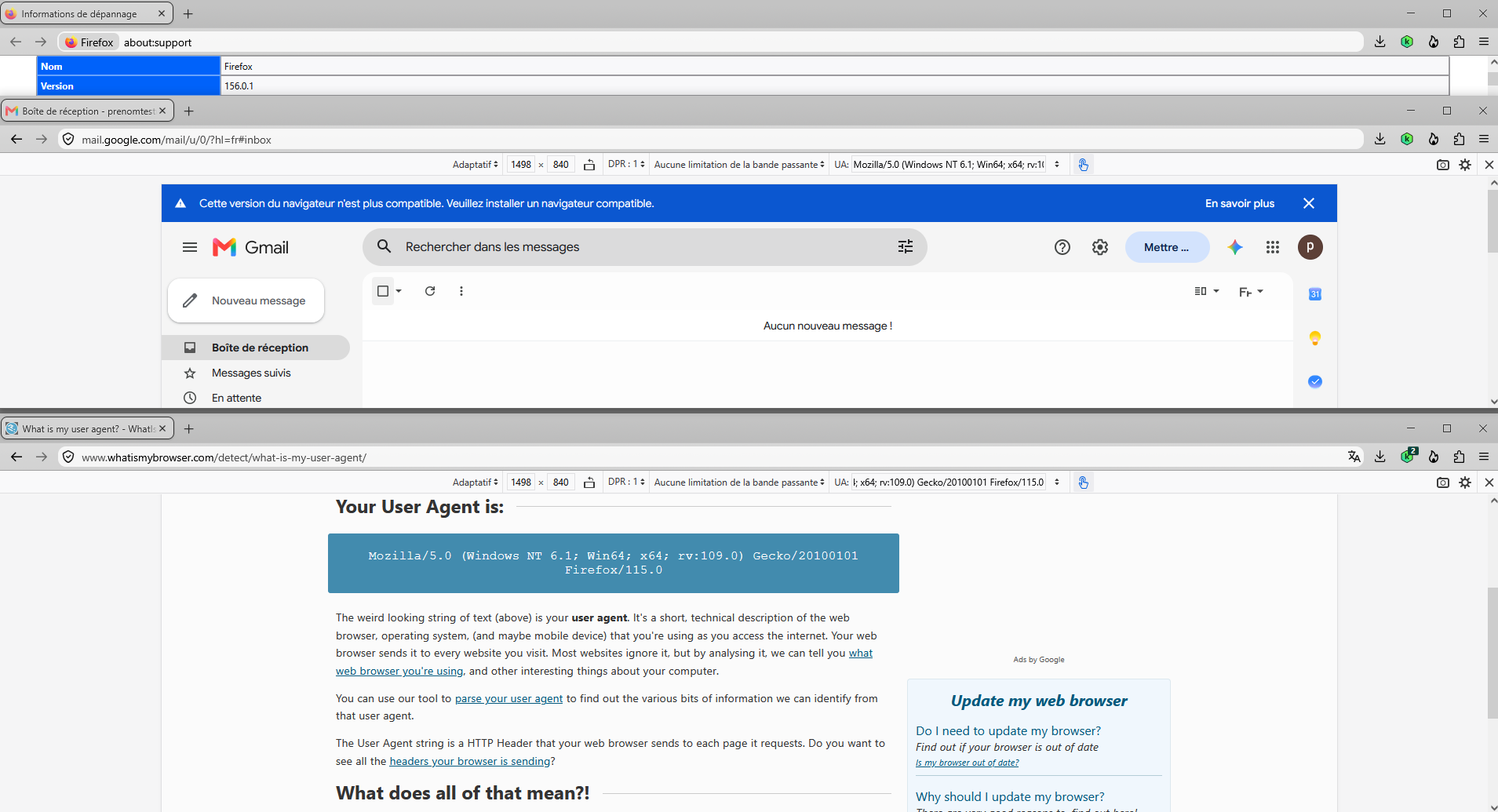
Your identification does not match your actual version. Either you manually or an addon for a reason makes your device look years outdated.
Please follow How to reset the default user agent on Firefox
tracyjel said
I get "This browser version is no longer supported. Please upgrade to a supported browser." when I open Gmail in Firefox. I have version 156.01 on windows. Have been getting the message since Sept 1 or so. Otherwise, FireFox seems to work OK. But some websites do not work properly with it like Home Depot and the City Of Brockton website, I have to use chrome to access them.
The Useragent you used to post this forum thread appears to be a modified UA you perhaps added and forgot. Mozilla/5.0 (Windows NT 10.0; Win64; x64; rv:125.0) AppleWebKit Gecko/20100101 Firefox/125.0
The AppleWebKit is not part of a normal Firefox UA.
https://support.mozilla.org/en-US/kb/how-reset-default-user-agent-firefox
In your more system details on right it does appear you have Firefox 156.0.1
"name": "Firefox", "osVersion": "Windows_NT 10.0 26200", "version": "156.0.1", "buildID": "20260921121718", "distributionID": "", "userAgent": "Mozilla/5.0 (Windows NT 10.0; Win64; x64; rv:125.0) AppleWebKit Gecko/20100101 Firefox/125.0",
Asịsa Ahọpụtara
Thank you for identifying the problem. I found that I had a "hugging face AI" addon/extension installed without my knowledge back in august when the problems began. I disabled all the addons and extensions (deleted the huggy face) and went through the steps to reset the user agent. And the user agent looked correct after that. But I was still getting the Browser version not supported message. So I shut down the PC and Internet router and let it sit for an hour. When I restarted, the message was gone!
the user agent now says:
Mozilla/5.0 (Windows NT 10.0; Win64; x64; rv:156.0) Gecko/20100101 Firefox/156.0
Thank You!!
It's awesome to hear that your issue is resolved now! I've marked your latest reply as a solution to highlight it for other users.