


you've started prompting me each time to sign in to the internet, with a link to a site that is marked as dangerous and prohibited.

Sometime in the last week or two, every page starts with a banner that says "you must sign in to the internet to continue". I'm already/always signed in. On those few occasions when I click on the network login link (rather than clicking X to dismiss this dangerous and wrong banner), it shows a very dangerous site and says that site is prohibited. (As it should be.) So why is the banner demanding that I log in (forcing me to click X to dismiss it)? This feels like your site has been compromised, that some malicious actor is forcing this prompt on every page. (And even after I click X to dismiss it, it reappears 10-15 minutes later.
All Replies (8)
Can you attach a screenshot of the very dangerous banner, and the destination address it's trying to point you to? Thanks.
This happens constantly. I have to click the X to dismiss it each time.
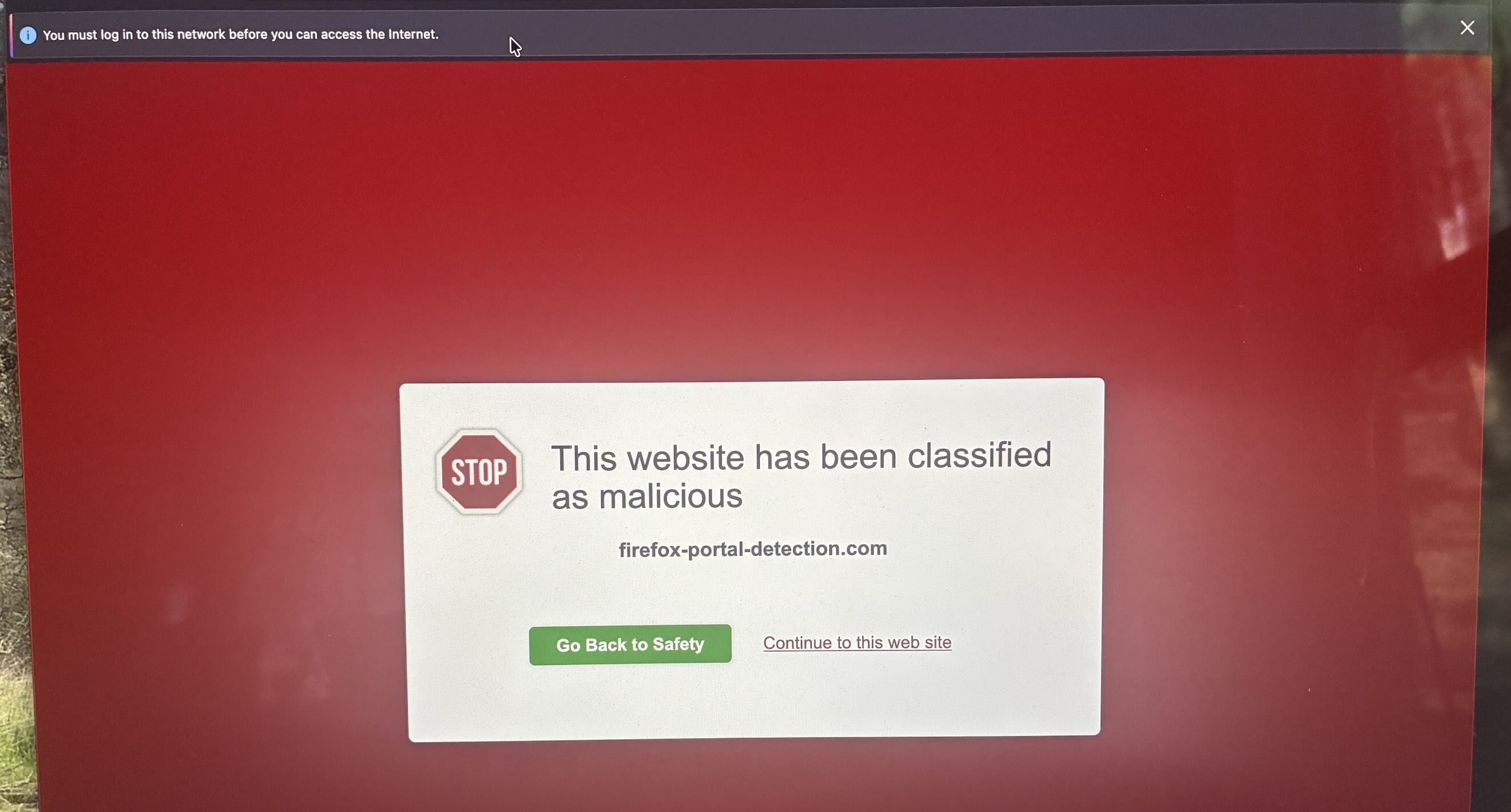
This is the initial prompt, that happens every time I open the window. It then goes directly to that malicious warning alert.

Thanks. This domain is safe, and is part of Firefox network detection: Captive portal detection — it seems your security software is miscategorizing it for some reason.
See support.mozilla.org/questions/1581604 how to disable that check, if you don't usually use public/guest networks on the go.
Could you please share what security and networking products you use, so that somebody tries to reach them to rectify this? (It might be an ad filtering solution, DNS service, family safety filters, VPN providers or provisioning profiles etc., antivirus/malware/phishing protection suite and the like — do you use anything like this either on your machine, or perhaps a security feature of your modem/router or internet provider?)
I have used Aura VPN for years, and I am logged in to my account and on the network. This banner warning is new. Possibly, as you suggest, the vpn has started mischaracterizing it, and decided that I am not actually on the network (hence the alert banner).
But your link to disable the captive-portal-service worked. Thank you.
Your security software has marked it red only because it's a recently created domain. This website is safe.
Aha! Thank you! I didn't trust the malicious warning, but I read your reply, turned the captive portal service back on, tried again, the banner showed up, I clicked on the banner to "login", and it immediately enabled the new firefox portal detection, marked it as success, and now the banners and warnings are gone. Thanks again.

- # a9197a3jl@mozmail.com Bulleted list item