


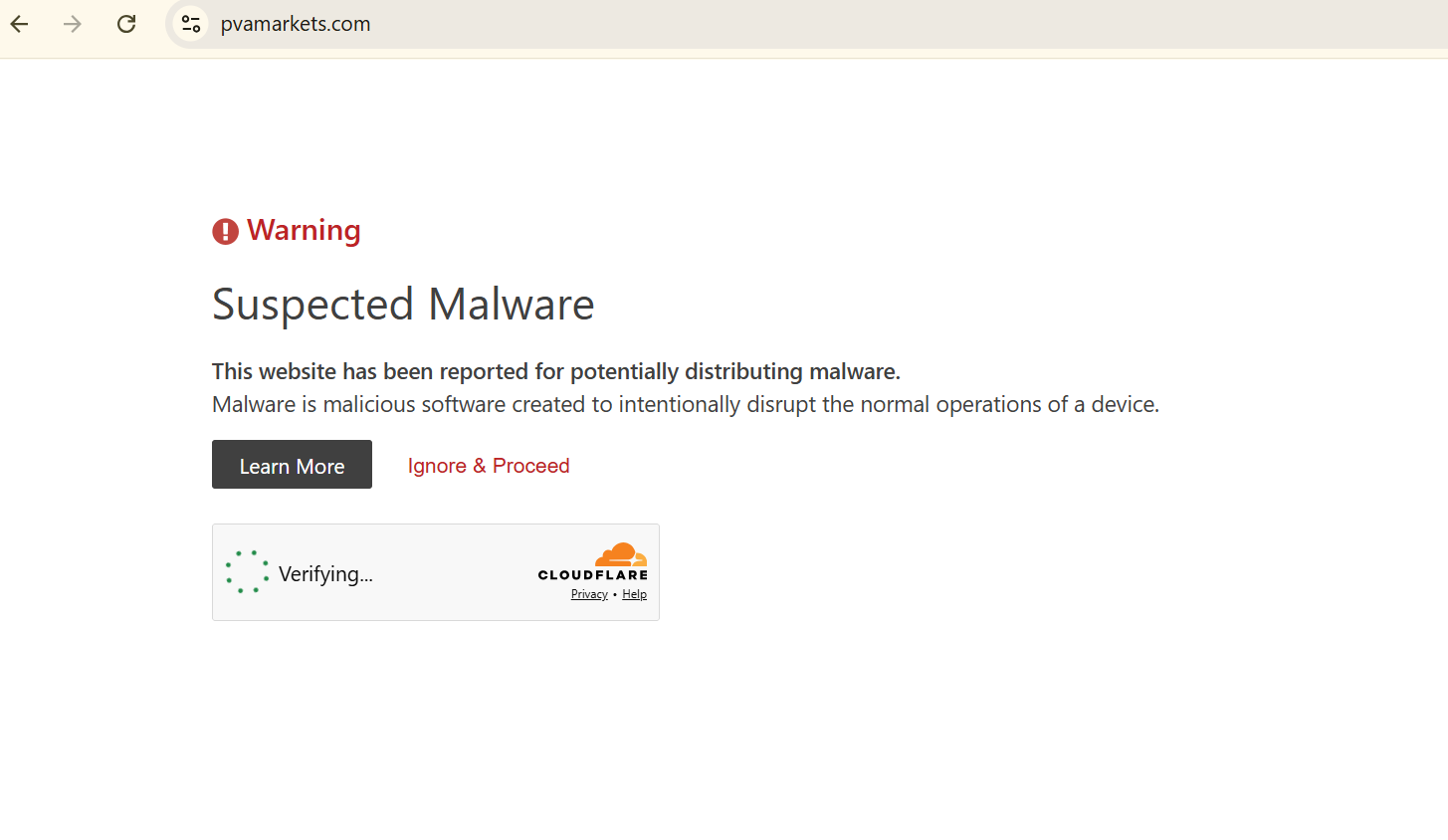
Cloudflare “Suspected Malware” warning appears when opening my website
When I open my website, pvamarkets.com, I see a Cloudflare page that says:
“Suspected Malware — This website has been reported for potentially distributing malware.”
This is a legitimate e-commerce website. After the warning appeared, we completed a full server-side security check. We checked the website files, database, cron jobs, access logs, error logs, and file-delivery system. We did not find malware, executable files, unauthorized code, or signs of a server compromise.
Our website only delivers plain text files to customers. It does not host or distribute Windows executable files.
I understand that the warning page is branded by Cloudflare, but I am posting here to confirm the following:
Is this warning generated or influenced by Firefox or Mozilla Safe Browsing? Can Firefox cache an old security warning after Cloudflare removes it? Is there any Firefox security report or blocklist entry for this domain? What steps should a website owner take to confirm that Firefox does not classify the domain as malicious?
The warning appears before visitors can access the website and causes serious trust and access problems.
I have attached a screenshot of the warning page.
All Replies (2)
Asịsa Ahọpụtara
Then you should probably reconsider who you host with. The Cloudflare infrastructure seems to be provided by ExonHost's DNS/CDN services, while the content points to highly dubious Amarutu/KoDDos that's basically synonymous with "piracy". Good luck with your "serious trust and access problems" in the long run there.
No, there is no "Mozilla Safe Browsing" or blocklisting.
You'd need to take this to your host so they take it further to Cloudflare.
Thank you for confirming that this is not a Mozilla or Firefox blocklist issue.
We have already completed a server-side audit and found no malware or unauthorized files. I will contact the hosting provider and ask them to escalate the warning directly with Cloudflare.
The hosting network’s general reputation does not confirm that this specific domain is malicious, so I will continue to request a review based on the technical evidence.