


When I move all messages from a search folder to a mail folder, they all return to the search folder.

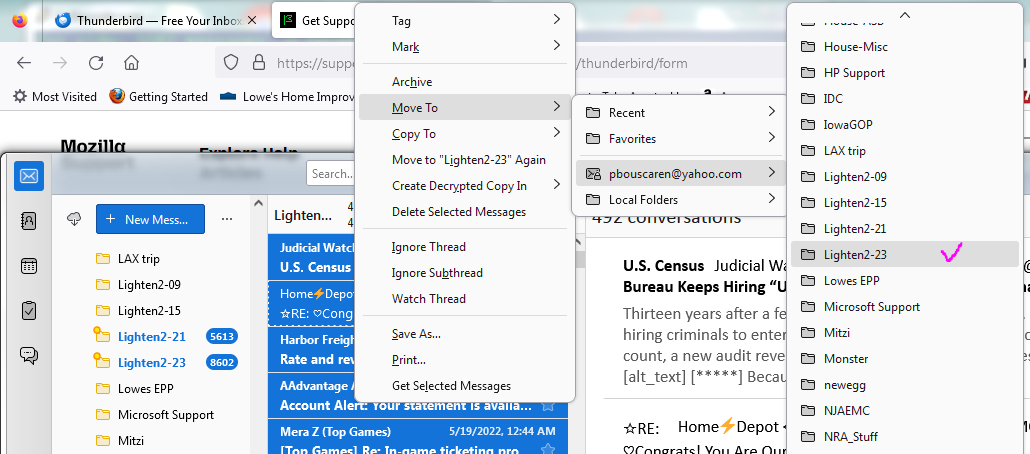
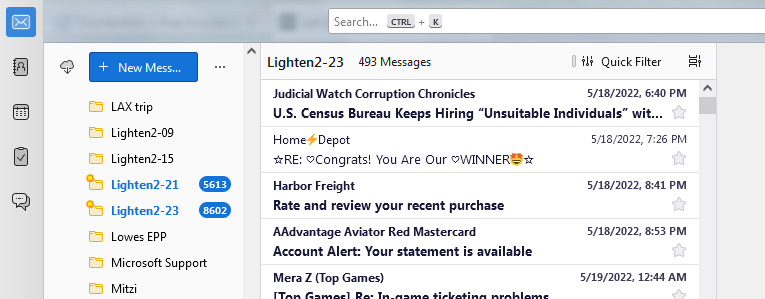
I have recently installed Thunderbird to help me with my overfull Yahoo account. I installed it using the default Yahoo authentication which seems to work fine. Since Yahoo exposes at most 100,000 messages in any one mail folder, and my inbox had over 250,000, my goal is to spread those out amongst a few different folders so that I can manage the inbox more effectively offline. To that end, I set up a couple of saved search folders, each of which selects e-mails within a two-year date range. Incidentally, each only selects about 1,000 messages at a time, not the 40,000 or so each of those time periods seem to contain. When I use my Ctrl-A shortcut to select the messages in one of the 'search' folders, then move those messages to my Yahoo mail folder under my e-mail account, the messages initially are wiped from the saved search folder, but after a few minutes they all return!
Incidentally, the saved search folder has the same name as the folder I'm trying to copy the messages to, but the search folder is under the Inbox, and the other folder is 'beside' (not under) the Inbox.
Let me know if there is a more efficient and effective way of doing what I want. Ultimately, I want well under 100,000 messages in my Inbox.
Thank you

All Replies (2)
I am no guru on search, but my suggestion is to NOT use the search folder. Just click the edit>find.search messages menu option, do the search, select all, and click the drop-dowm menu to move to the other account. If this becomes a network problem of transferring too many from one IMAP account to another, you could set the 'move to' to go to local folders as a first step, and upload to other account in a followup.
I will try that. While I was waiting for an answer, I tried renaming the destination folder but that resulted in no change at all.