


Gear Icon is new and I don't want it!
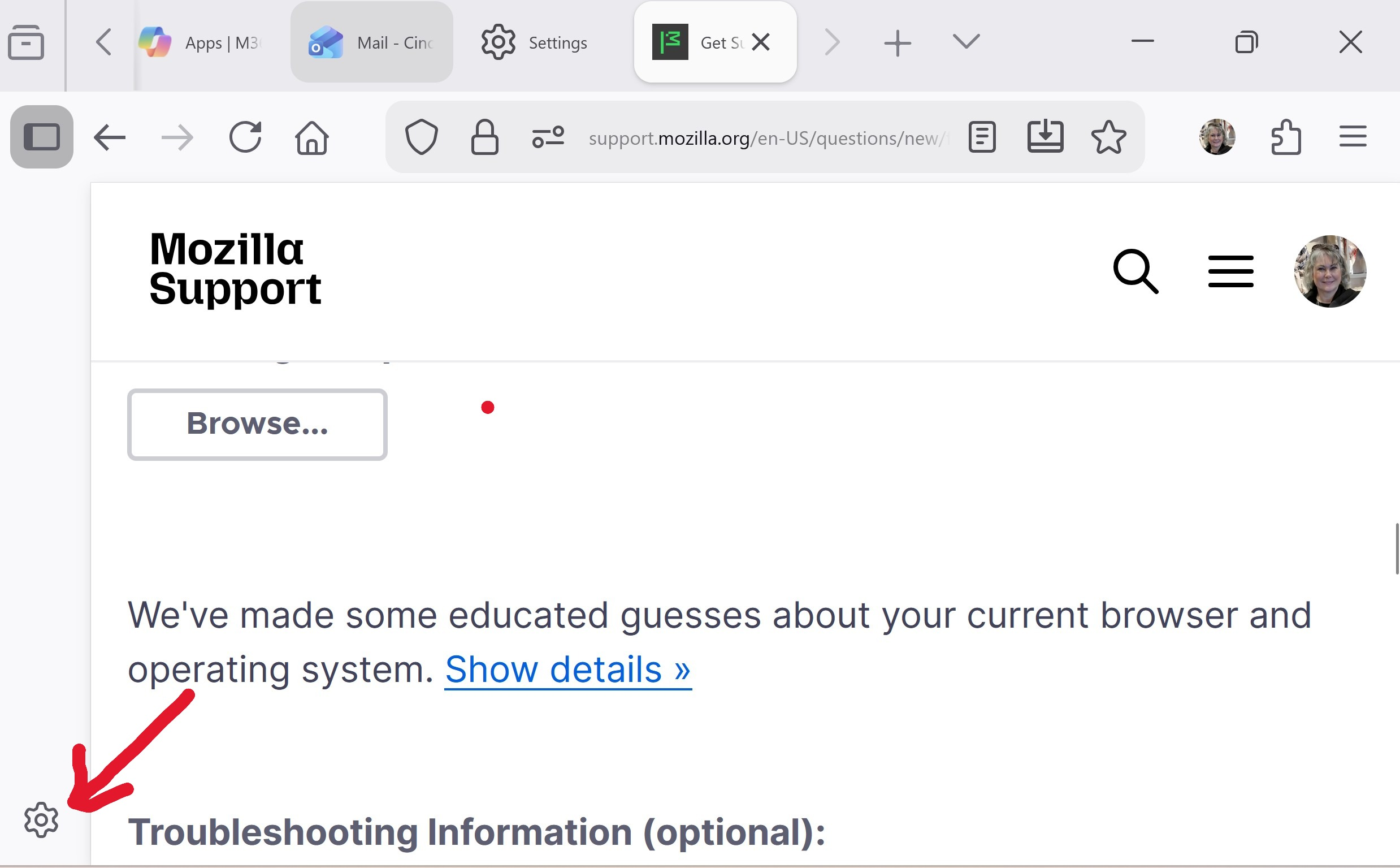
Recently a "gear" icon has appeared on the bottom left of my screen while using Mozilla. It relates to moving the tabs. I don't want to do anything with my tabs. How can I get rid of the icon? The icon reduces the horizontal screen space available. I have a small laptop so this small amount of space is important.
Thanks for your help! Cindy
All Replies (5)
Asịsa Ahọpụtara
Hi,
Those are settings for the sidebar. You can hide the sidebar by going to Firefox Settings, scrolling down to Browser Layout and unchecking "Show sidebar".
I knew it had to be something simple.
Thank you so much!
Hello,
I am glad to hear that your problem has been resolved. If you haven't already, please select the answer that solves the problem. This will help other users with similar problems find the solution.
Thank you for contacting Mozilla Support.

Though the sidebar is gone but now the commands are not working e.g. I have the habit of opening bookmarks by using ctrl+B, after the sidebar is turned off, this command is not working as earlier my bookmarks used to show in sidebar.
suresh.thakur said
Though the sidebar is gone but now the commands are not working e.g. I have the habit of opening bookmarks by using ctrl+B, after the sidebar is turned off, this command is not working as earlier my bookmarks used to show in sidebar.
Hi suresh.thakur, could you please take a look at bug 2056857 and let us know whether your case seems to be similar (e.g., whether your see the same error in the console)? If so, that's being worked on. If not, please ask a new question, so that we can discuss this further.