


Transfer Thunderbird from one to another windows-PC with ALL SUBFOLDERS

Hi, i copied my Thunderbird (windows 10 Prof)) to a new Notebook (windows 11 Prof) by overrighting the Standard-Profilfolders (in ROAMING and LOCAL) of the new Installation with the Folders of the old Installation (both are Version 146.0.1 but old is 32-Bit and new is 64-Bit) I use more than 2 accounts, and in some accounts, I created subfolders in the 'In' folder to preselect the emails by rules after they arrive Result is: alls Subfolders are missing and some accounts' 'In' Folder are empty. The Account settings seems to be corrct, means i can load new EMails even if the IN-Folder is empty. But i miss the exosting EMails there and the Subfolders content.
Hi,
i copied my Thunderbird (windows 10 Prof)) to a new Notebook (windows 11 Prof) by overrighting the Standard-Profilfolders (in ROAMING and LOCAL) of the new Installation with the Folders of the old Installation (both are Version 146.0.1 but old is 32-Bit and new is 64-Bit)
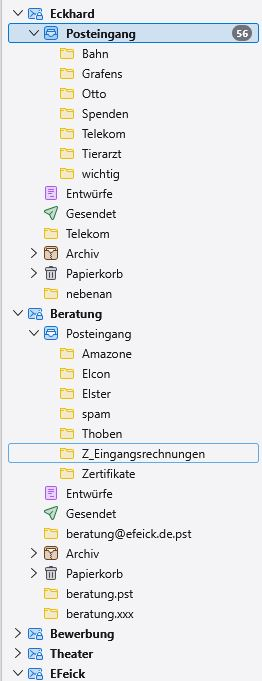
I use more than 2 accounts, and in some accounts, I created subfolders in the 'In' folder to preselect the emails by rules after they arrive
Result is: alls Subfolders are missing and some accounts' 'In' Folder are empty.
The Account settings seems to be corrct, means i can load new EMails even if the IN-Folder is empty. But i miss the exosting EMails there and the Subfolders content.
Asịsa ahọpụtara
I saw the solution in a older Task and it works.
Gụọ azịza a na nghọta 👍 0