


Firefox does not "see" the login screen for https://townhall.com/

Go to https://townhall.com/, click on Login and a screen pops up to enter your credentials. Firefox either doesn't see the screen or doesn't recognize that it needs to offer to save login credentials. There is no error message or other indication of a problem. FF version is 108.0.1 (64-bit), Windows 11 Pro 22H2, build 22621.963, Feature Experience Pack 1000.22638.1000.0.
On other websites Firefox captures and then fills the user id and password fields but not this one. Is this something I am doing/not doing or otherwise fixable?
All Replies (2)
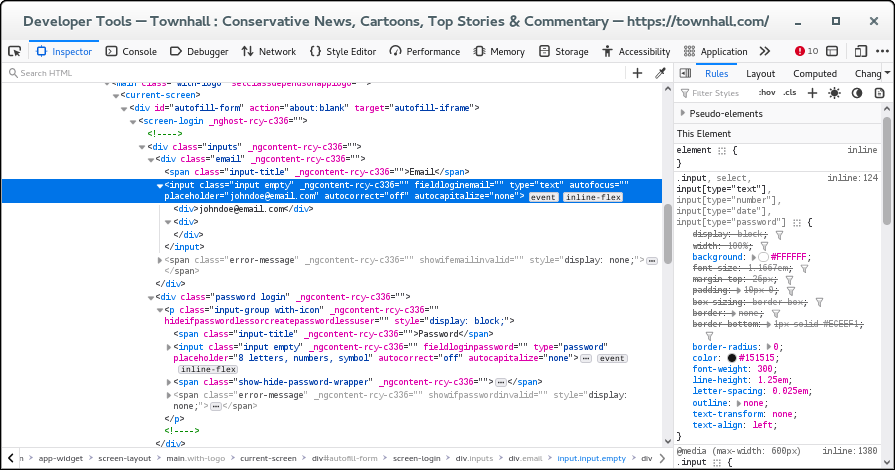
If I check this login form then it looks quite normal to me. There is a text field (type="text") and and a password field (type="password) and both have "Manage Logins" in the right-click context menu what indicates that Firefox recognizes this field. If Firefox doesn't offer to store the username and password then try to add this login manually on the about:logins (Create New Login).
Edeziri site na cor-el
Your suggestion did not resolve my problem but did put me on the path to a solution. Even after i used about:login to create a new login it didn't work so I dug a little deeper. As it turns out the login popup is a "frame" that can be opened in a new tab and has a different IP address than the townhall.com web site, id.tinypass.com plus a long string of data that I suppose is important to someone. When I create a login for that address, firefox doesn't fill automatically but does after a confirming click. Thanks!