Firefox crashed and I have reinstalled (twice) but all I get is the dulled restore session page and the not responding header.

Firefox crashed and I have reinstalled (twice) but all I get is the dulled restore session page and the not responding header. I can't get it to open at all.....
Takes ages to get even the dulled screen up....
I am running windows 8
All Replies (1)

Asịsa Ahọpụtara
Start Firefox in Safe Mode {web Link} by holding down the <Shift>
(Mac=Options) key, and then starting Firefox. Is the problem still there?
While still in Safe Mode,
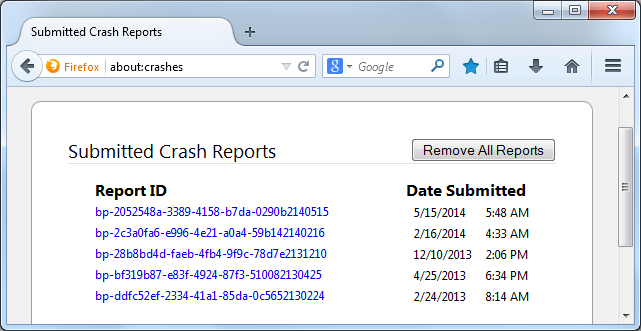
In the address bar, type about:crashes<enter>. Note: If any reports do not have BP in front of the numbers/letters, click it to submit them.
The crash report is several pages of data. We need the report numbers to see the whole report.
Using your mouse, mark the most resent 7 - 10 crash reports, and copy them. Now go to the reply box below and paste them in.