


Trying to access an archive of emails from a 2006 version of thunderbird

I have some old emails with information that I need to access. I've saved them on disk, but haven't used them in years. Now I need to try to access the files. The outer folder is named "mail" and 3 subfolders are named "local folders" and then two named by the pop servers they were associated with.
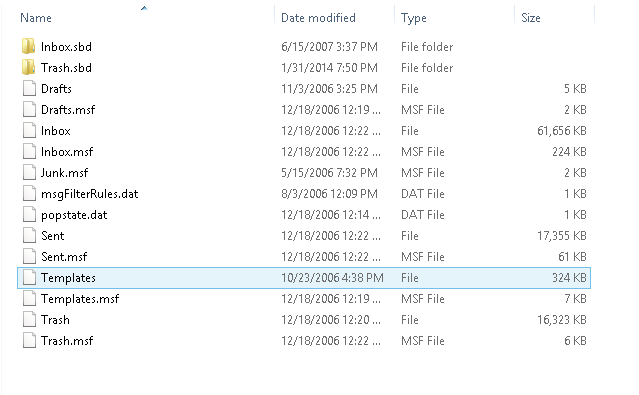
Inside the folders, I have files named inbox (no file extension) and inbox.msf. The files lacking extensions seem to contain all the data.
I can't seem to import these messages into a current version of thunderbird. Any ideas on how I might be able to access the old emails?
Asịsa Ahọpụtara
Thanks... it's a little tricky, so in case anyone has the same problems down the line: you need to use "import mbox file" (which seemed to me would work for some .mbox file extension). It worked.
Thanks!
All Replies (4)
Here's a screenshot of the folder contents.

Install this add-on and use it to import the Inbox files into your current profile. https://addons.mozilla.org/en-US/thunderbird/addon/importexporttools/
Asịsa Ahọpụtara
Thanks... it's a little tricky, so in case anyone has the same problems down the line: you need to use "import mbox file" (which seemed to me would work for some .mbox file extension). It worked.
Thanks!
The mbox file is the one w/o an extension.