


Editing Thunderbird Contacts

I am using Thunderbird 102.13.0.
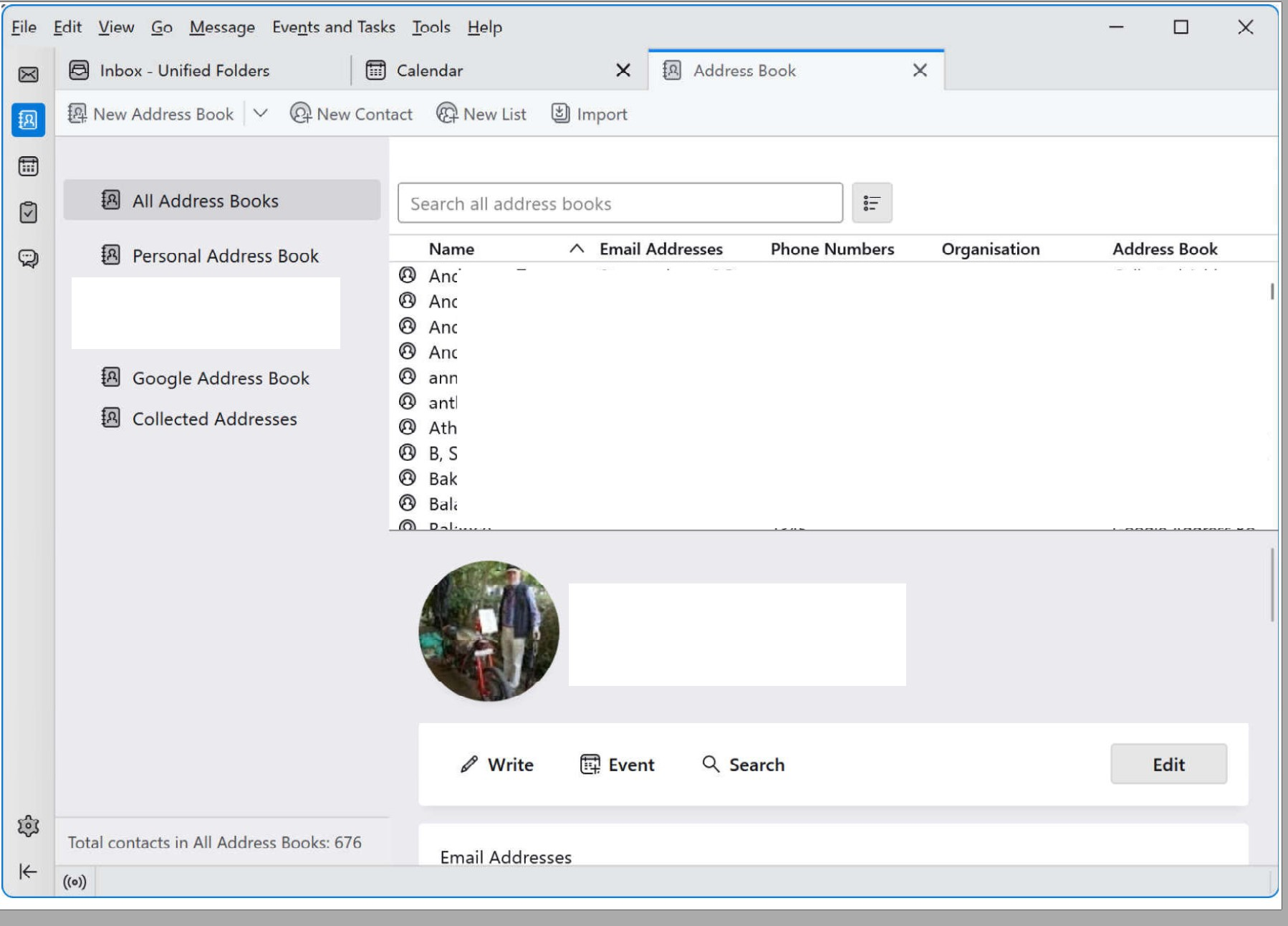
When viewing a contact in Thunderbird Address Book, it opens as a narrow window at the bottom of the screen, as in the attached picture (I have blanked out personal data in this).
You can only see a couple of lines at a time. To see more of the contact it is necesssary to scroll up and down. This is particularly inconvenient when trying to edit a contact or cut-paste details.
You can get a bit more by cutting down the depth of the contacts list above, but this is also not always convenient.
Is there any way of opening the contact record in a separate window, as you can an email or a calendar entry?
Thanks in advance,
Roger
Solusi terpilih
Thank you both for your suggestions. Actually, I don't get 'Table Layout' as an option, I get 'Vertical' or 'Horizontal Layout', but I take the point. I will experiment with these settings. As I understand there is no option for a separate window, I think my query is answered. So I'll mark it 'solved' although it isn't! Thanks again.
Baca jawaban ini dalam konteks 👍 0Semua Balasan (3)
You can drag the Edit pane up to make it larger, or switch views to deselect Table layout (see picture) to make the Edit pane use the full right side of the window. But I'm not aware of a way to open it in a separate window.
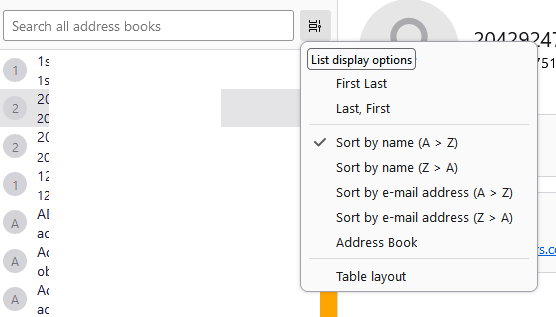
See the search box in the addressbook view? And the little box immediately to the right? Click that, and at the bottom of the menu that opens is 'table layout.' Click that to see if your view of addressbook is more suitable to your needs.
Solusi Terpilih
Thank you both for your suggestions. Actually, I don't get 'Table Layout' as an option, I get 'Vertical' or 'Horizontal Layout', but I take the point. I will experiment with these settings. As I understand there is no option for a separate window, I think my query is answered. So I'll mark it 'solved' although it isn't! Thanks again.