


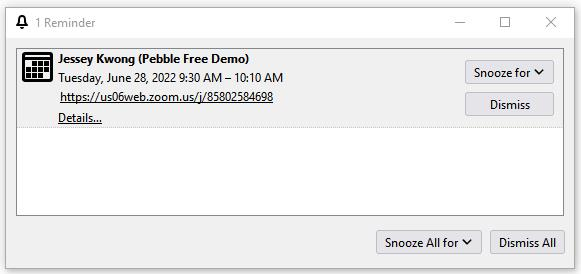
This reminder refuses to be dismissed

This is so bizarre because it just started happening today.
Basically, I can't dismiss this one notification you see below. I can click on Dismiss or Dismiss All a hundred times and nothing happens.
I read on a thread from last year that another guy was having the same problem but he emphasized that it only happens with Zoom events. This reminder is a Zoom event so I wonder if it's related?
Any help would be appreciated!
Solusi terpilih
Of course, I found the solution as soon as I post this.
Basically, disable any Calendar Plugins like Provider and TBSync.
Then add each calendar to TB like below.
Baca jawaban ini dalam konteks 👍 0Semua Balasan (4)
I forgot to mention that I'm using version 91.10.0 and it's set to auto-update.
Plus, I'm using the Provider Plugin which I'm seeing might not be needed anymore?
And I'm using Google Calendar.
Solusi Terpilih
Of course, I found the solution as soon as I post this.
Basically, disable any Calendar Plugins like Provider and TBSync.
Then add each calendar to TB like below.

I'm having the same problem and all my calendar plugins have been disabled.