

Utas ini telah diarsipkan.
Silakan membuat pertanyaan baru jika Anda membutuhkan bantuan.

Terselesaikan
Diarsipkan
I can only see one of the accounts that I created

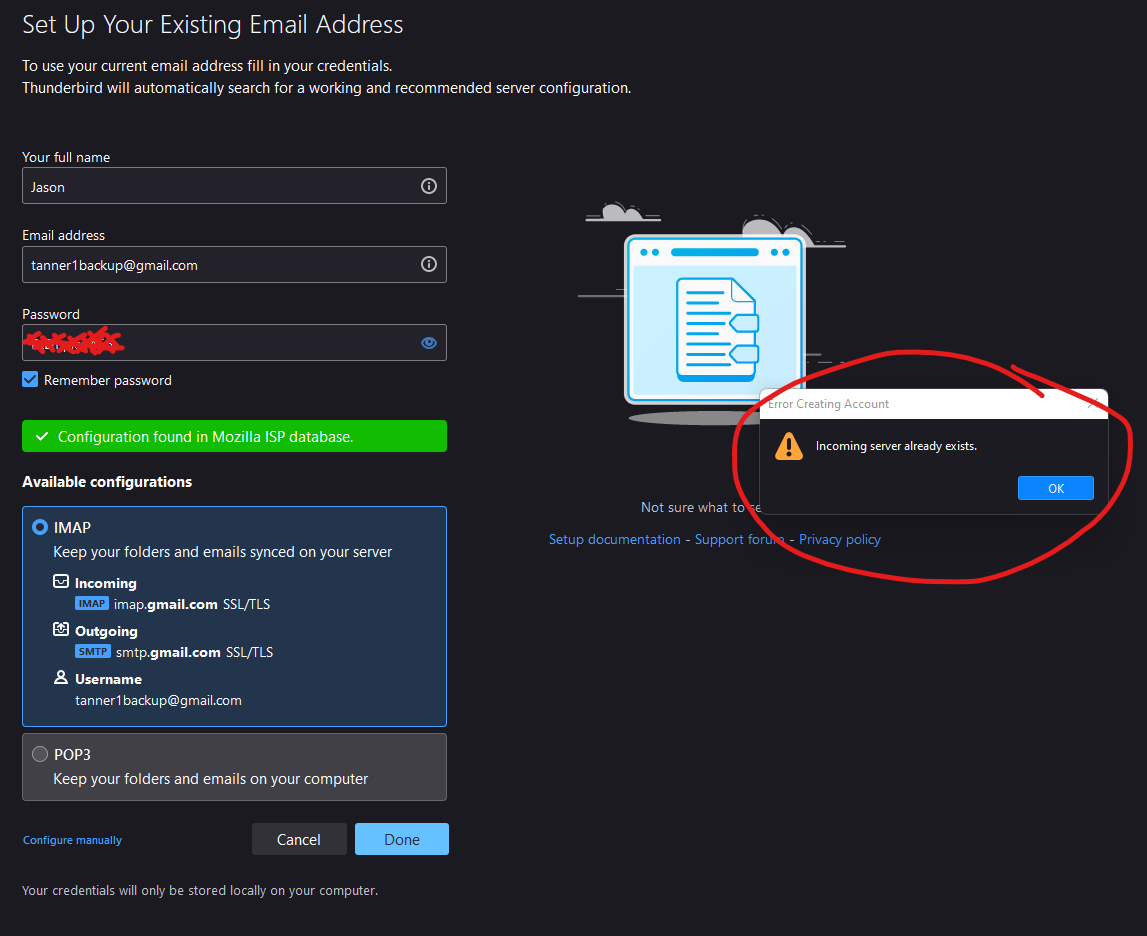
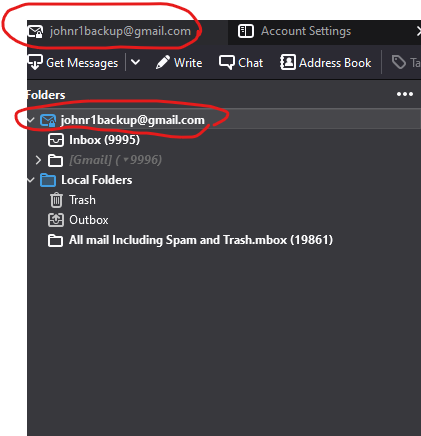
I created a new email account via New>Existing Email Account, but I cannot see the new account. I tried again and again to create the new account, but after the first time I always get an error message, "Incoming server already exists." I tried it via Configure Manually, and got the same error message. How do I get to my other email account(s)?
I'm on TB version 91.5.0 (64-bit)
I created a new email account via New>Existing Email Account, but I cannot see the new account. I tried again and again to create the new account, but after the first time I always get an error message, "Incoming server already exists." I tried it via Configure Manually, and got the same error message. How do I get to my other email account(s)?
I'm on TB version 91.5.0 (64-bit)
Semua Balasan (2)
Here are screen shots.
Solusi Terpilih
Fixed it. I don't know why, but switching to a new internet provider and wifi made so I was able to create the new email account.