


Only one email received per day
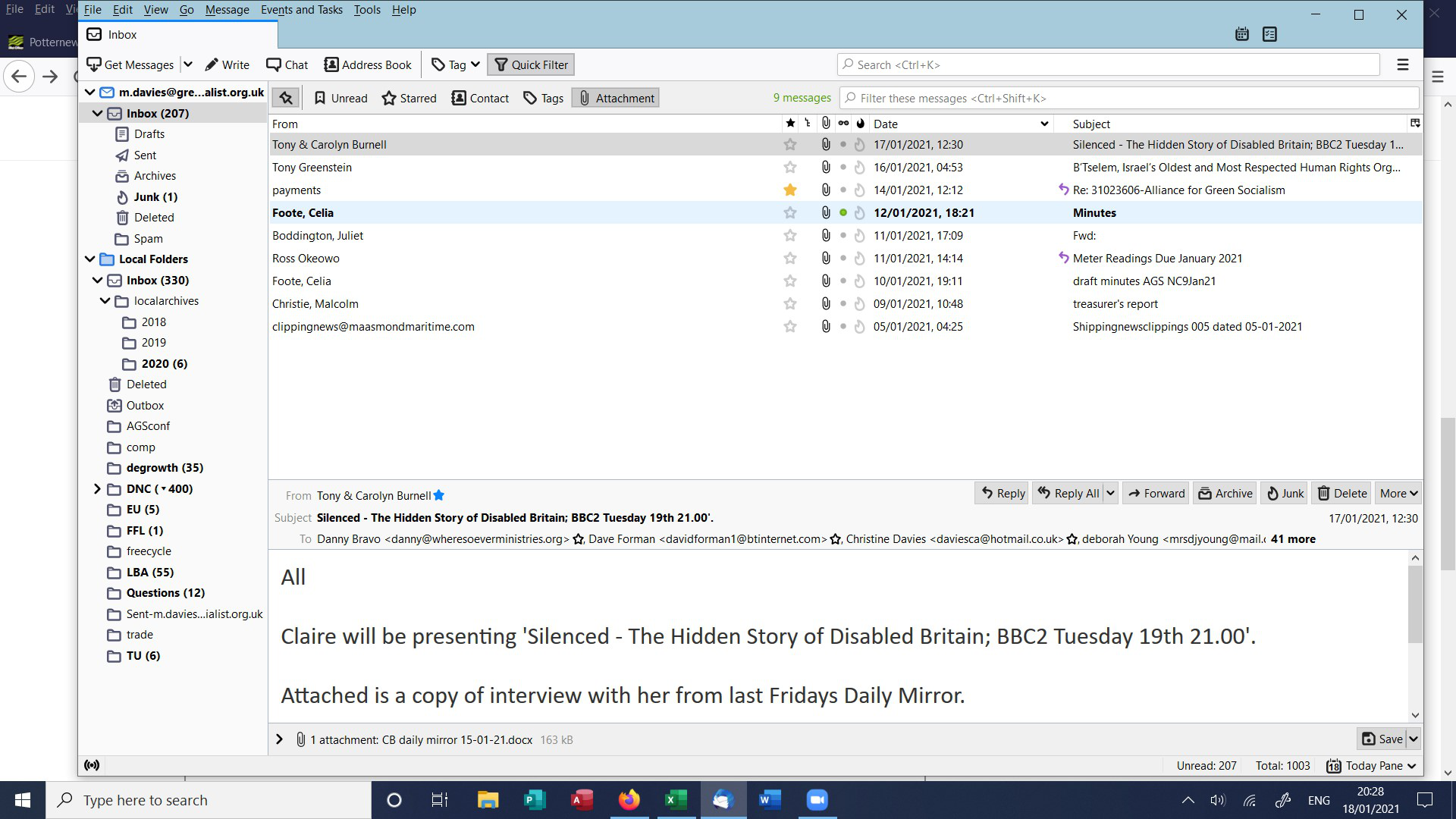
Win 10, Thunderbird 78.6.1, Plusnet ISP and email provider Since at least 2 Jan 2020. Problem first arose under Thunderird 68 and was not cured by reload & update to 78 Emails received appear to be accessible via Plusnet WebMail. However, Thunderbird displays only (I think) one email per day (out of dozens). The fix by not sorting worked for about three seconds only. I would be very grateful ... Mike
Solusi terpilih
Repair the Inbox via right-click > Properties > Repair.
Baca jawaban ini dalam konteks 👍 1Semua Balasan (6)

Explain what you mean by "The fix by not sorting"
Sorry, that was not clear on its own. There is another extended thread on this site entitled things like "Cannot receive emails" which is marked as "solved" on the basis of a "fix" which is to go into the client, click on a very small icon high up on the left hand side, and then unset any "sort" on the inbox. This same fix is offered by by Plusnet support by phone. For some people it works, for others not, according to the thread. For me it worked for a couple of seconds before the incoming messages disappeared again. My apologies Mike
Let's see a screenshot of the inbox with the invisible new messages.
Thunderbird screen 20:28 Mon 18 Jan 2021
Solusi Terpilih
Repair the Inbox via right-click > Properties > Repair.
Stans Thank you hugely. What a brilliantly simple solution that I would never have found unaided. I shall now resume life. Mike