


cannot receive or send emails
I have an old verizon address that have been using for years with Thunderbird. AOL took over Verizon email but still have been working fine until the last 2 days. It keep saying login has failed. Double checked server settings and everything seems to be correct. This is the same on all three of my computers and tablet.
Solusi terpilih
AOL (and many other email providers) have disabled the use of normal passwords. You'll either need to switch to OAUTH2 or an application specific password. The instructions I found are...
Login to AOL using a web browser. You will use your regular everyday AOL password to get in as always. Select the account settings and then the security options.
Below the 2-step authentication option is a new application password generator. This is what needs to be used to authorize 3rd party mail clients. Select this option and then select your listed application. If it is not there select "Other" and insert the name of the application to be used i.e. Thunderbird, etc. Click and obtain an APPLICATION SPECIFIC password. Save this to the side.
Now go back to Thunderbird or other 3rd party application and insert this new APPLICATION SPECIFIC password in place of your account password. This will be the password for the 3rd party mail client that will access the AOL account. What ever your prior settings were for SSL, etc should be OK, or if setting up an account, enter what ever the manual settings may need to be.''
Baca jawaban ini dalam konteks 👍 0Semua Balasan (7)
If you are connecting to AOL servers, e.g. imap.aol.com and smtp.aol.com, is the authentication method OAuth2 or 'normal password'?
Normal password
Change the authentication to OAuth2 on the incoming and outgoing, remove passwords in Options/Security/Passwords/Saved Passwords, check that cookies are allowed in Options/Privacy, restart TB, and enter the regular account password in the OAuth browser window when prompted.

Solusi Terpilih
AOL (and many other email providers) have disabled the use of normal passwords. You'll either need to switch to OAUTH2 or an application specific password. The instructions I found are...
Login to AOL using a web browser. You will use your regular everyday AOL password to get in as always. Select the account settings and then the security options.
Below the 2-step authentication option is a new application password generator. This is what needs to be used to authorize 3rd party mail clients. Select this option and then select your listed application. If it is not there select "Other" and insert the name of the application to be used i.e. Thunderbird, etc. Click and obtain an APPLICATION SPECIFIC password. Save this to the side.
Now go back to Thunderbird or other 3rd party application and insert this new APPLICATION SPECIFIC password in place of your account password. This will be the password for the 3rd party mail client that will access the AOL account. What ever your prior settings were for SSL, etc should be OK, or if setting up an account, enter what ever the manual settings may need to be.''
thank you sfhowes and krj will give them a try when I get back in office
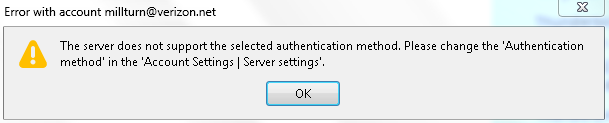
sfowes that didn't work, got this
What are your incoming and outgoing servers? OAuth2 definitely works for *.aol.com servers, and a few others including gmail and yahoo. The recommended servers for Verizon accounts is a mix of verizon.net and aol.com servers, depending on if the account is POP or IMAP:
OAuth2 is not currently supported in TB for verizon.net servers, but it may be possible to use all aol.com servers with Verizon accounts.