


re-instate all tool bars (menu & email tool bar) to the "Write" tab

Use Thunderbird 52.4.0 (32-bit) as email with Roadrunner (rr.com) thru Spectrum. Today (10/12/2017) I mistakenly deleted the menu tool bar and email tool bar from the "Write" tab and cannot get it back. I tried the tab on the top left to reinstate the menus but only the temporary (alt key) slightly worked, but not full menus ...cannot create or send email without these menus on Write tab. In addition there is a strange "code" located in the body of the "Write" tab when I click it...I will try to text it below...Need that removed also! -- %PDF-1.3 3 0 obj <<
 /Type /XObject
 /Subtype /Image
 /Filter /CCITTFaxDecode
 /Width 2479
 /Height 3228
 /Length 15578
 /BitsPerComponent 1
 /ColorSpace /DeviceGray
 /Decode [0 1]
 /BlackIs1 true
 /DecodeParms
 <<
   /K 0
   /Columns 2479
 >>
>> stream
Solusi terpilih
I restarted email but not in 'safe' mode (not sure how to do that)
This is why I posted the link to the support article above.
I was messing around with the signature and that's what it is, I bet.
I have no idea what you did. Basically reverse whatever changes you made.
Baca jawaban ini dalam konteks 👍 1Semua Balasan (12)

Please post a screenshot. https://support.mozilla.org/kb/how-do-i-create-screenshot-my-problem
email problem no way to print this problem...it's like a dead tab. Print Screen does not work....and I don't have PAINT. what else can I do to get screen print?
I can screen print on WORD and POWER POINT and save but the image / file will not upload to let you see it. Can I email it to you?
Here is the code/text that appears on the "Write" tab when I click into it... appears in the body of the email. That needs to be removed also. -- %PDF-1.3 3 0 obj <<
 /Type /XObject
 /Subtype /Image
 /Filter /CCITTFaxDecode
 /Width 2479
 /Height 3228
 /Length 15578
 /BitsPerComponent 1
 /ColorSpace /DeviceGray
 /Decode [0 1]
 /BlackIs1 true
 /DecodeParms
 <<
   /K 0
   /Columns 2479
 >>
>> stream
If you're having difficulties creating a screenshot - Google is your friend. It's really not that hard.
Thank you!! it worked See image of "Write" screen
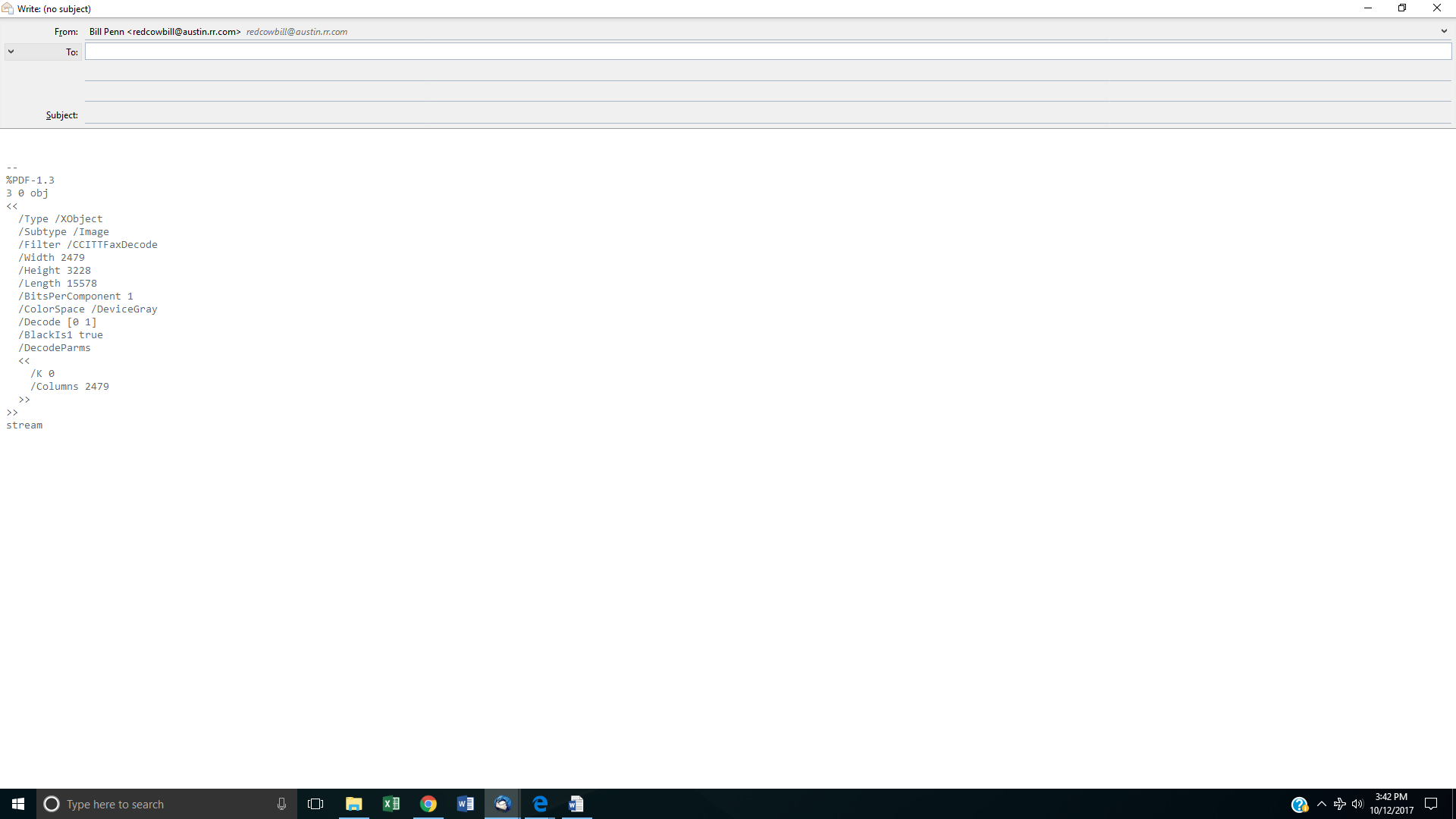
I mistakenly deleted the menu tool bar and email tool bar from the "Write" tab and cannot get it back.
In the Write window press Alt or F10 to restore the menu bar. Then View - Toolbars Check 'Composition Toolbar'
In addition there is a strange "code" located in the body of the "Write" tab
This looks like a signature. The source appears to be PDF, but it isn't shown properly. Are you using any signature related add-on? Are you using a template with a signature?
Try to start Thunderbird in safe mode. https://support.mozilla.org/kb/safe-mode-thunderbird
Does the problem go away?
Diperbarui oleh christ1 pada
I restarted email but not in 'safe' mode (not sure how to do that) but , the headers /tool bar did come up! and yes, I was messing around with the signature and that's what it is, I bet. how do I get rid of that ?
Solusi Terpilih
I restarted email but not in 'safe' mode (not sure how to do that)
This is why I posted the link to the support article above.
I was messing around with the signature and that's what it is, I bet.
I have no idea what you did. Basically reverse whatever changes you made.
this is how it looks now. How can I get the other email menu bar on there? Also, how do I remove the signature code? (sorry.. :-(
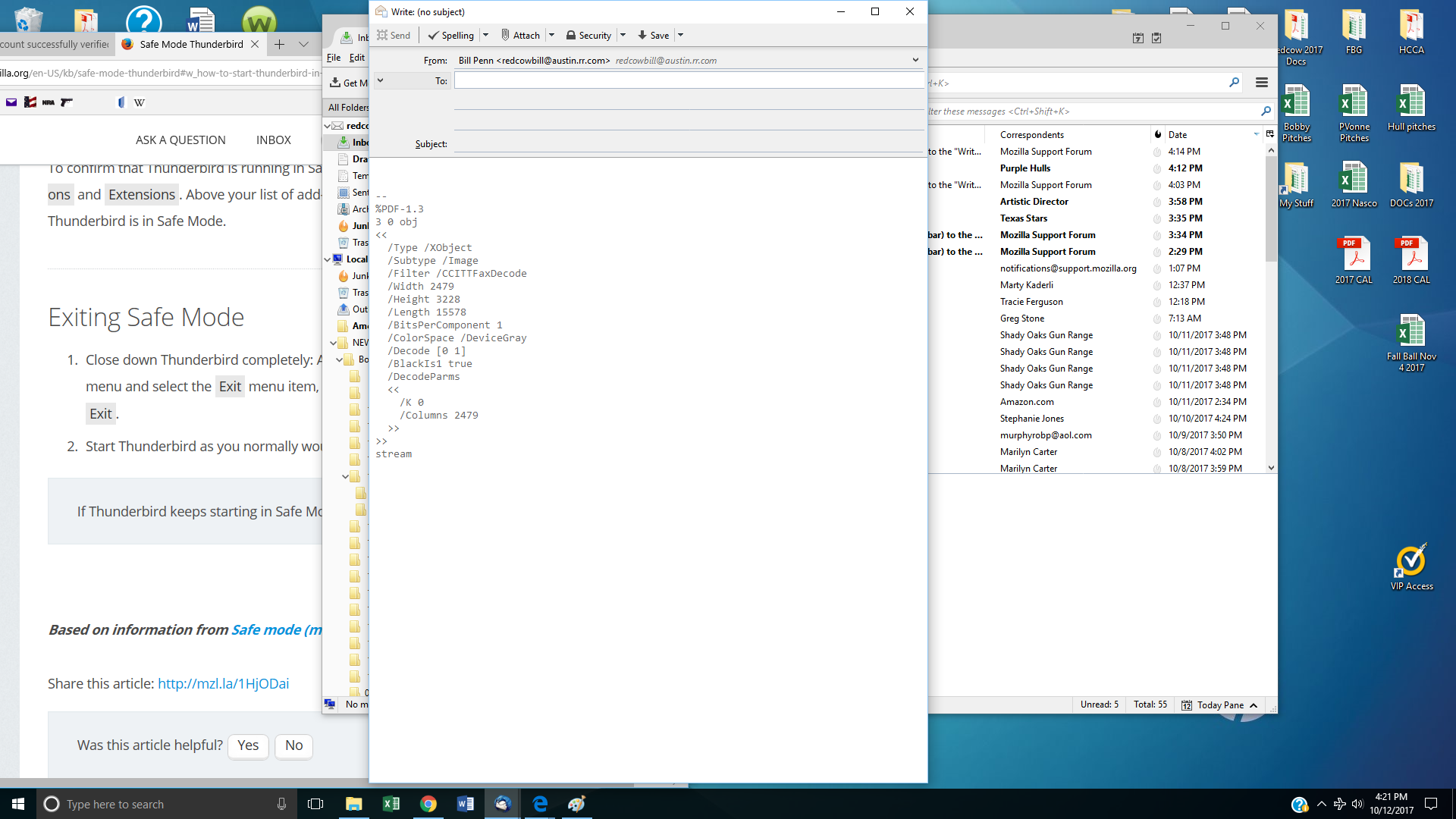
Wait, I just added the Menu bar...sorry. That's ok now. But what about removing the signature code?
To christ1 :all is fixed thank you so much for your time !!!