


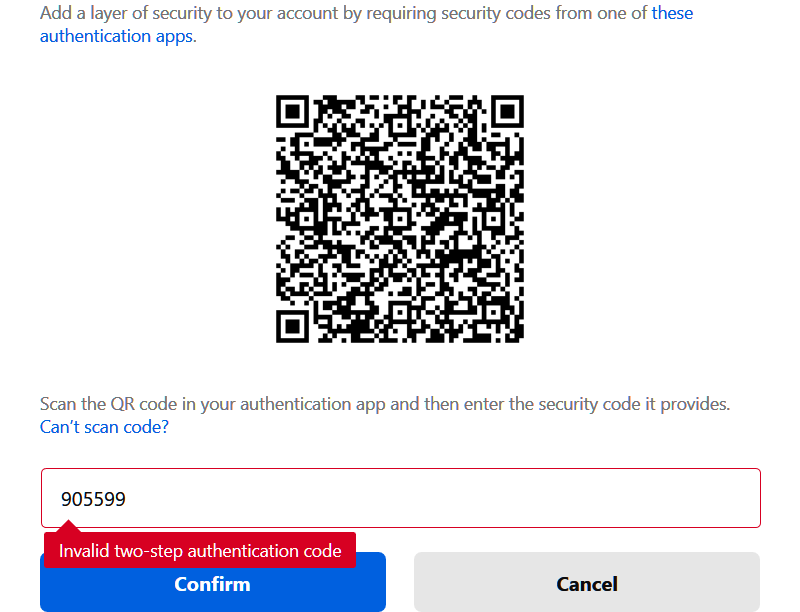
Can't enable two-step authentication because security code from Google Authenticator is invalid.

Have tried using other authentication apps in addition to Google Authenticator and keep getting "invalid two-step authentication code." Codes were not timed out. In addition, in Google Authenticator did time correction for codes to sync time and got message that time already correct. Code still would not work to enable Firefox two-step authentication.
Összes válasz (4)
hello, is your device setup to the correct date, time and timezone?
Yes, my computer is set to the correct date, time and time zone.
Hi Melmar,
You should have a set of back up codes stored if you followed the advice in https://blog.mozilla.org/services/2018/05/22/two-step-authentication-in-firefox-accounts/ but if not then "philipp's" advice is probably the best. You can check it out in https://support.mozilla.org/en-US/kb/troubleshoot-time-errors-secure-websites. I had this problem once and had to switch off the automatic time settings > enter them manually and then switch back to automatic when everything started working again. Other thing is something I did recently which was having a proxy turned on which gave an incorrect IP.
This is about the time on the device where you generate the 6 digit 2FA code. This code is time dependent and a specific code is only valid for about 30 seconds, so make sure that you are connected to internet. If you keep the authenticator app opened then you should see a new code appear with regular intervals.