


How can I avoid crashes when printing

Whenever I want to print something and change the settings, that means I click the button settings on the printer menu, firefox crashes. My printer is a Samsung SCX-4200R. My printer also started printing in the wrong size, that means only half of the pages are printed because the size chosen is bigger than the printer paper.
Wšě wotmołwy (1)

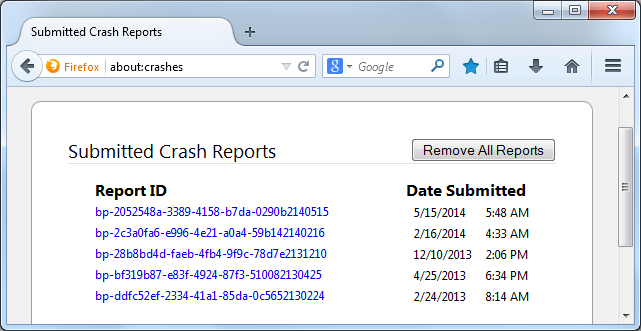
In the address bar, type about:crashes<enter>. Note: If any reports do not have BP- in front of the numbers/letters, click it to submit them.
The crash report is several pages of data. We need the report numbers to see the whole report.
Using your mouse, mark the most recent 7 - 10 crash reports, and copy them. Now go to the reply box and paste them in.
For more help on crash reports, see; https://support.mozilla.org/en-US/kb/firefox-crashes-asking-support