


IMAP version of Thunderbird for Sonoma 14.5 MacBook Air

Hi, David replied to my original question as to why the Folders are not loading off the Yahoo server onto a new computer as they are on my old computer.
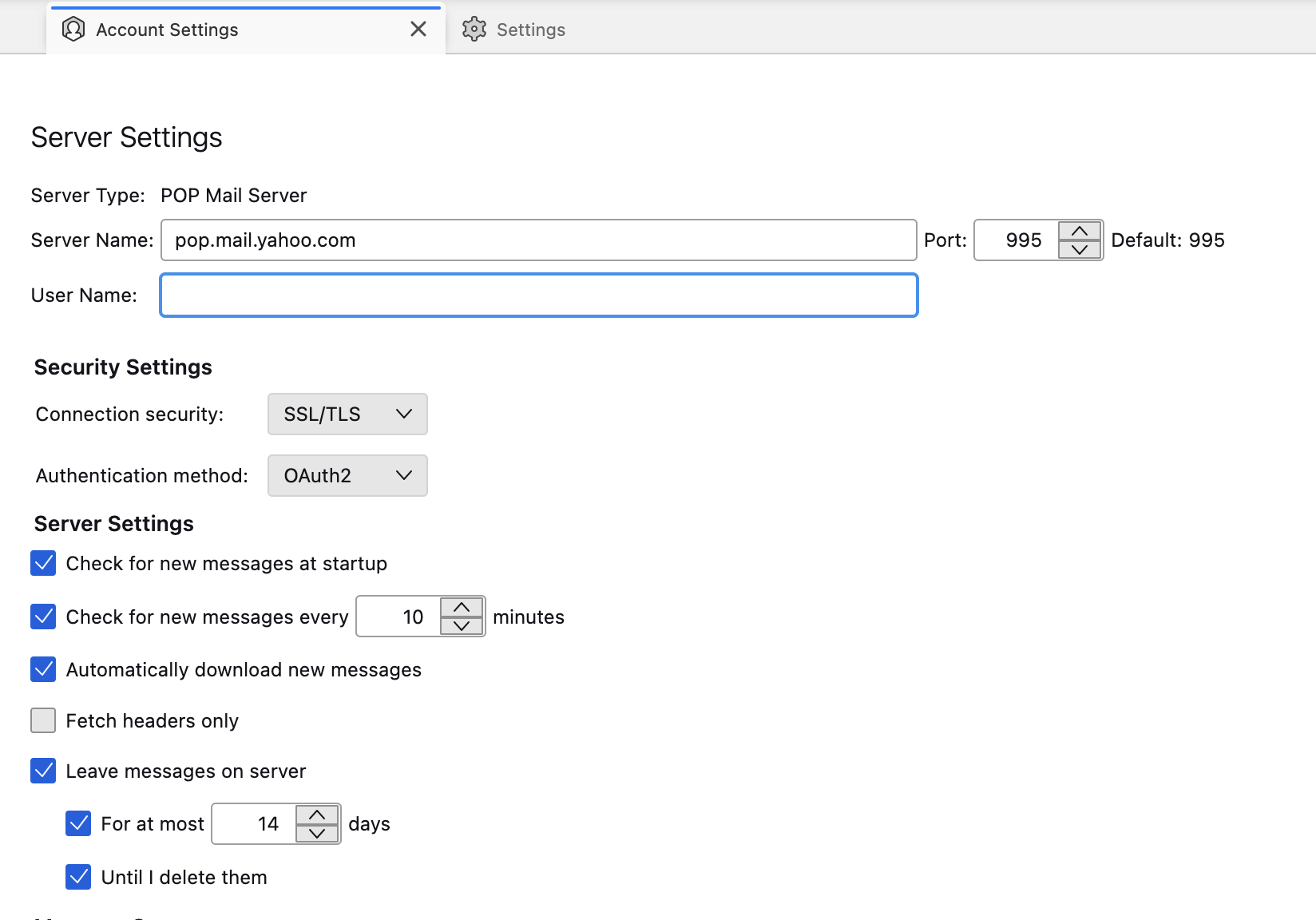
The Thunderbird version on the OLD computer utilises a IMAP Mail Server. The version I downloaded yesterday and installed on this new computer utilises a POP Mail Server with no option I can see to change this. Screen Capture attached.
So Presumably I need the IMAP Mail Server version of the App. If I'm correct where would I download it from?
Thank you and kind regards, Mark.
All Replies (1)
चयनित समाधान
I can answer my own question here if it helps anybody else.
Somewhere I found dialogue that allowed Thunderbird to 'Look Up' the configuration of my yahoo account, once that was done everything was sorted out and the folders where all there.
I searched again but was unable to find that dialouge, but I had manually changed the Server Name to the same as on the old computer I.E: imap.mail.yahoo.com. Maybe that had to be done first.