

אשכול זה הועבר לארכיון.
נא לשאול שאלה חדשה אם יש לך צורך בעזרה.

Archived
Website components not rendered in Mozilla

I am currently developing an one page website - www.deepakprabhakaran.com
It is written in HTML, CSS3, Jquery, Javascript.
The components are rendered as coded in Chrome and IE9. The images that have been used as components are not displayed in mozilla.
I am currently developing an one page website - www.deepakprabhakaran.com
It is written in HTML, CSS3, Jquery, Javascript.
The components are rendered as coded in Chrome and IE9. The images that have been used as components are not displayed in mozilla.
כל התגובות (3)
Some of the links to JavaScripts and other elements have a backslash instead of a forward slash and aren't loaded because of that.
So you need to correct all those 130 (!) links to make Firefox display the page.
Just the first 10 of them:
[1] <link href="Slider\examples\styles.css">
[2] <link href="Slider\photoswipe.css">
[3] <script src="Slider\lib\klass.min.js">
[4] <script src="Slider\code.photoswipe-3.0.5.min.js">
[5] <img src="Components\Loading.gif">
[6] <img src="Components\LeftPanel.png">
[7] <img src="Components\VerticalLogo.png">
[8] <img src="Components\Deepak.jpg">
[9] <img src="Components\ServiceButton.png">
[10] <img src="Components\ServiceButtonH.png">
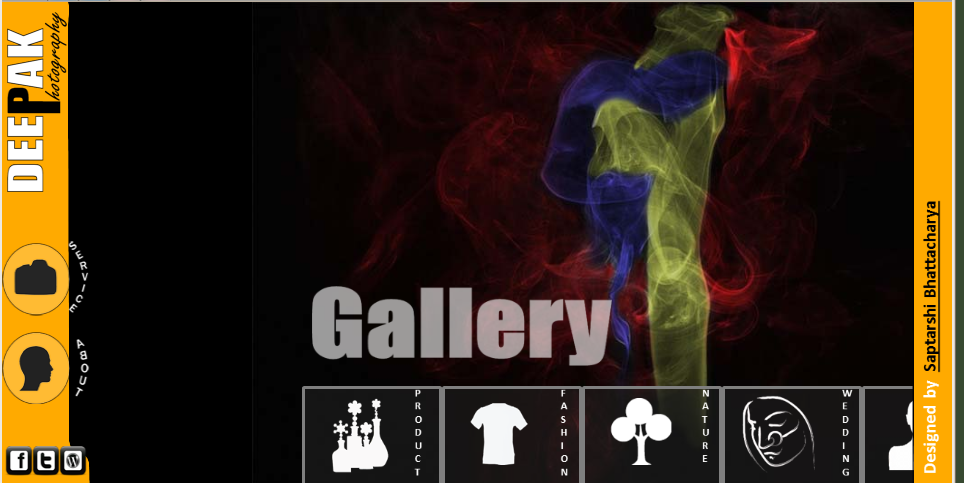
(screenshot from Firefox 18.0.2 with corrected links)
השתנתה ב־ על־ידי cor-el
Silly me. Thank you a 100 times. :)
You're welcome.