


I have pinned Firefox 5.0 to my Windows 7 taskbar. Why can I not open Firefox from a "pinned" link?

I have Firefox 5.0 installed on Windows 7 Ultimate, and the Firefox 5.o icon pinned to the taskbar. With IE9, I can right click the icon, and any site that is in my "pinned" menu can open the browser. This doesn't work with Firefox 5.0. Why?
כל התגובות (3)
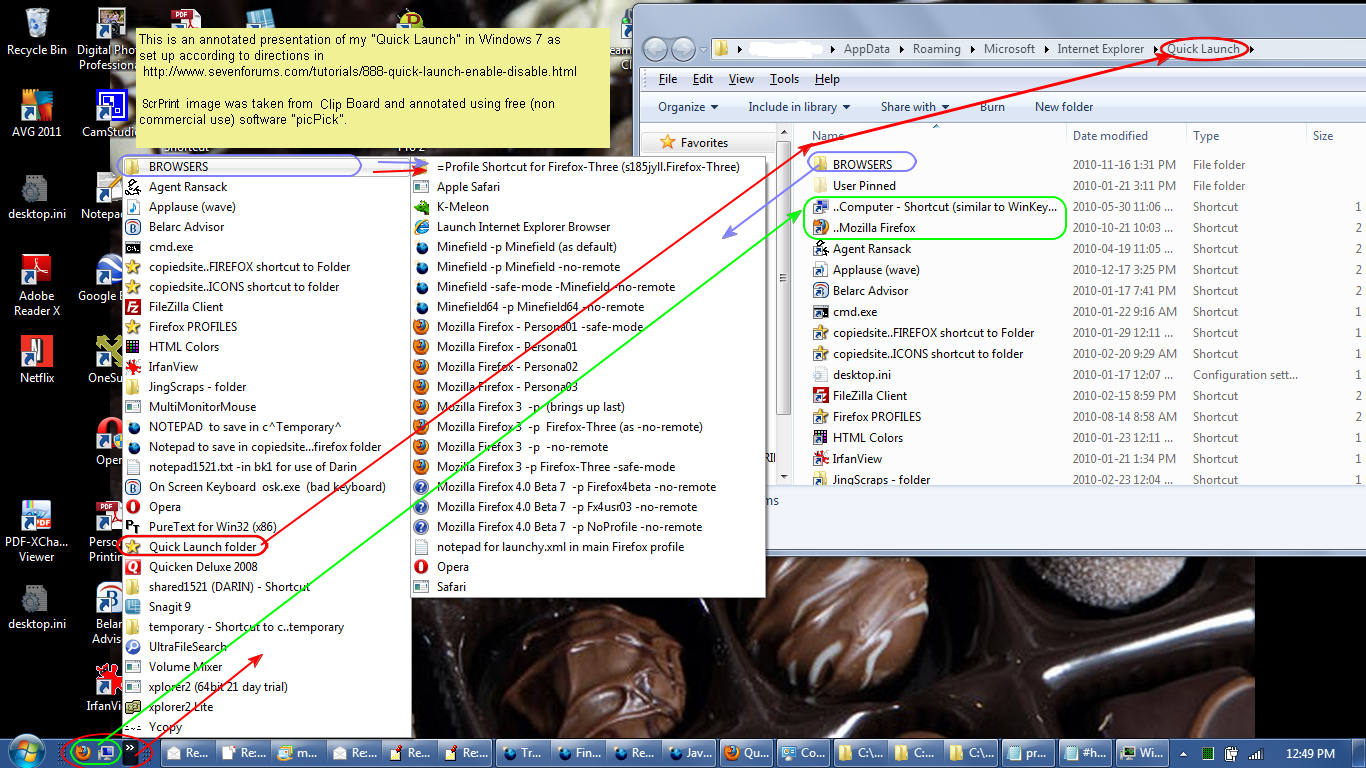
I would suggest using the Quick Launch instead with Firefox being one of the first so it shows on the task bar. No preloaded or anything just ready to use.
- http://dmcritchie.mvps.org/icons/win7_quicklaunch_large.png
- Quick Launch - Enable or Disable - Windows 7 Forums
http://www.sevenforums.com/tutorials/888-quick-launch-enable-disable.html - Please restore the Quick Launch.
http://social.technet.microsoft.com/Forums/en/w7itproui/thread/2589a0cc-98e5-4816-a9dd-f52bee711088
I think IE is a browser interface to Windows, Firefox is self-contained and runs on any system.
dmcritchie,
I have other apps (Word 2003 and LibreOffice Writer) pinned as well, and the jump lists for those apps seem to work fine (a document in their "pinned" lists opens the app.) It does seem weird that Firefox doesn't work that way, though.
השתנתה ב־ על־ידי ClassicTrekker
I'd forgotten why I disliked pinned tabs. I guess they're not preloaded after all. It's because they take up so much space and add confusion to the Windows taskbar area.