


נפתרה
VPN button is missing

Hello, I used to have the VPN button but now I don't. I'm on Firefox v158.0 in the USA, on my personal laptop (so no enterprise policies to interfere). Here's what I've tried:
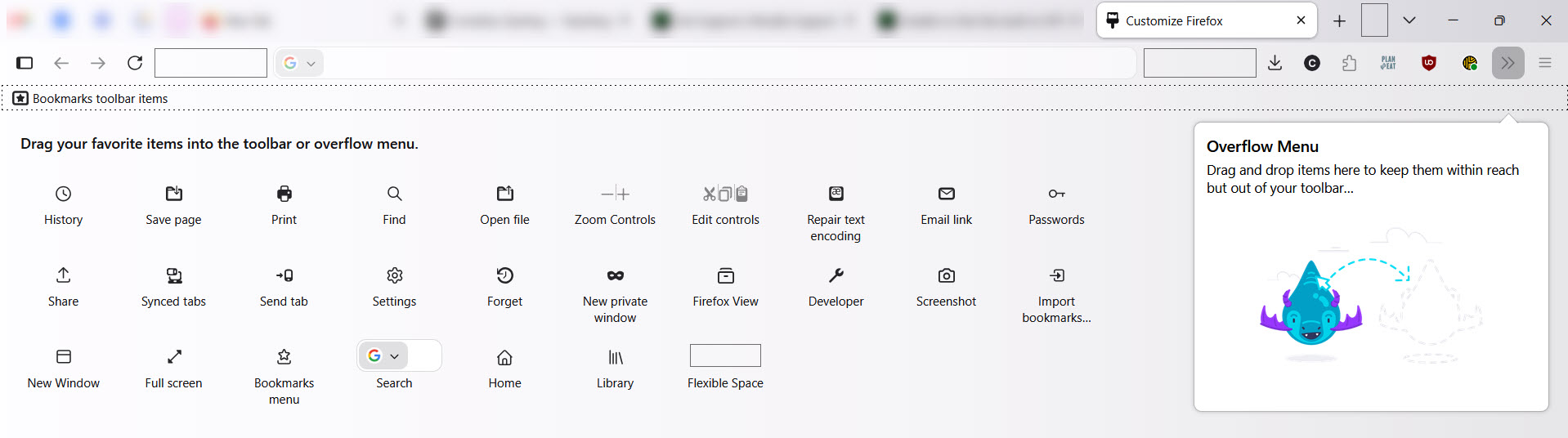
- Customize toolbar: no, the icon isn't in there either
- Start Firefox in Troubleshooting Mode
- Refresh Firefox
- Ensure "Allow Firefox to improve features, performance, and stability between updates" is on
- Sign out and back in to my Mozilla/Firefox account
I miss this feature already because it makes me feel better about using public wifi. What else can I try?
Thanks!
Hello, I used to have the VPN button but now I don't. I'm on Firefox v158.0 in the USA, on my personal laptop (so no enterprise policies to interfere). Here's what I've tried:
* Customize toolbar: no, the icon isn't in there either
* Start Firefox in Troubleshooting Mode
* Refresh Firefox
* Ensure "Allow Firefox to improve features, performance, and stability between updates" is on
* Sign out and back in to my Mozilla/Firefox account
I miss this feature already because it makes me feel better about using public wifi. What else can I try?
Thanks!
כל התגובות (3)

פתרון נבחר
Hope this helps about:config → browser.ipProtection.enabled → false to true https://support.mozilla.org/en-US/kb/unable-find-built-vpn-firefox
Bonjour
To complement, see also this discussion thread https://support.mozilla.org/en-US/questions/1605682
Thank you! I'm just sure I tried that ipProtection setting before and either it wasn't there or it didn't help ... but in any case, today it worked!