


.tvpi no longer associated

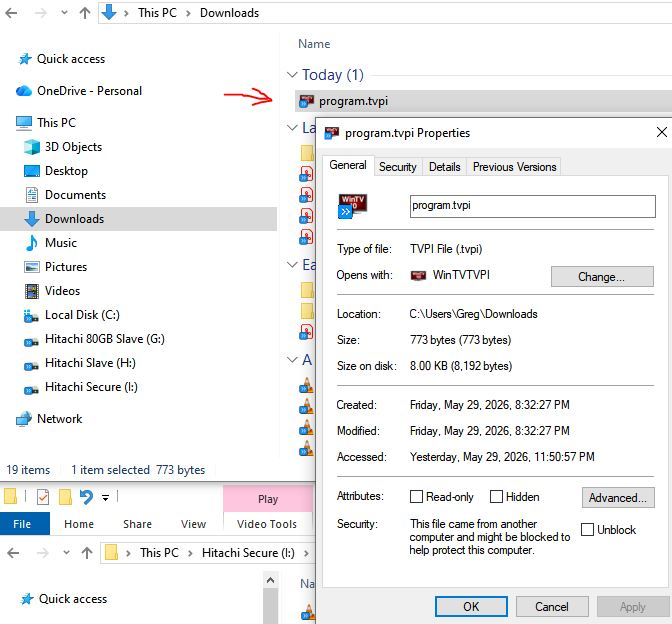
I run Win10, and Firefox recently updated. I use https://partners.titantv.com/default.aspx as a TV guide for my Hauppauge TV tuner card. When I click on a program I want the PC to record, I click the red dot, which creates a program.tvpi file in my Downloads folder (see image attached). Up until recently, this type of file was associated so that clicking the red dot would automatically put it into the Hauppauge recording queue. However, the latest Firefox upgrade took that association away. So, now I have to double-click the program.tvpi file in the Downloads folder to activate it. Is there a way to re-associate it? I tried right-clicking the red dot, but there's no choice. I didn't see it in the Firefox, Settings, General, Applications feature. Thank you for the help.
כל התגובות (3)
פתרון נבחר
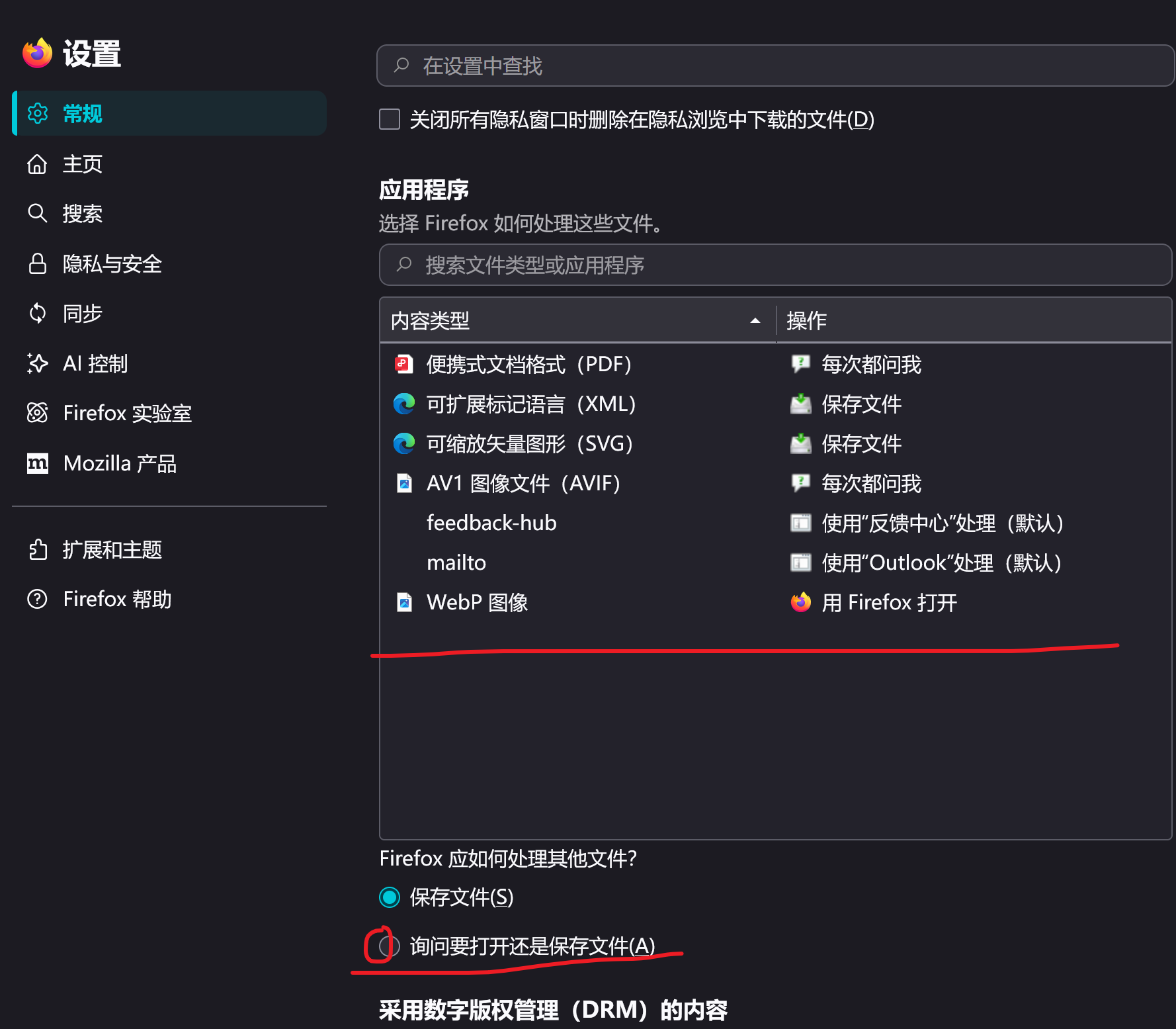
Hello! Your issue appears to be caused by the failure of Firefox's' automatically open this type of file 'setting. You can open "Settings - General - Applications" and check "Ask if you want to open or save file (A)" (as attached). If you don't want to ask every time and instead open it automatically, you can change the "operation" to "use WinTVTVPI" in the ". tvpi" column above that option (as I don't have this type of software on my computer, the attachment is only for illustration).
Hope to help you!
Your provided image helped me -- thank you!
mr_greg4 说
Your provided image helped me -- thank you!
You are welcome! Solving problems is the best.