


Oct.14.2025 Update: Weird white boxes on dark mode

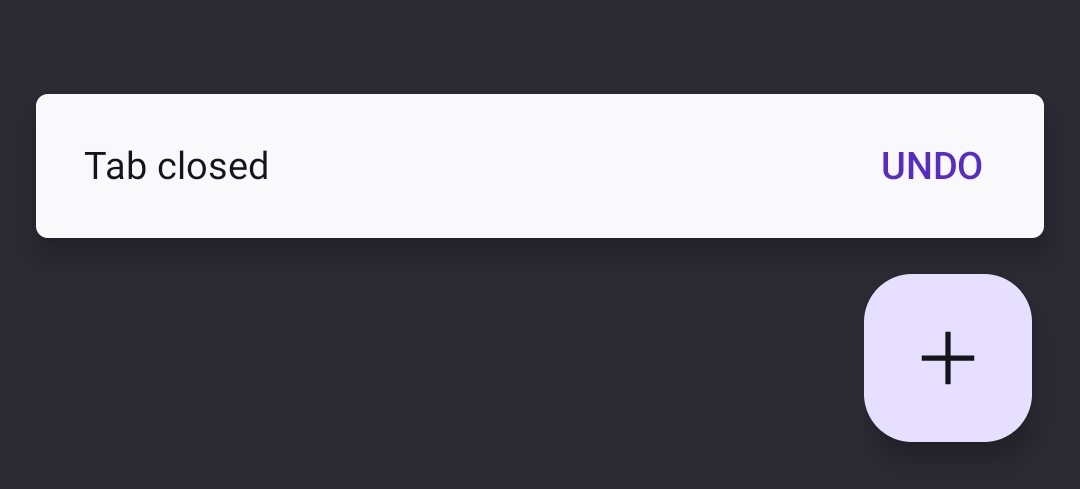
After the update on the 14th, dark mode has gained weird stylistic choices that I cannot find a way to alter: namely, when closing a new tab, a white box with black font appears -as opposed to the previous darker toned grey/purple with white font. However as of writing this post, I notice that dark mode is not working on this webpage. Seeing as I have an extension enabled in addition to the basic dark mode selection in Firefox settings, I can only imagine that something was broken in the update. Please advise, the change is jarring.
כל התגובות (4)
Hi
Does anything change in respect of this issue if you disable the add-on you have installed?
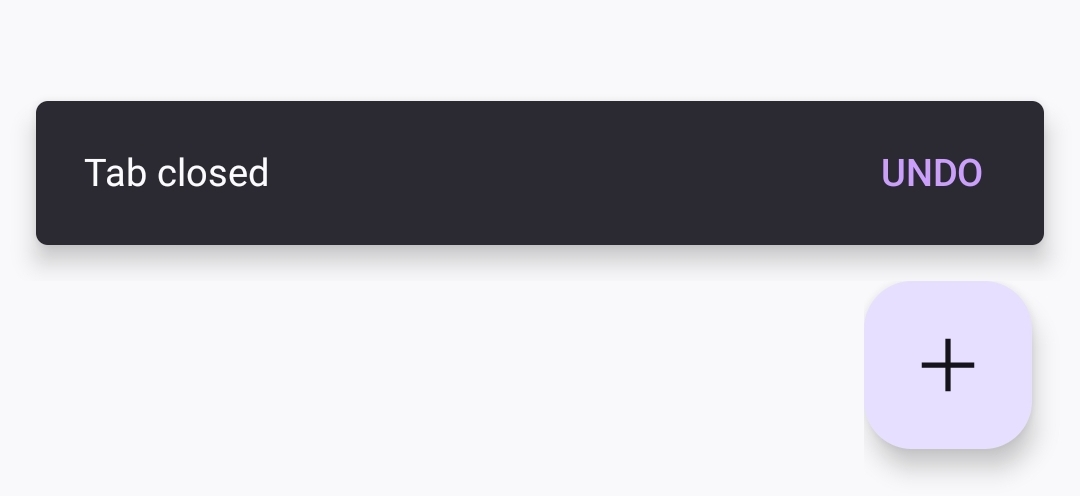
Hi Paul, Thanks for responding. Upon disabling Dark Reader, nothing has changed with this page and the "tab closed" notification. Other webpages i have been on are showing up in dark mode as they should due to firefox dark mode being enabled. However, after disabling dark mode via firefox, the notification for a closed tab is black with white font. This seems like perhaps the cause is a case of mistyped hexcodes when altering the appearance in the update. Please advise.
השתנתה ב־ על־ידי elvenbiv

elvenbiv said
nothing has changed with this page
My Firefox does not have a "Tab Closed (Undo)" notification like yours. I suggest disabling all of your extensions and restarting the browser to see if this UI element is coming from any extension.
Hi Mark,
Have done that: did not work. No extension I have alters the UI of the firefox app.
Please advise.