


Windows 10 reached EOS (end of support) on October 14, 2025. If you are on Windows 10, see this article.

חיפוש בתמיכה

יש להימנע מהונאות תמיכה. לעולם לא נבקש ממך להתקשר או לשלוח הודעת טקסט למספר טלפון או לשתף מידע אישי. נא לדווח על כל פעילות חשודה באמצעות האפשרות ״דיווח על שימוש לרעה״.

מידע נוסף
נפתרה Archived

Mozilla Thunderbird not matching time format of the OS

Eugene Denisov

I'm running Thunderbird 140.0.1 (64-bit) on Windows 10. The problem is Thunderbird is showing wrong format. My system's sets are: Short date: dd.MM.yyyy Long date: dd MMMM yyyy 'г.' Short time: HH:mm Long time: HH:mm:ss

Thunderbird's language is set to English (US). And it shows times as: 1:00 AM, 2:00 PM etc. Tried to change it to en_GB, did nothing at all. Changing it to ru_RU affects the time format, but interface goes Russian which is unwanted.

Please help to fix it. It's crucial for me to have 24h format as otherwise I cannot use mail/calendar because it's misleading.
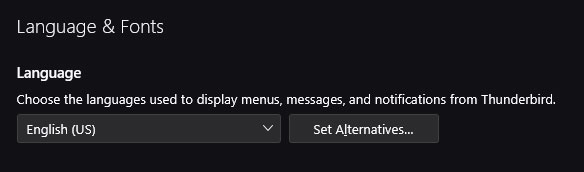
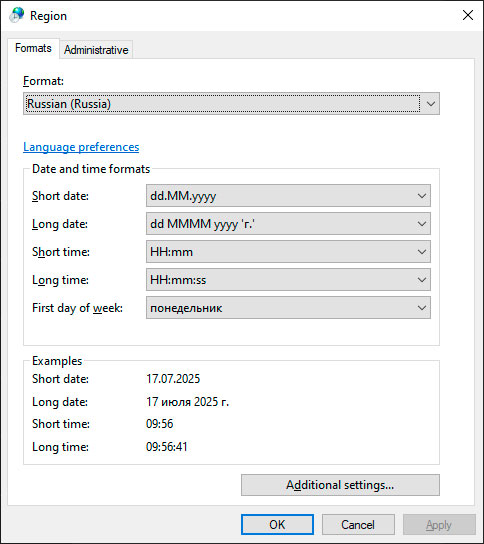
I'm running Thunderbird 140.0.1 (64-bit) on Windows 10. The problem is Thunderbird is showing wrong format. My system's sets are: Short date: dd.MM.yyyy Long date: dd MMMM yyyy 'г.' Short time: HH:mm Long time: HH:mm:ss Thunderbird's language is set to English (US). And it shows times as: 1:00 AM, 2:00 PM etc. Tried to change it to en_GB, did nothing at all. Changing it to ru_RU affects the time format, but interface goes Russian which is unwanted. Please help to fix it. It's crucial for me to have 24h format as otherwise I cannot use mail/calendar because it's misleading.
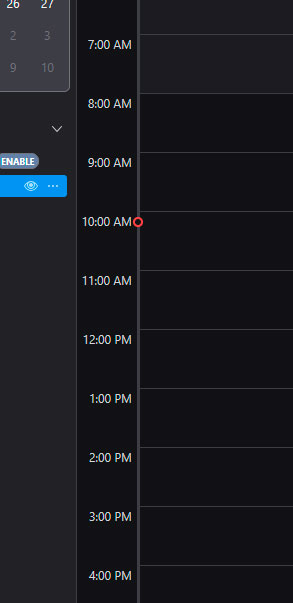
צילומי מסך מצורפים

כל התגובות (1)

פתרון נבחר

No worries, I've found the answer, it's done through adding intl.date_time.pattern_override.date_short and intl.date_time.pattern_override.time_short string preferences, which shall override any other formats.