


I keep getting error message "Something went wrong" when trying to reach an Audacy.com web page

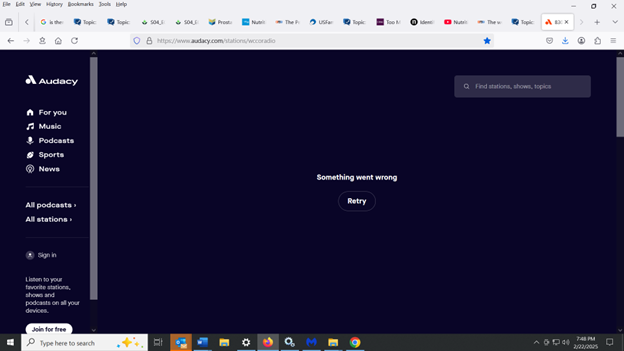
I keep getting error message "Something went wrong - Retry" when trying to reach an Audacy.com web page at https://www.audacy.com/stations/wccoradio . This does NOT happen when I use another browser (Chrome), but it happens about 95% of the time in Firefox. When I click the "Retry" button, it still gives me the same error message. I tried clearing out the cookies and cache but this did not help. I have attached a screenshot of the error message. Why am I getting this error message in Firefox but not in Chrome, and what can I do about it?
פתרון נבחר
Please ignore my posting dated 2/23/25. I think I resolved the issue on my own. Apparently I had to check the box that says "Accept all cookies". It seems to be working now that I checked that box. I wish the website would have given me more details about why "something went wrong". But anyway I think the problem is resolved, but if it happens again, I'll create a new posting.
Read this answer in context 👍 0כל התגובות (2)
פתרון נבחר
Please ignore my posting dated 2/23/25. I think I resolved the issue on my own. Apparently I had to check the box that says "Accept all cookies". It seems to be working now that I checked that box. I wish the website would have given me more details about why "something went wrong". But anyway I think the problem is resolved, but if it happens again, I'll create a new posting.
Well, I thought I had solved the problem, but I was wrong. Today, I've checked the box "Accept all cookies", and I'm still not able to use the website. But this time, instead of giving me a message that says "Retry", it just shows a spinning wheel that keeps spinning. I also tried clearing the cookies and cache, but that did not help. In the past, I've contacted the support staff for that website about a problem using their website in Firefox, and they recommended I use Google Chrome instead. And indeed, I do not encounter this problem in Google Chrome. But I would rather use Firefox if possible, so does anyone have any suggestions on how I can correct this problem in Firefox?