


Issues with full screen mode on MacOS

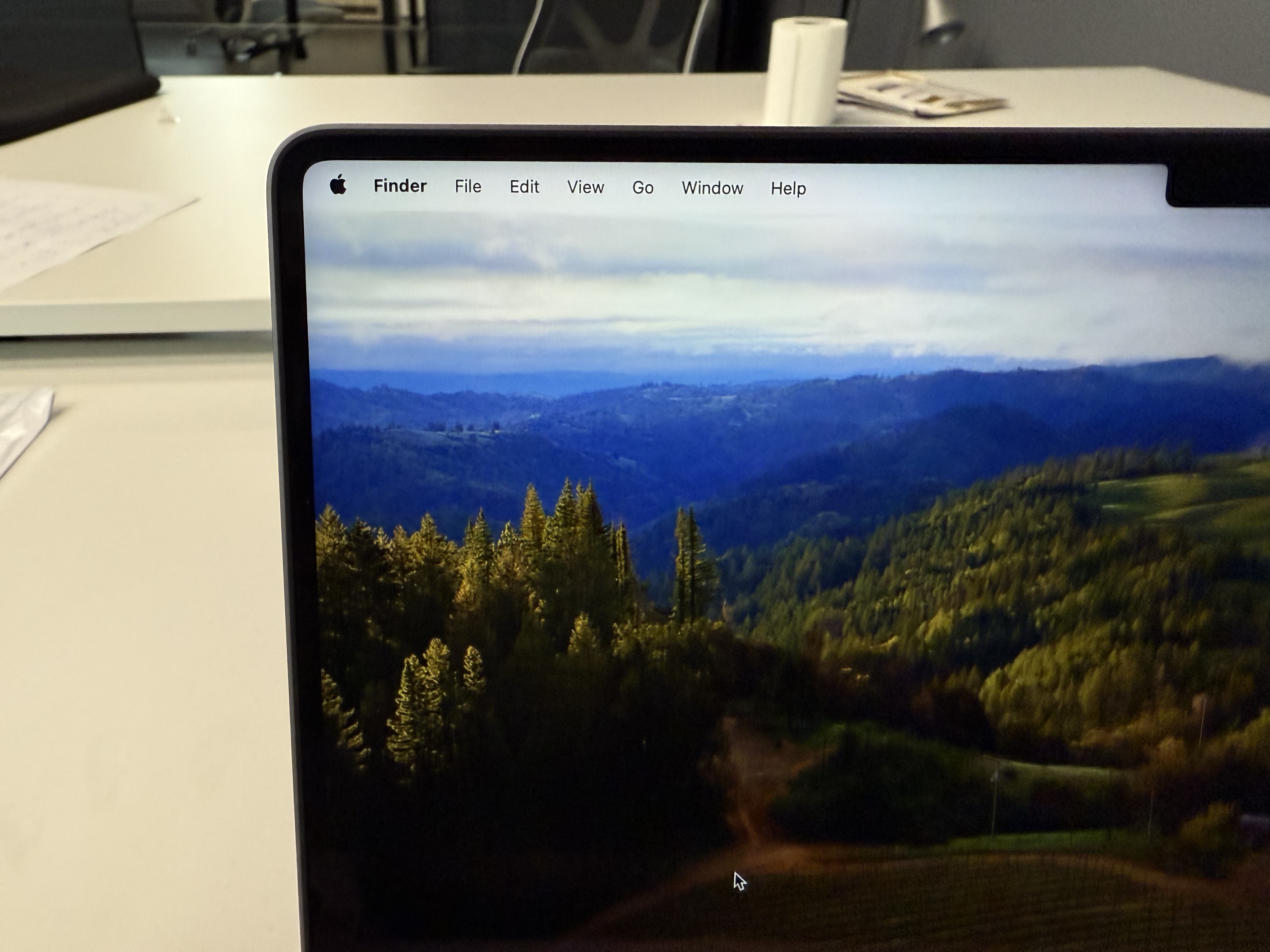
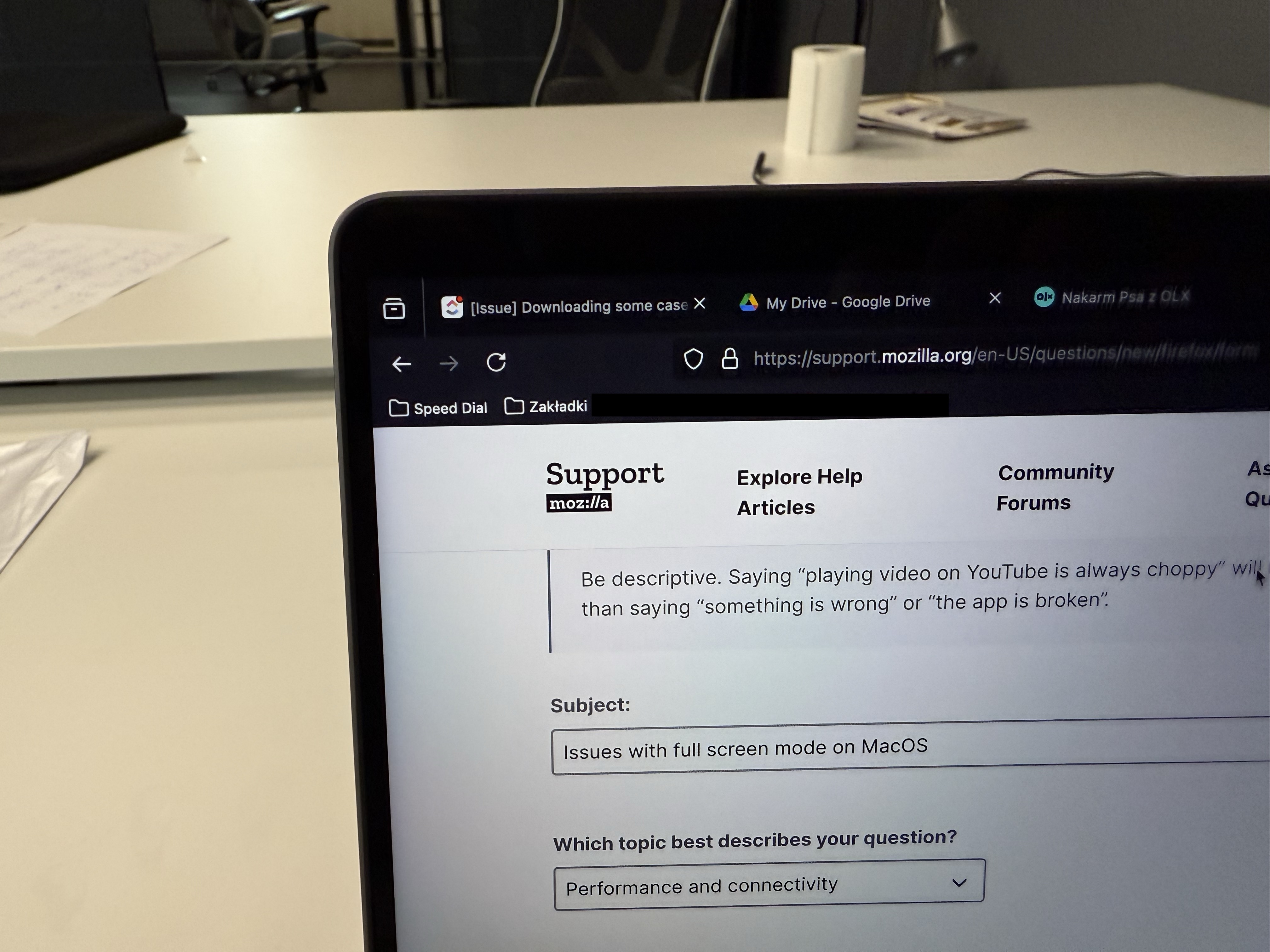
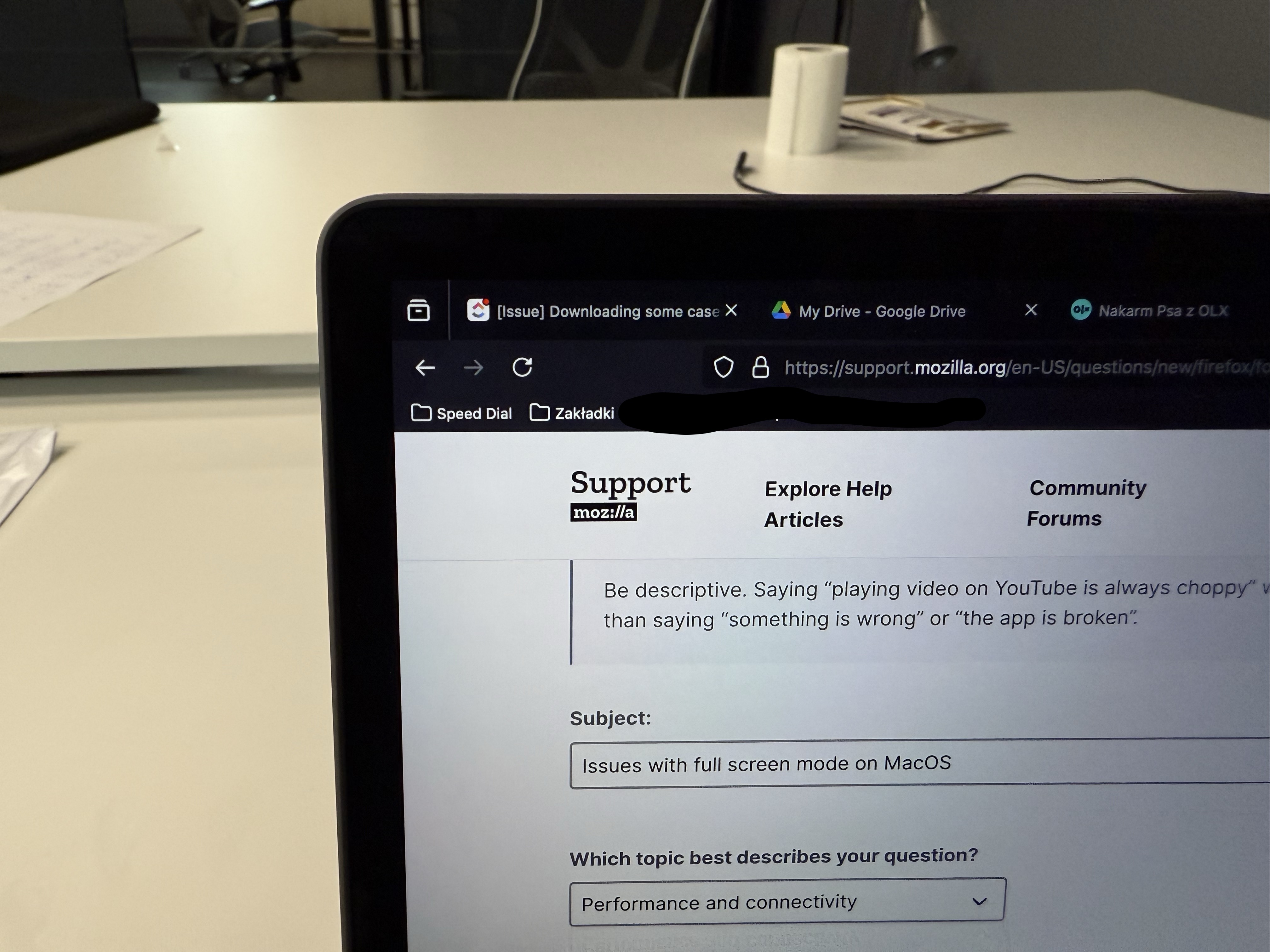
Firefox on MacOS in full screen mode makes the black offset between the screen edge and the Firefox window after logging in after MacOS is locked. It fixes itself when you exit the full screen and enter it again.
How to reproduce?
- Open Firefox and enter the full screen mode
- Close your MacBook and wait until it prompts you for your password or touch id
- The Firefox window has black offset between screen edge and the Firefox window, that was not present before
- Exit the full screen and get into it again, and the offset is gone
Firefox on MacOS in full screen mode makes the black offset between the screen edge and the Firefox window after logging in after MacOS is locked.
It fixes itself when you exit the full screen and enter it again.
How to reproduce?
* Open Firefox and enter the full screen mode
* Close your MacBook and wait until it prompts you for your password or touch id
* The Firefox window has black offset between screen edge and the Firefox window, that was not present before
* Exit the full screen and get into it again, and the offset is gone
כל התגובות (1)
Bump, the issue still persists.
OS Version: macOS Sequoia v 15.4.1 Firefox version: 138.0.1 (aarch64)