


New Tabs linked to Home Button

Anybody. I'm ending up with dozens of tabs open because: 1. every time I hit HOME on my work tab, a new tab open up. One after another. It doesn't take long to have dozens of tabs open. Can anybody help me out here?
כל התגובות (4)
What do you have set here? see screenshot
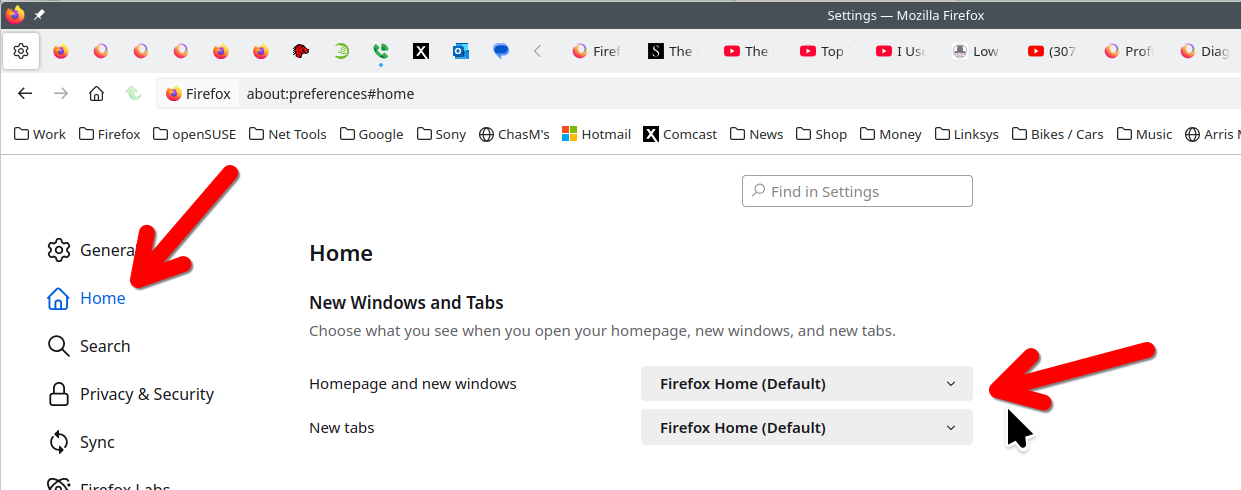
Is your work tab a regular tab or a pinned tab? Pinned tabs have some level of protection against site changes, so it would be normal to get a new tab in that case. (Pinned Tabs - keep favorite websites open and just a click away)
(I removed the Home button from my toolbar, but the keyboard shortcut Alt+Home still seems to work normally.)
I just don't need to have FF open a new tab whenever I hit HOME on the tab I'm working with. This is how I work and it's functional for me. This never ending stream of new tabs is driving me back to Chrome.
Hi
I am going to close this thread as it appears to be a duplicate of: