


Google redirects to localhost after allowing access

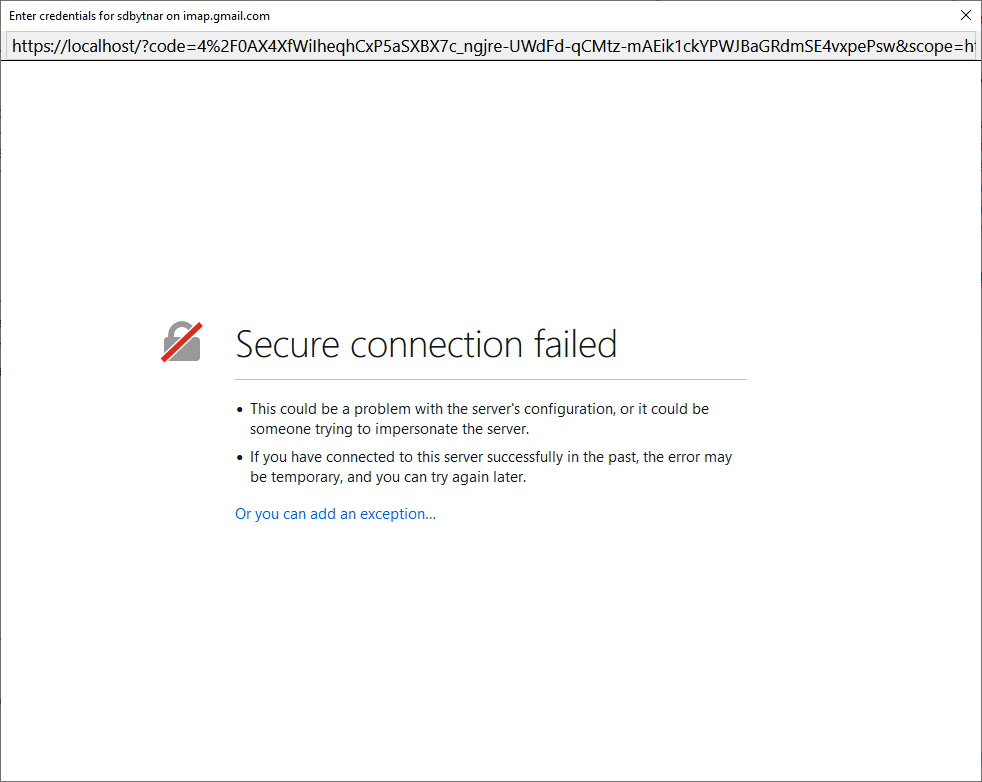
I installed Thunderbird 91.1.1 and am trying to add my gmail account. I provide my email and password, new window opens with login prompt at Google. After logging in, I am prompted to Allow access by Thunderbird. I click Allow and I am redirected to the attached screen. I am thus unable to use Thunderbird...
פתרון נבחר
I figured out the issue.
This will occur if one is running IIS locally. Definitely a bug in Thunderbird to not properly handle the situation when IIS is installed and running locally...
Read this answer in context 👍 0כל התגובות (2)
my guess is it is your anti virus product. perhaps try turning off scanning on encrypted connections and see how it works out.
פתרון נבחר
I figured out the issue.
This will occur if one is running IIS locally. Definitely a bug in Thunderbird to not properly handle the situation when IIS is installed and running locally...