

Firefox for FireTV Stick

Open Firefox on Amazon FireStick. You have two choices: do a search or open sn app. If you open YouTube, that will be the only thing you can do on or with Firefox. There is no Back function. Once finished on YT, you cannot go back and do a search or open another app. You can exit YouTube by pressing the Home button. From then on, every time you open Firefox, it opens to YouTube. You have to uninstall Firefox and reinstall it to do a search open some other app.
פתרון נבחר
Hi
I have tried this myself and have found a solution for you.
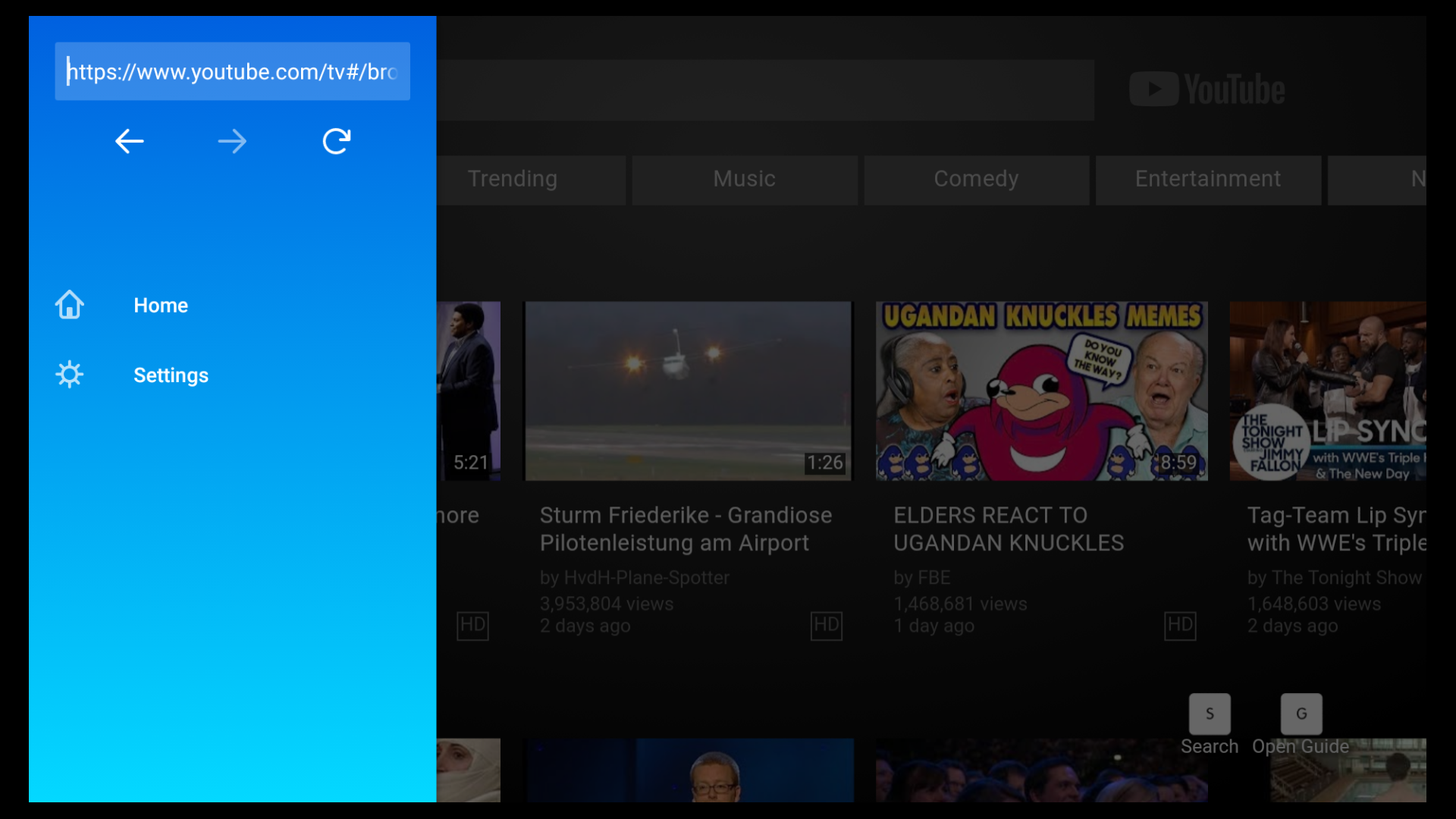
When you are in Youtube, press the three lines "hamburger" button on the Fire TV remote. This should display the Firefox for Fire TV menu allowing you to choose to go to a different web address, to go back the Firefox for Fire TV home page or to access the Firefox for Fire TV settings.
The attached picture is what you should see and was taken from my Firefox for Fire TV a short time ago.
I hope that this helps, but if not, please come back here and we can look into a different solution for you.
Read this answer in context 👍 4כל התגובות (1)
פתרון נבחר
Hi
I have tried this myself and have found a solution for you.
When you are in Youtube, press the three lines "hamburger" button on the Fire TV remote. This should display the Firefox for Fire TV menu allowing you to choose to go to a different web address, to go back the Firefox for Fire TV home page or to access the Firefox for Fire TV settings.
The attached picture is what you should see and was taken from my Firefox for Fire TV a short time ago.
I hope that this helps, but if not, please come back here and we can look into a different solution for you.
השתנתה ב־ על־ידי Paul