


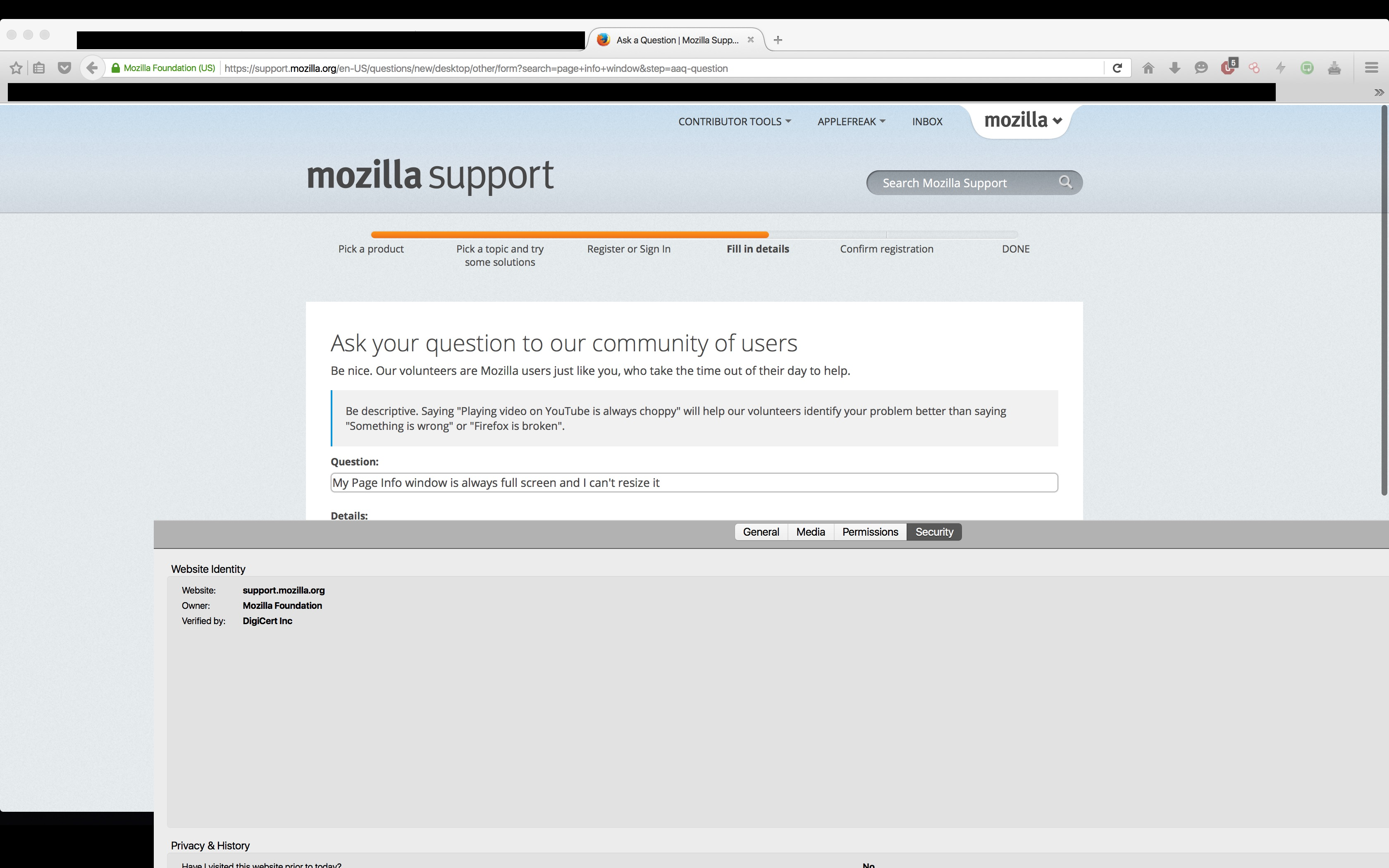
Page Info window is always fullscreen, cannot resize or minimize

As the title says. Also there's no window control buttons, like close minimize and expand buttons, help! I can drag the window around as well, but just not resize it. See screenshot
השתנתה ב־ על־ידי applefreak
פתרון נבחר
You may have a corrupt xulstore.json file.
Type about:support in the address bar and press enter.
Under the page logo on the left side you will see Application Basics. Under this find Profile Folder. To it’s right press the button Show Folder. This will open your file browser to the current Firefox profile. Now Close Firefox.
Locate the xulstore.json file. Then rename or delete it. Restart Firefox.
Read this answer in context 👍 5כל התגובות (2)

פתרון נבחר
You may have a corrupt xulstore.json file.
Type about:support in the address bar and press enter.
Under the page logo on the left side you will see Application Basics. Under this find Profile Folder. To it’s right press the button Show Folder. This will open your file browser to the current Firefox profile. Now Close Firefox.
Locate the xulstore.json file. Then rename or delete it. Restart Firefox.
Note that you can use "Command + W" to close a window in case like this if it happens again.