


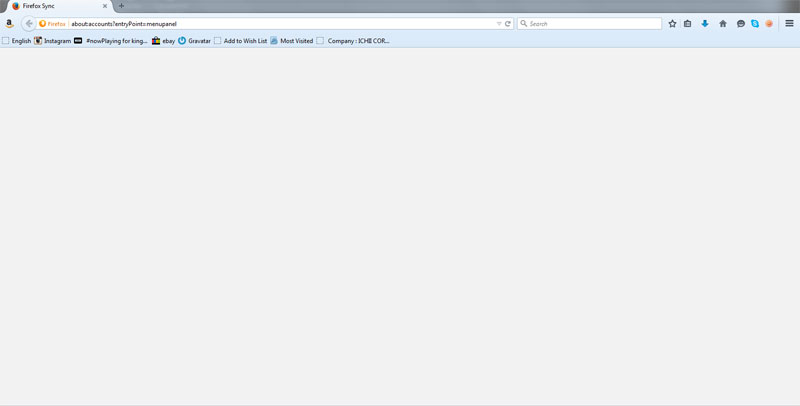
I created a Firefox account but when I try to sign in to sync i get a blank grey screen

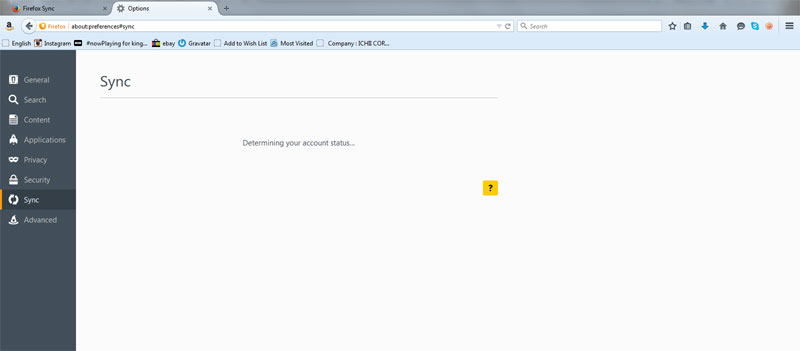
I can't access it through Options/Sync either. That just gets me a message saying "determining your account status..." which never goes away. I have refreshed FF, checked I am signed in to FF and checked around on Google for any possible solutions but no luck.
פתרון נבחר
Try to delete the signedInUser.json file in the Firefox profile folder and delete the Weave folder (Sync was formerly named Weave). If that isn't enough then delete the prefs.js files to reset all prefs and maybe also delete the compatibility.ini file to reinitialize the profile.
Read this answer in context 👍 1כל התגובות (4)
Hello,
In order to better assist you with your issue please provide us with a screenshot. If you need help to create a screenshot, please see How do I create a screenshot of my problem?
Once you've done this, attach the saved screenshot file to your forum post by clicking the Browse... button below the Post your reply box. This will help us to visualize the problem.
Thank you!
Here are screenshots of what I get if I click on either "Sign In To Sync" or if I try to access Sync via the Options panel. These stay like this no matter how long I wait. A refresh of Firefox has not helped, and I am completely up to date with my FF. I am on Win7.
פתרון נבחר
Try to delete the signedInUser.json file in the Firefox profile folder and delete the Weave folder (Sync was formerly named Weave). If that isn't enough then delete the prefs.js files to reset all prefs and maybe also delete the compatibility.ini file to reinitialize the profile.
Just doing the first two things (deleting the signed in user file and the weave folder) did the trick! Thank you so much!