Can the opacity and contrast of the tabs be changed to fit theme?

I have a theme with much black and the tabs can barely be seen as they are fairly translucent. I want to make them more opaque and/or change the colours to make them more visible.
כל התגובות (1)
There is no built-in way to change the color of background tabs, but you could use an add-on if you can find one that works well with your preferred theme.
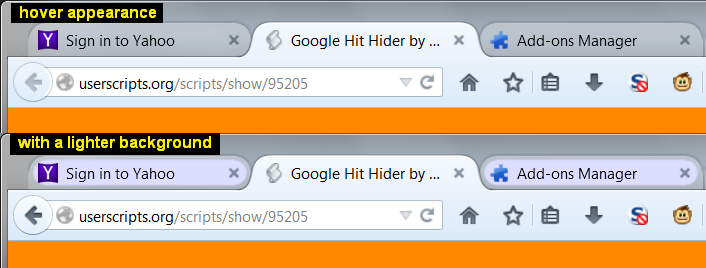
I created some custom style rules for Windows 7 that might or might not work, or could be adapted. I've attached a screen shot showing the two that alter the background. You can find links to them here: https://userstyles.org/users/2029
Speaking of screen shots, it might be helpful to show what it looks like in your Firefox now. Please delete or blur out anything personal/confidential. This article has tips: How do I create a screenshot of my problem?