Ko téma oñeñongatúma.
Ejapo porandu pyahu eikotevẽramo pytyvõ.

Ñongatupyre
Firefox 24 opens multiple tabs on startup and won't save my home page. How to fix?

The tabs seem to be associated with my add-ons/extensions. For example, one tab asks me to set up my speed dial - although I've long ago set up speed dial.
In addition, I cannot set my home page. Regardless of what I try to do, FFX always opens to the mozilla home page. This behavior is all new to FFX 24.
The tabs seem to be associated with my add-ons/extensions. For example, one tab asks me to set up my speed dial - although I've long ago set up speed dial.
In addition, I cannot set my home page. Regardless of what I try to do, FFX always opens to the mozilla home page. This behavior is all new to FFX 24.
Opaite Mbohovái (2)
Hi,
try Help -> restart with add-ons disabled.
Regards Deepak Krishnan P.R
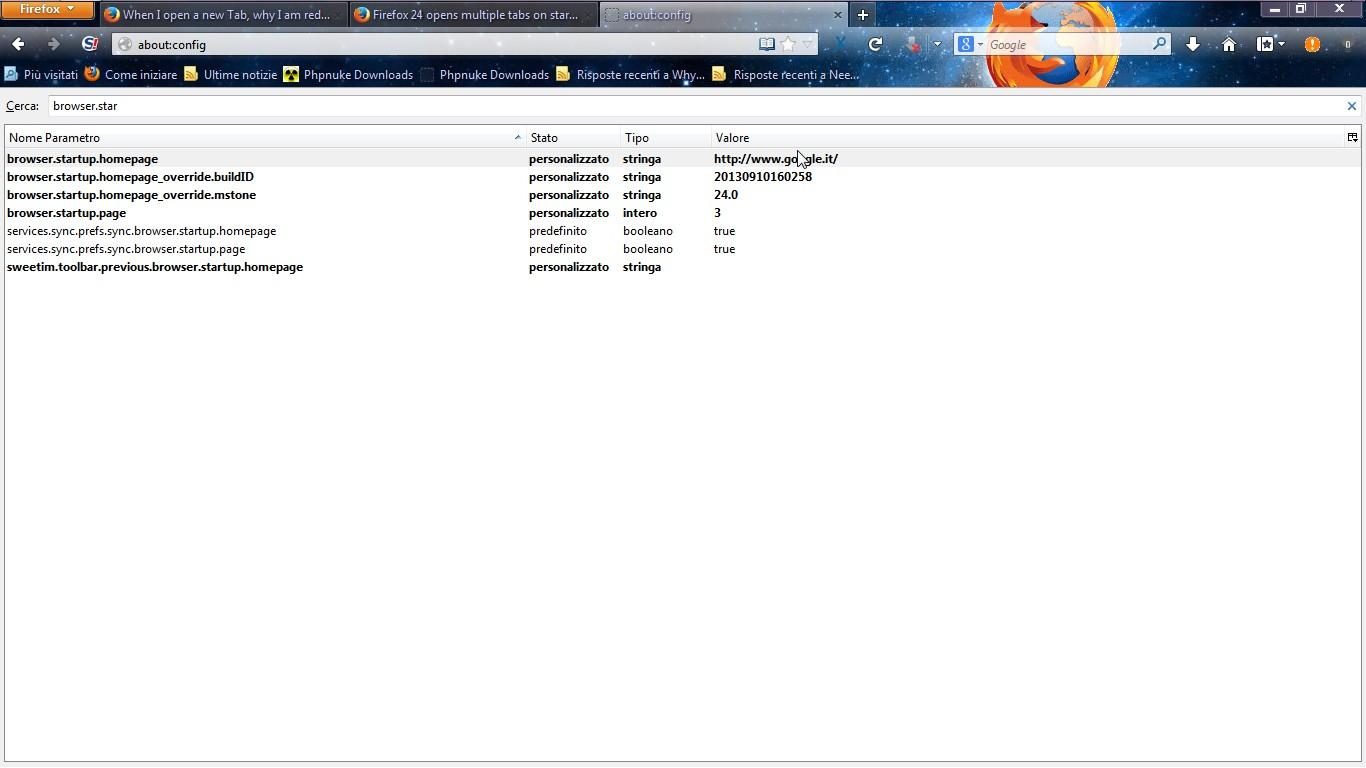
Try to follows these steps.
1. Write in the address bar"about:config"
2.accept the popup
3.search in the list this string "browser.startup.homepgare"
4.click twice,change address and then click ok. Restart Firefox...Does it work?