


incoming email image attachment sizes too large need resize

hello, i cannot seem to find a solution online, hopefully someone here can help.
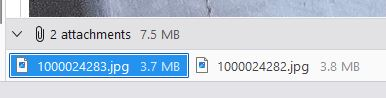
i often receive emails with images attached, and most of the time people don't resize the image. so you can imagine over time this all adds up. i dont always need to keep a 6mb image versions. i would love if there is a way to resize the email image attachment, to at least still have a smaller copy for refence, but not end up with a huge email account (local/pop3)
preferably a one click solution, or even a routine i can run on the file system, etc.
thanks
Opaite Mbohovái (4)
I am unaware of any facility to compress on received attachments. You can resize, however, any any of several quality free utilities. Here is a link to some: https://whatsoftware.com/most-convenient-way-to-automatically-resize-photos-for-email-im-blogging-and-web-galleries/ I personally use the Faststone utility an Irfanview.
david said
I am unaware of any facility to compress on received attachments. You can resize, however, any any of several quality free utilities. Here is a link to some: https://whatsoftware.com/most-convenient-way-to-automatically-resize-photos-for-email-im-blogging-and-web-galleries/ I personally use the Faststone utility an Irfanview.
sorry i dont understand how "Faststone utility" will shrink the images attached and saved in my thunderbird email folders that take up space?
- save the attachments - start the faststone utility - locate the folder where attachments wlere saved - use the faststone facility to select and compress the attachments
this has nothing to do with thunderbird
david said
- save the attachments - start the faststone utility - locate the folder where attachments wlere saved - use the faststone facility to select and compress the attachments this has nothing to do with thunderbird
"this has nothing to do with thunderbird" ???
to be more clear, i am talking about keeping the original email with its attachment, but reducing the image attachment size in the email? i do not want to separate the attachments from the email history.
Moambuepyre filz1 rupive