


Windows 10 reached EOS (end of support) on October 14, 2025. If you are on Windows 10, see this article.

Eheka Pytyvõha

Emboyke pytyvõha apovai. Ndorojeruremo’ãi ehenói térã eñe’ẽmondóvo pumbyrýpe ha emoherakuãvo marandu nemba’etéva. Emombe’u tembiapo imarãkuaáva ko “Marandu iñañáva” rupive.

Kuaave
Ñongatupyre

popups from block tuneupdevice.co.in and quickupdevice.co.in

Denys ombohovái
MacChiroCtr

I'm suddenly getting 30-50 popups a day from the above websites telling me that there are all sorts of trojans and viruses on my computer and telling me to "click here" to fix them. I WANT TO BLOCK THEM... as I'm quite sure they are scams. I just delete them, but they keep coming back How do I block them? Just got another one that says "Mozilla Firefox -- Trojan virus detected! Scan and delete with McAfee -- click here: via d14an00hubcc73a1lt40.quickupdevice.co.in". ...and I just got two more.

Please tell me how to stop this stuff. Thank you.
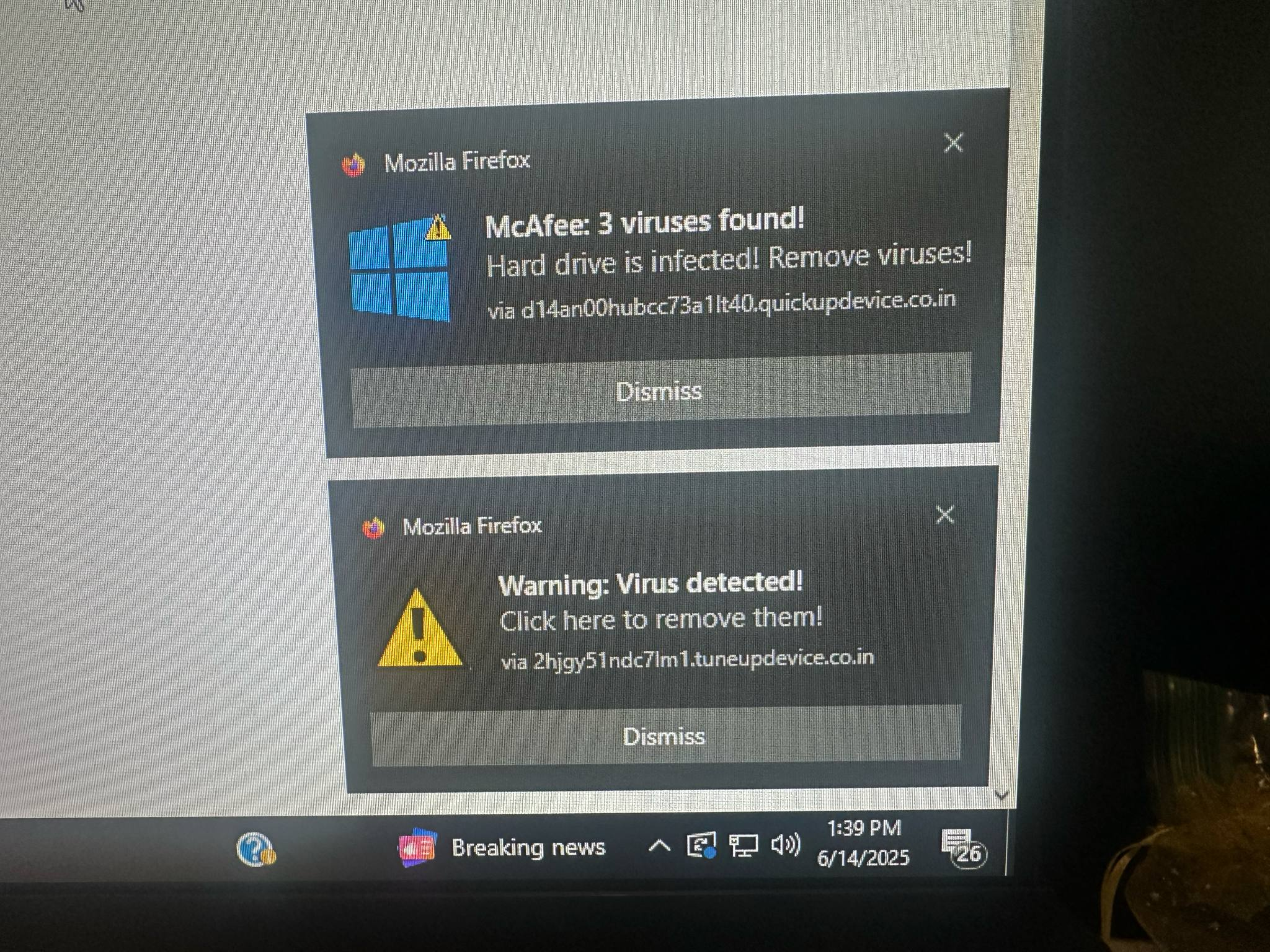
I'm suddenly getting 30-50 popups a day from the above websites telling me that there are all sorts of trojans and viruses on my computer and telling me to "click here" to fix them. I WANT TO BLOCK THEM... as I'm quite sure they are scams. I just delete them, but they keep coming back How do I block them? Just got another one that says "Mozilla Firefox -- Trojan virus detected! Scan and delete with McAfee -- click here: via d14an00hubcc73a1lt40.quickupdevice.co.in". ...and I just got two more. Please tell me how to stop this stuff. Thank you.
Mba’erechaha japyhypyre oñondivegua

Opaite Mbohovái (1)

Hello,

These are not pop-ups, but Windows notifications. And they are definitely scams.

Please head to Firefox Settings -> Privacy & Security -> Permissions, and click Settings... next to Notifications. You can remove (or set to Block) all websites there. Does it help?