


Can't adjust or dismiss sidebar -

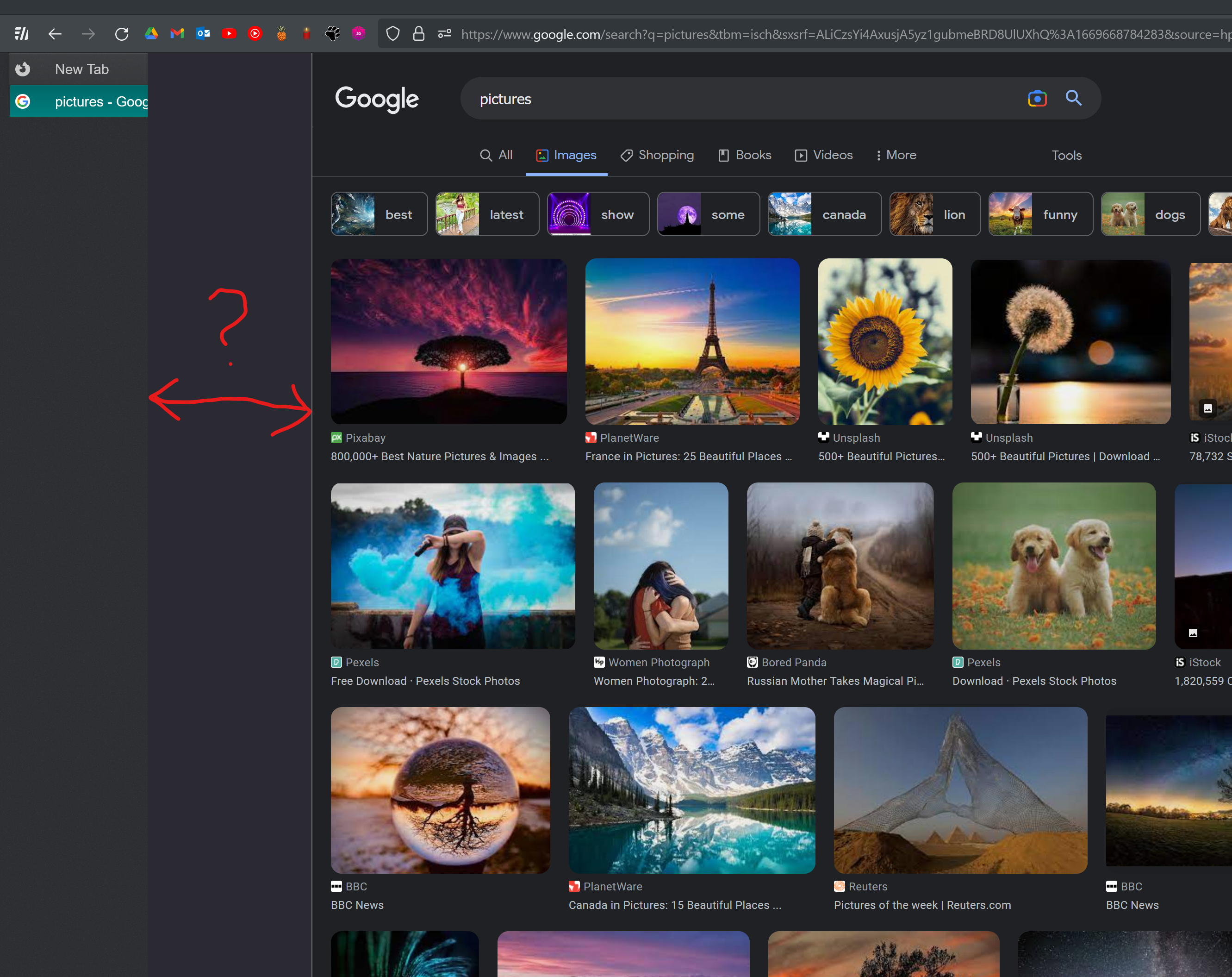
Normally I use side-berry to hold all of my tabs - the panel normally collapses and hides to the left of the screen - showing just the favicons of the website.
After the most recent firefox update 107.0 (20221110173214) there is now a large bar that i can't remove!
I have a CSS file for appearance, which i have included below.
any idea how to shrink this dead zone? I would really like to keep using my fun tabs.
****
#main-window[tabsintitlebar="true"]:not([extradragspace="true"]) #TabsToolbar > .toolbar-items {
  opacity: 0;
  pointer-events: none;
}


#main-window:not([tabsintitlebar="true"]) #TabsToolbar {
    visibility: collapse !important;
}

#nav-bar {
    margin-right:140px;
}

/* Some space on top to allow window dragging */
#titlebar {
    appearance: none !important;
    height: 20px;
}

/* Fix for main menu calling by Alt button */
#titlebar > #toolbar-menubar {
    margin-top: 10px;
}

.titlebar-buttonbox-container {
  display: block;
  height: 35px;
  margin-top: 0px;
}

:root {
  --sidebar-min-width: 50px;
  --sidebar-visible-width: 160px;
}

#sidebar-header {
  overflow: hidden !important;
}

#sidebar-box #sidebar-header {
  display: none !important;
}

#sidebar,
#sidebar-header {
  min-width: var(--sidebar-min-width) !important;
  max-width: var(--sidebar-min-width) !important;
  transition: .1s ease .05s;
  z-index:1;
}
.titlebar-buttonbox-container .titlebar-button {
  display: block;
  height: 45px;
}

#sidebar-box:hover :-moz-any(#sidebar,#sidebar-header) {
  background-color: var(--toolbar-bgcolor) !important;
  min-width: var(--sidebar-visible-width) !important;
  max-width: var(--sidebar-visible-width) !important;
  margin-right: calc((var(--sidebar-visible-width) - var(--sidebar-min-width)) * -1) !important;
  z-index:1;
  position: relative !important;
  transition: .1s ease .05s;
}
Moambuepyre cor-el rupive
Ñemoĩporã poravopyre
I don't use rules like this myself, but take a look at this recent thread:
https://support.mozilla.org/questions/1396856
Does that help you tweak your rules?
Emoñe’ẽ ko mbohavái ejeregua reheve 👍 0Opaite Mbohovái (2)
Ñemoĩporã poravopyre
I don't use rules like this myself, but take a look at this recent thread:
https://support.mozilla.org/questions/1396856
Does that help you tweak your rules?
That solution worked perfectly, @jscher2000. simply changing my width settings header from
- sidebar- header {
   min-width: ~~~~~~~
   max-width: ~~~~~~~
to
- sidebar- box {
   min-width: ~~~~~~~
   max-width: ~~~~~~~
was enough to make my CSS work just like before!
thank you :)
Moambuepyre warmbloodedreptile rupive