


Windows 10 reached EOS (end of support) on October 14, 2025. For more information, see this article.

Eheka Pytyvõha

Emboyke pytyvõha apovai. Ndorojeruremo’ãi ehenói térã eñe’ẽmondóvo pumbyrýpe ha emoherakuãvo marandu nemba’etéva. Emombe’u tembiapo imarãkuaáva ko “Marandu iñañáva” rupive.

Kuaave

Quick Filter for Inbox stuck on Unread

  • 2 Mbohovái
  • 1 oguereko ko apañuái
  • 49 Hecha
  • Mbohovái ipaháva m_cathcart

jeporavorãve

I'm running the 102.0b8 (64-bit) release.

When I view the inbox for my Yahoo account, by default it shows only Unread. The Quick filter is NOT on(see attached). If I select the Unread Quick filter the display does NOT change, except in green it shows "67 messages".

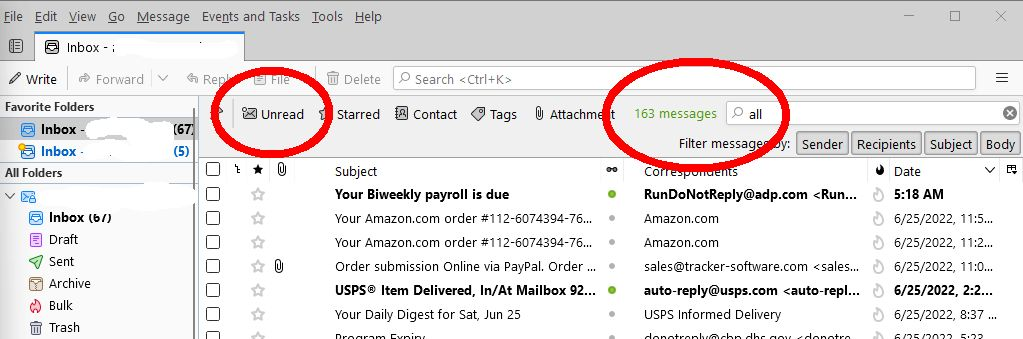
If I type All in the quick filter box it shows unread messages and a count of 163 messages.

Does anyone know how I can reset this behavior?

++Mark. https://ctproduced.com
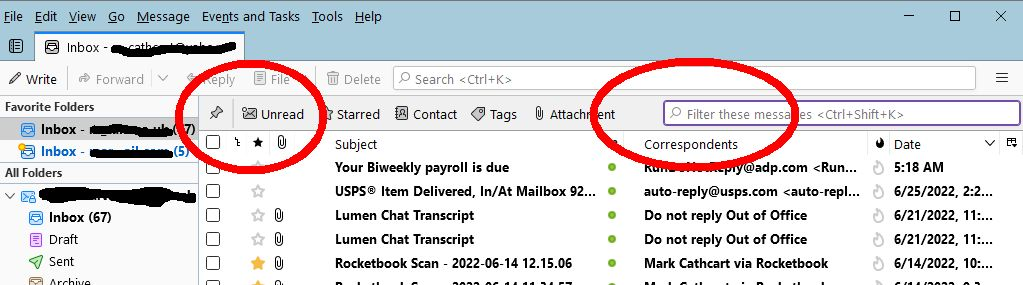
I'm running the 102.0b8 (64-bit) release. When I view the inbox for my Yahoo account, by default it shows only Unread. The Quick filter is NOT on(see attached). If I select the Unread Quick filter the display does NOT change, except in green it shows "67 messages". If I type All in the quick filter box it shows unread messages and a count of 163 messages. Does anyone know how I can reset this behavior? ++Mark. https://ctproduced.com
Mba’erechaha japyhypyre oñondivegua

Ñemoĩporã poravopyre

Sounds like you have the 'View' > 'Threads' > 'Unread' option selected. So I tested it and managed to reproduce the same.

Do this:

  • 'View' > 'Threads' > select 'All'
Emoñe’ẽ ko mbohavái ejeregua reheve 👍 1

Opaite Mbohovái (2)

jeporavorãve

Ñemoĩporã poravopyre

Sounds like you have the 'View' > 'Threads' > 'Unread' option selected. So I tested it and managed to reproduce the same.

Do this:

  • 'View' > 'Threads' > select 'All'
jeporavorãve

Cheers! Thats another mistake(by me) I won't forget.