


HELP!!! How to fix missing messages on right pane from one single email account?
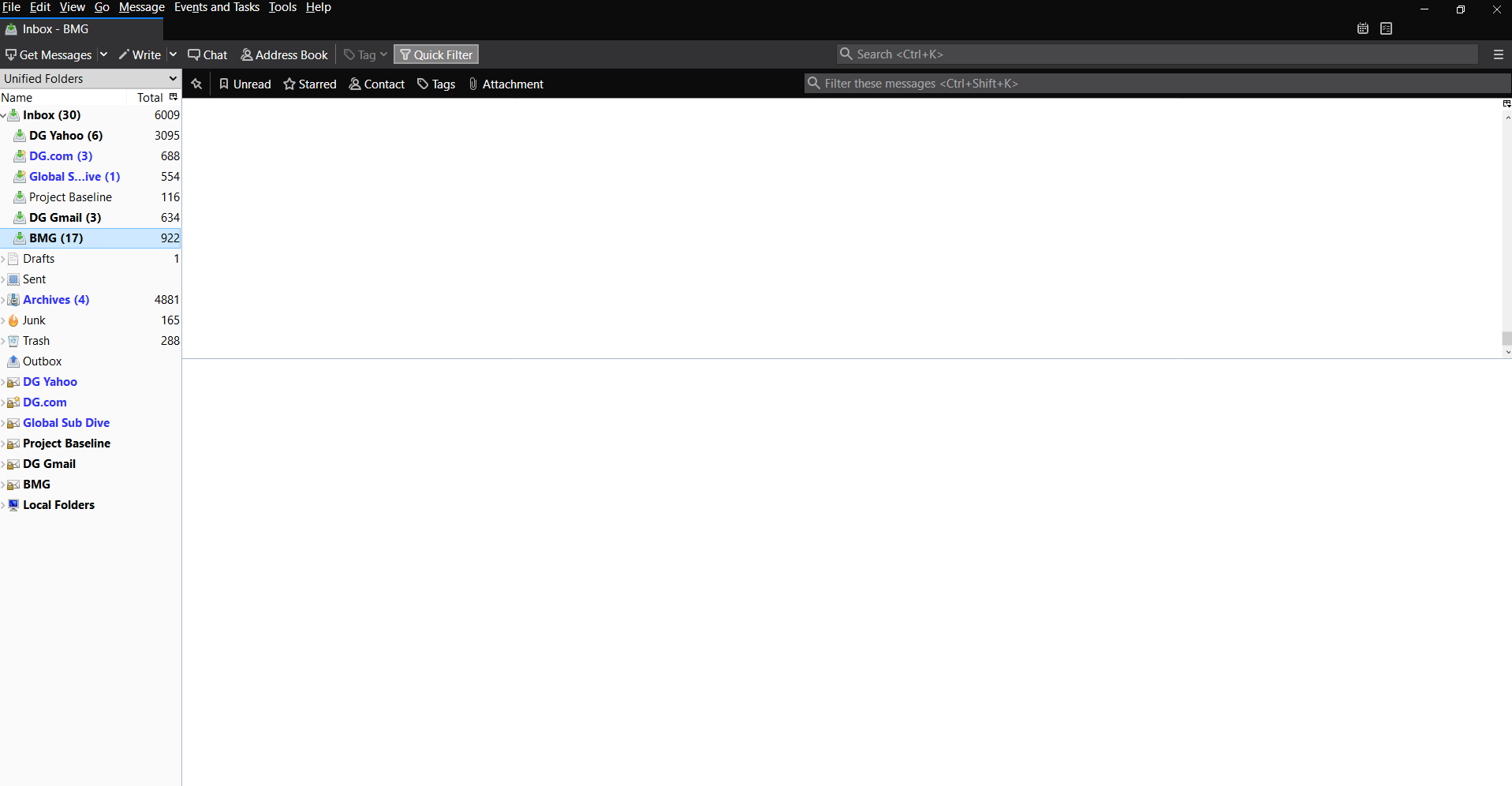
I am using Mozilla Thunderbird to manage multiple email addresses. After the last update, one email addresses is not showing the messages on the right side. The email account and respective folders still show on the left pane with all the other accounts, but this one single account doesn't show the messages, the right page appear white.
Moambuepyre Diana G. rupive
Ñemoĩporã poravopyre
Try this: right-click the BMG folder, Properties, Repair Folder.
Opaite Mbohovái (5)
I notice you are using 'Unified' view.
Menu icon > Folders > select 'All' Does this then display all that accounts folders and emails?
If reselecting Menu icon > Folders > select 'Unified' OR 'View' > Folders' > 'Unified' does not show those emails try the following.
In Thunderbird View > Folders > select 'All' Help > Troubleshooting Information click on 'Open Folder' button A new window opens showing contents of profile name folder.
Exit thunderbird now. Click on 'Mail' folder to see contents Delete: 'smart mailboxes' folder
Start Thunderbird
'View' > Folders' > 'Unified'
Thank you for your responses. However, none of these fixes addressed the situation. Here is a short video of the issue in hopes that someone can help me: https://dianagiorgetti.com/wp-content/uploads/2019/09/Thunderbird-Video-.mp4
Ñemoĩporã poravopyre
Try this: right-click the BMG folder, Properties, Repair Folder.
sfhowes!!! I love you!!! You saved my life. Thank you very much!.